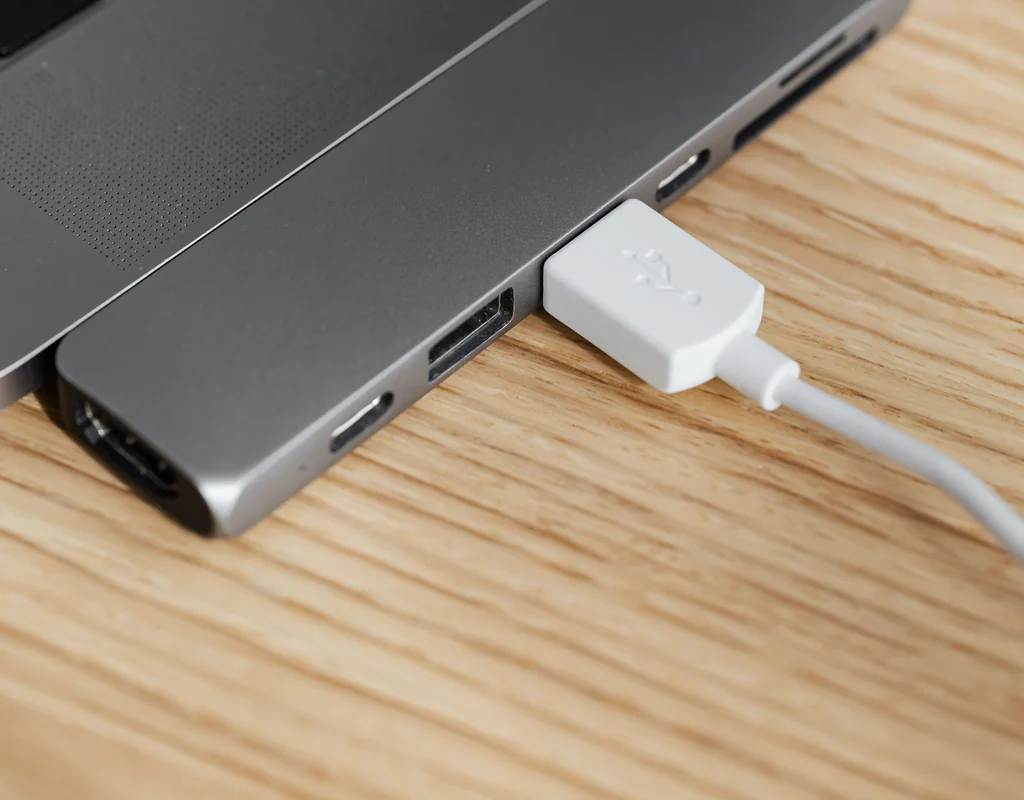
A small home office can be comfortable and productive, but limited laptop ports can quickly become frustrating. A keyboard, mouse, webcam, storage drive, phone, or external display may require more connections than your computer provides.
The best USB hubs for small home offices can make this problem easier to manage by adding useful connections without taking up much desk space. Instead of keeping several separate adapters around your workspace, one suitable hub can bring commonly used connections together.
The key is choosing a hub that matches your laptop, your devices, and the way you actually work. More ports are not always better. The most useful USB hub is usually the one that gives you the connections you need while keeping your small desk simple and manageable.
Affiliate Disclosure: Some links in this article may be affiliate links. If you purchase a product through one of these links, Buy Facto may earn a commission at no additional cost to you. Our recommendations are based on the features and considerations discussed in this guide.
1. Why Use a USB Hub in a Small Home Office?
Many laptops have a limited number of physical ports. That can become inconvenient when your home-office setup includes several accessories.
You may want to connect a keyboard, mouse, webcam, external storage, phone, or other USB device at the same time. Without enough available ports, you may have to disconnect one device whenever you need to connect another.
If you’re also looking for a space-saving keyboard, see our guide to Best Compact Keyboards for Small Desks.
A USB hub can provide additional connections through one available computer port.
For a small home office, this can be especially useful because it can reduce the number of individual adapters sitting around your desk.
A USB hub may help you:
- Connect multiple USB accessories
- Keep frequently used devices connected
- Reduce repeated cable swapping
- Make ports easier to access
- Simplify a laptop-based workstation
- Keep connectivity in one compact location
The goal is not to add as many connections as possible. The goal is to make your everyday setup easier to use.
2. USB Hub vs. USB-C Hub: What’s the Difference?
The first thing to understand is the connection between the hub and your computer.
A traditional USB hub commonly connects through a USB-A port and provides additional USB ports for compatible accessories.
A USB-C hub connects through USB-C and may provide a mixture of USB-A, USB-C, HDMI, card-reader, Ethernet, or other connections depending on the model.
USB-C does not automatically mean that every available feature will work with every laptop. Different devices and ports can support different capabilities, so checking the specifications of both the laptop and hub is important. USB-IF provides specifications and information for USB Type-C and related USB technologies.
A Standard USB Hub May Be Enough If:
- Your laptop has a USB-A port
- You mainly use USB accessories
- You need a few additional connections
- You do not need video output
- You want a simple and compact setup
A USB-C Hub May Make More Sense If:
- Your laptop has limited USB-C connectivity
- You need several different connection types
- You want compatible HDMI or display connectivity
- You need compatible charging pass-through
- You want to connect newer USB-C accessories
Before buying, look at your laptop’s actual ports rather than choosing a hub based only on its appearance.
3. How Many USB Ports Do You Actually Need?
It is easy to assume that a hub with more ports is automatically more useful. For a small home office, that can lead to unnecessary size and expense.
Start by listing the devices you normally use.
Basic Setup
A simple workstation might have:
- Keyboard
- Mouse
- One additional USB accessory
A small multi-port hub may be all you need.
If you’re also choosing a space-saving mouse for your desk, see our guide to Best Wireless Mice for Small Desks.
Typical Home Office Setup
A more complete setup could include:
- Keyboard
- Mouse
- Webcam
- External storage
In this case, several accessible USB ports can make everyday work more convenient.
Expanded Setup
A more advanced workspace may also include:
- External monitor
- Storage drive
- Card reader
- Additional USB accessories
- Phone or other device
A more capable USB-C hub may be useful for this type of setup.
The important point is to count your real devices first. Buying a large hub simply because it has more ports can leave you with unused connections and unnecessary desk clutter.
4. Best USB Hubs for Small Home Offices
Different USB hub types are designed for different needs. Choosing according to your setup makes it easier to avoid paying for features you will never use.
Compact 4-Port USB Hub
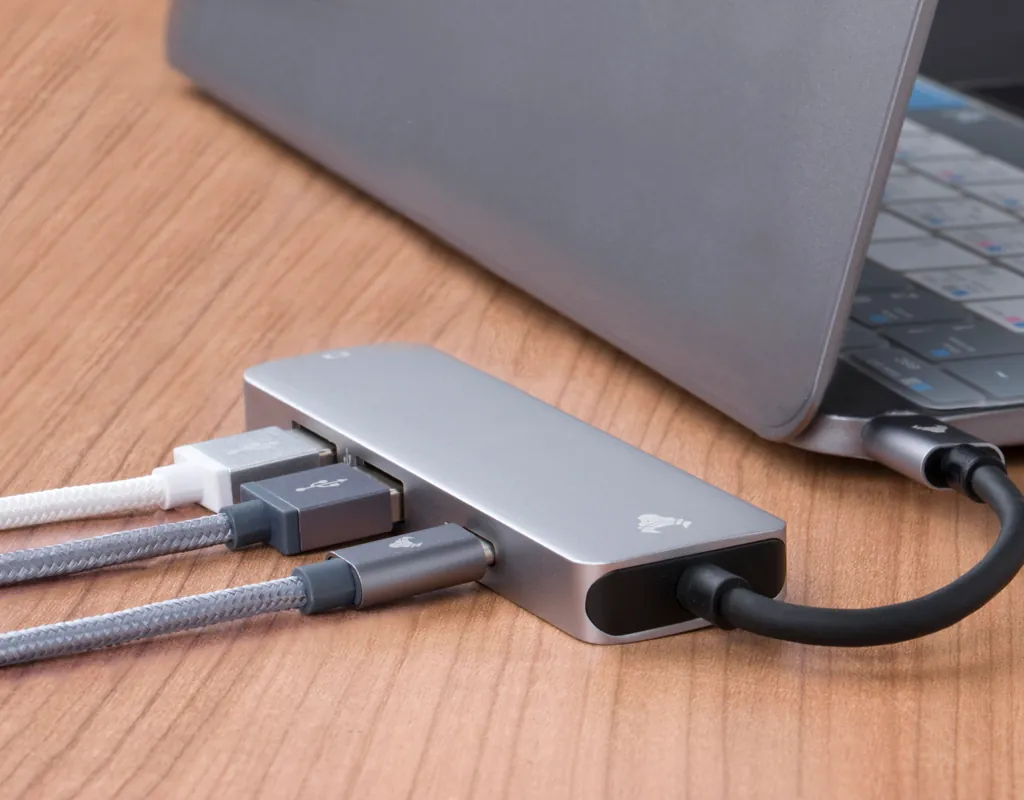
A compact 4-port USB hub can be a practical choice when you mainly need a few extra USB connections.
It can work well for everyday accessories such as a keyboard, mouse, webcam, or compatible storage device. Its smaller footprint can also make it easier to keep near a laptop without occupying a large part of the desk.
For someone with a straightforward workstation, a compact hub may offer a better balance between connectivity and simplicity than a much larger multi-port device.
Best suited for: basic home-office peripherals and small desks.
Before buying, check: connector type, USB speed, number of ports, cable length, and laptop compatibility.
USB-C Hub
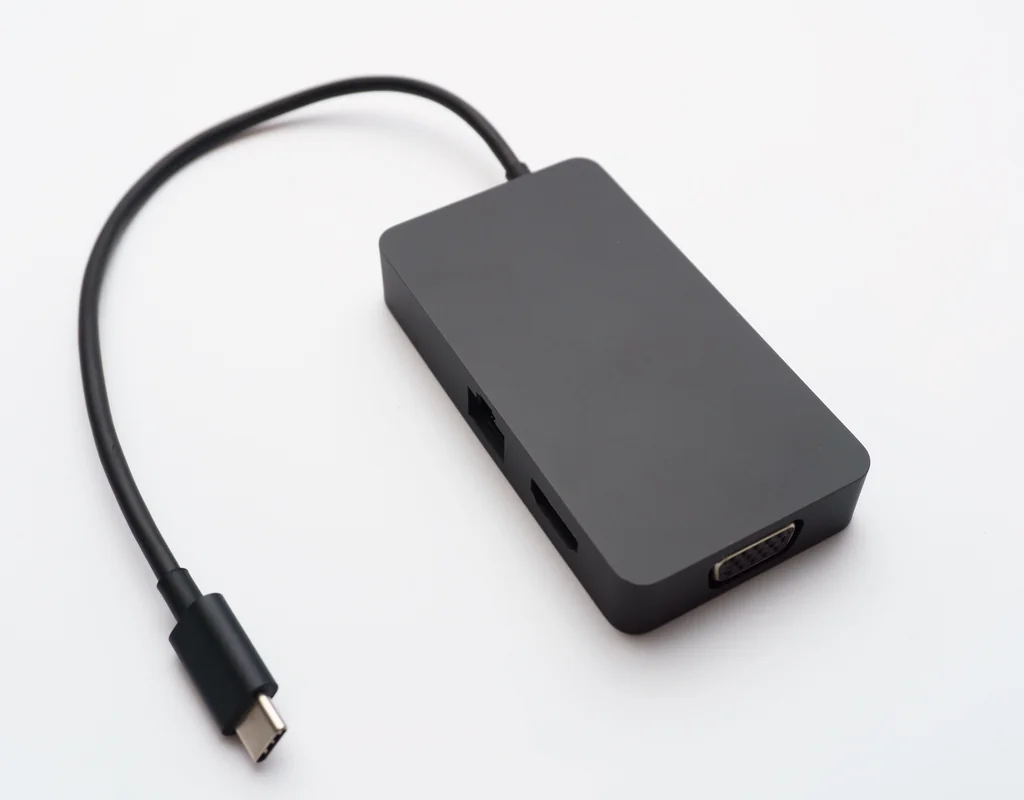
A USB-C hub can be useful when your laptop has limited ports but you need several types of connections.
Depending on the model, a USB-C hub may combine USB-A, USB-C, HDMI, card readers, Ethernet, and other connections in one device.
This can be particularly convenient for a laptop-based workstation because you can keep several accessories connected without maintaining a collection of individual adapters.
Best suited for: laptops with limited connectivity and users who need multiple connection types.
Before buying, check: supported ports, data speeds, charging capabilities, video support, and compatibility.
USB-C Hub With HDMI
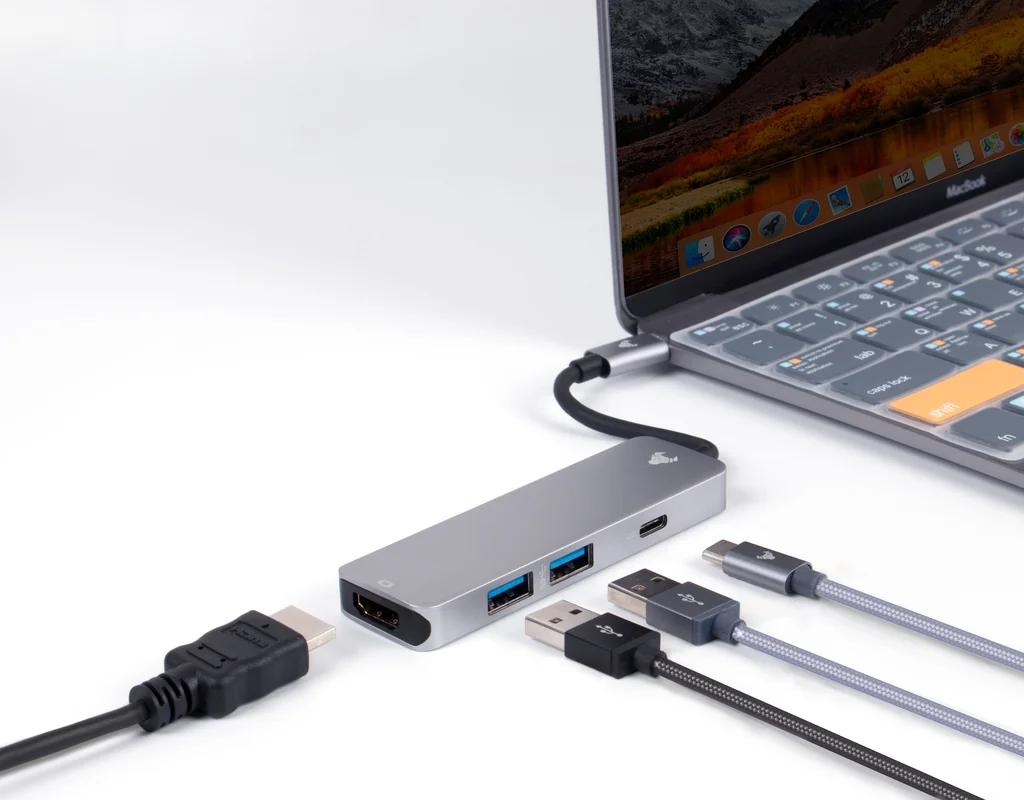
If an external monitor is part of your home-office setup, a USB-C hub with HDMI can be a useful option.
If you’re considering a compact display for your workspace, see our guide to Best Portable Monitors for a Small Home Office.
Instead of using a separate adapter for every connection, a suitable hub can combine display connectivity with other ports in one compact accessory.
However, HDMI support is not identical across all hubs. Supported resolution, refresh rate, display standards, and laptop compatibility can vary.
That means you should check the exact specifications before buying rather than assuming that every HDMI-equipped hub will provide the same display capabilities.
Best suited for: laptop users who regularly connect an external monitor.
Before buying, check: HDMI specifications, laptop compatibility, supported display resolution and refresh rate, and charging requirements.
USB Hub With SD or microSD Card Slots
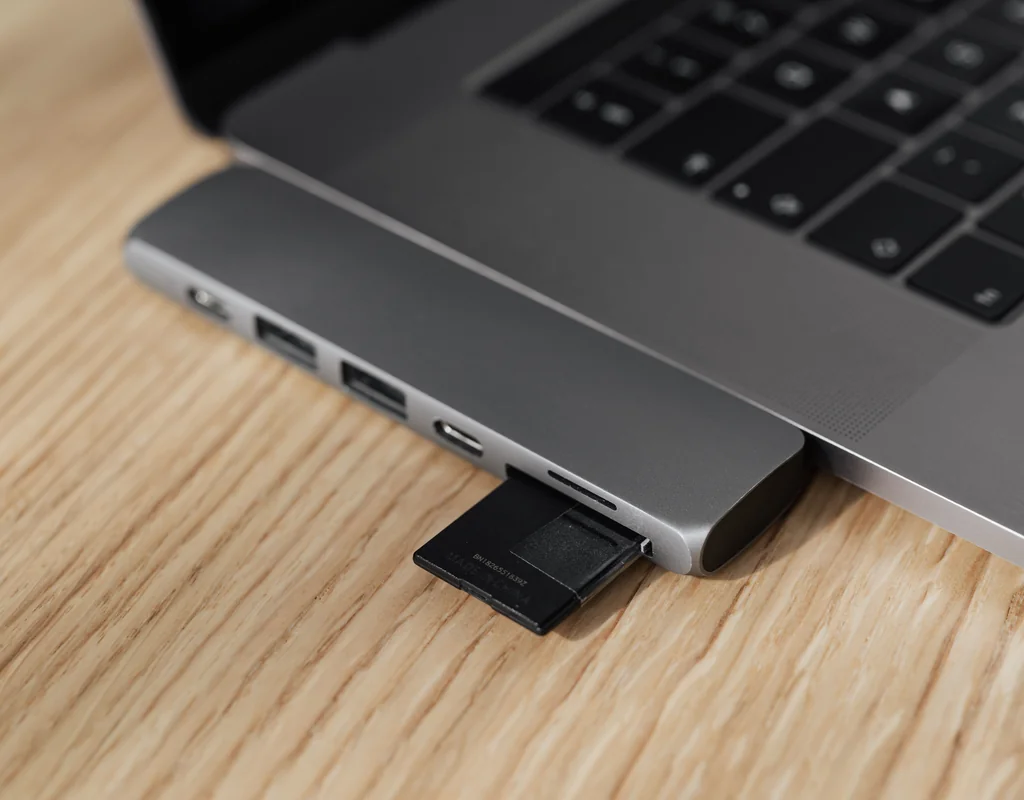
A USB hub with SD or microSD card slots can be especially useful if you regularly transfer photos, videos, or other files.
Combining card-reading capability with other useful connections can save space compared with keeping a separate card reader on your desk.
This can be helpful for people who work with cameras, removable storage, or content files while still wanting a relatively compact workstation.
Best suited for: photography, content creation, and regular file transfers.
Before buying, check: supported card formats, transfer speeds, and the other ports included.
Powered USB Hub
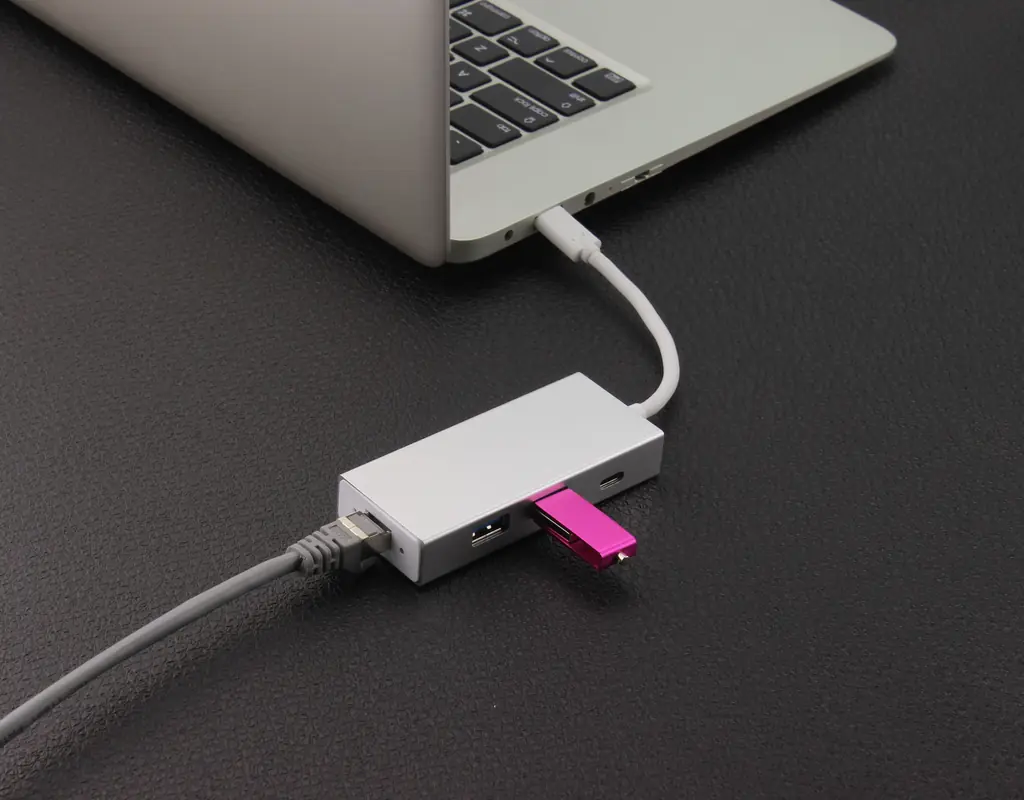
A powered USB hub uses an external power source instead of relying entirely on the computer’s USB connection.
This can be useful for setups involving several connected devices or peripherals with higher power requirements.
A powered hub is not necessary for every home office. A basic keyboard-and-mouse setup may not need one.
The main reason to consider a powered option is when your particular collection of connected devices makes additional power useful.
Best suited for: workstations with several connected peripherals.
Before buying, check: power requirements, included power adapter, port specifications, and device compatibility.
5. Features That Make a USB Hub Worth Buying
Port count is only one part of the decision. A hub can have many ports and still be a poor fit for your workspace if those ports do not match your needs.
Port Selection
Look at the devices you already use.
If your keyboard and mouse use USB-A, make sure the hub provides suitable USB-A connections. If your setup is increasingly based around USB-C, consider whether USB-C connectivity is more useful.
USB Speed
Different USB connections can support different data-transfer capabilities.
If you regularly move large files, pay attention to the stated data speed instead of choosing a hub based only on its number of ports.
For simple keyboard or mouse connections, extremely high transfer speeds may be less important.
USB-C Power Delivery
Power Delivery can matter if you want compatible charging through a USB-C hub.
Check the hub’s stated power support and compare it with your laptop’s charging requirements. A USB-C connector alone does not mean that the hub can charge your laptop.
HDMI or Video Output
If you use an external monitor, video output may be an important feature.
Check the exact display specifications rather than assuming every hub with HDMI provides identical performance.
SD and microSD Support
Card slots can be valuable if you frequently transfer files from cameras or memory cards.
If you never use removable storage, however, this feature may not justify choosing a more expensive hub.
Cable Length
Cable length can make a noticeable difference on a small desk.
A cable that is too short can make the hub difficult to position, while an unnecessarily long cable can create additional clutter.
Choose a length that lets the hub sit comfortably near your laptop.
Physical Size
A USB hub should fit naturally into your workspace.
If your desk is already crowded, a compact design can be easier to position and use than a large accessory with many connections you rarely need.
6. How to Choose a USB Hub for Your Laptop
Once you understand the different types, choosing becomes much simpler.
Step 1: Check Your Laptop’s Ports
Look at the physical connections available on your laptop.
Check whether you have:
- USB-A
- USB-C
- HDMI
- Other connections relevant to your setup
The hub needs to connect properly to the laptop before any other feature matters.
Step 2: Count Your Devices
Make a list of the devices you want connected at the same time.
For example:
- Keyboard
- Mouse
- Webcam
- Storage
- Phone
- Monitor
This gives you a realistic idea of how many connections you need.
Step 3: Decide Whether You Need HDMI
If you only work from the laptop display, HDMI may not be necessary.
If you regularly use an external monitor, however, compatible video output can be an important consideration.
Step 4: Decide Whether You Need Charging
If you want to charge your laptop through the hub, check for USB-C Power Delivery support.
Also check the power requirements of your particular laptop.
Step 5: Check USB Speeds
For large file transfers, USB speed deserves more attention.
For low-bandwidth accessories such as a keyboard or mouse, speed may be less important.
Step 6: Consider Extra Features
Think carefully about card readers, Ethernet, HDMI, additional USB-C ports, and other extras.
A feature is useful when you actually need it.
Step 7: Consider Your Desk Space
Finally, look at where the hub will sit.
The right hub should improve connectivity without making your small workspace harder to use.
7. How to Keep a USB Hub From Making Your Desk Messier
A USB hub can simplify your connections, but poor cable placement can quickly create another source of clutter.
Place the hub somewhere that keeps frequently used ports easy to reach. If possible, route its main cable toward the back or side of the desk instead of across your main working area.
Keep cables grouped according to how often you use them. Frequently used accessories can remain connected, while devices you only use occasionally can stay disconnected until needed.
You can also combine the hub with sensible cable organization to keep loose wires from spreading across the desk.
For more ideas, see our guide on Best Cable Management Solutions for Small Desks.
A small home office does not need complicated cable arrangements. The goal is simply to keep the connections you use most accessible while keeping the main working area clear.
Quick Comparison: Which USB Hub Type Fits Your Setup?
| USB Hub Type | Best For | Main Advantage |
|---|---|---|
| Compact 4-port USB hub | Basic accessories | Small footprint |
| USB-C hub | Modern laptops | Multiple connection options |
| USB-C hub with HDMI | External monitor users | Combines connectivity and video output |
| USB hub with card reader | Content and file work | Convenient memory-card access |
| Powered USB hub | Multiple peripherals | Additional power support |
USB Hub Buying Checklist
Before choosing a USB hub, check:
- ☐ Does the connector match your laptop?
- ☐ Do you have enough ports for your current devices?
- ☐ Are the supported USB speeds suitable for your work?
- ☐ Do you need HDMI or another video output?
- ☐ Do you need SD or microSD card slots?
- ☐ Do you need USB-C Power Delivery?
- ☐ Is the cable long enough for your desk?
- ☐ Is the hub compact enough for your workspace?
- ☐ Does it support your laptop and connected devices?
- ☐ Are you paying for features you will actually use?
Frequently Asked Questions
What Is the Best USB Hub for a Small Home Office?
There is no single USB hub that suits every small home office.
The right choice depends on your laptop’s available ports, the devices you use, and whether you need features such as HDMI, card readers, or charging support.
For a basic setup, a compact multi-port hub may be enough. A more advanced workstation may benefit from a USB-C hub with additional connection types.
Do I Need a USB-C Hub for My Laptop?
You may benefit from a USB-C hub if your laptop has limited connectivity or you need several different connection types.
Before buying, check what your laptop’s USB-C port actually supports. USB-C describes the connector type, but different devices can support different capabilities.
How Many USB Ports Do I Need for a Home Office?
Start by counting the devices you want connected simultaneously.
A keyboard and mouse may require only a few connections, while a setup with a webcam, storage drive, phone, and other accessories may require more.
Choose enough ports for your actual needs rather than automatically choosing the largest hub.
Can a USB Hub Connect an External Monitor?
Some USB-C hubs can provide external-display connectivity through HDMI or another video output.
The laptop and hub both need to support the required display functionality. Check supported resolution, refresh rate, and compatibility before buying.
Is a Powered USB Hub Better for Multiple Devices?
A powered USB hub can be useful when several connected devices have higher power requirements.
It is not automatically necessary for every setup. A simple keyboard-and-mouse workstation may work well with a standard bus-powered hub.
Can a USB-C Hub Charge a Laptop?
Some USB-C hubs support charging through USB-C Power Delivery.
However, support and power limits vary. Check the hub’s power specifications and your laptop’s charging requirements before relying on the hub for charging.
How Do I Keep a USB Hub and Its Cables Organized?
Keep the hub close enough to your laptop that its main cable does not cross your working area.
Route other cables toward the back or side of the desk and disconnect accessories that you rarely use.
A compact hub combined with sensible cable management can make a small workspace easier to use.
Related Small Home Office Tech Guides
If you are building a compact workstation, these related guides can help you choose other essential accessories:
- Best Compact Keyboards for Small Desks
- Best Wireless Mice for Small Desks
- Best Portable Monitors for a Small Home Office
- Best Cable Management Solutions for Small Desks
Final Thoughts
The right USB hub can make a small home office easier to use without requiring a larger desk.
Start by checking your laptop’s available ports and the devices you actually use. Then consider USB speed, port selection, HDMI support, charging capability, card readers, cable length, and physical size.
You do not necessarily need the hub with the most ports or the longest feature list. A compact option with the right connections can be a much more practical fit for a small workspace.
For a home office where every inch of desk space matters, the ideal combination is useful connectivity, simple cable management, and a hub that fits naturally into the way you work.