
A small desk can become crowded surprisingly quickly. Once you have a laptop, keyboard, notebook, and a few everyday items on the surface, there may not be much room left for comfortable mouse movement. A large mouse can make the problem even more noticeable by taking up valuable space beside your keyboard.
That is why the best wireless mice for small desks can be a useful upgrade for a compact workspace. A wireless design removes the cable from the desk and gives you more freedom to position the mouse where it feels comfortable. The right model can also make it easier to keep your workspace tidy without giving up comfortable everyday use.
For a small home office, the goal is not simply to find the smallest mouse available. A better approach is to choose a mouse that fits your hand, works reliably with your computer, and leaves enough room for normal movement.
If you are also trying to reduce the space taken by your keyboard, our guide to best compact keyboards for small desks can help you choose a smaller keyboard layout.
Affiliate Disclosure: This post contains affiliate links. If you make a purchase through one of the links in this guide, we may earn a small commission at no extra cost to you.
Why Wireless Mice Work Well on Small Desks
The main advantage of a wireless mouse on a small desk is the lack of a cable running across your workspace.
A wired mouse can work perfectly well, but its cable still needs to be managed. On a narrow desk, it can get caught around the keyboard, run across the center of the workspace, or limit where you can comfortably place the mouse.
A wireless mouse removes that restriction. You can move it closer to your keyboard, position it beside your laptop, or quickly move it away when you need extra desk space.
A compact wireless mouse can be especially useful if your workspace changes during the day. For example, you may use the same desk for working, writing, studying, or other activities and need to clear the surface afterward.
Wireless connectivity can also make a laptop-based workspace feel less cluttered. When combined with a compact keyboard and a raised laptop, it becomes easier to use the limited surface more efficiently.
If cable clutter is already a problem on your desk, our guide to cable management solutions for small desks has more practical ideas.
What Size Mouse Is Best for a Small Desk?
There is no single mouse size that works for everyone. Your hand size, grip, and daily workload are all important when choosing a mouse.
A smaller mouse generally takes up less space and can be easier to move around on a narrow desk. It is also convenient if you regularly carry your mouse with a laptop.
However, choosing the smallest possible model is not always the best idea. If your mouse feels cramped or uncomfortable after an hour of work, the small footprint may not be worth the trade-off.
For most compact workspaces, look for a mouse that offers:
- A relatively small footprint
- Comfortable hand support
- Smooth cursor movement
- Reliable wireless connectivity
- Easy scrolling
- Good battery life or convenient charging
The best wireless mice for small desks should save space while still being comfortable enough for everyday work.
What to Look For Before Buying
Size and shape. Start by considering your hand size and grip style. A very small mouse may work well for travel but may not be comfortable for several hours of daily work.
Wireless connection. Bluetooth can be convenient because it does not require a USB receiver. A 2.4GHz wireless connection can also be useful when you want a simple receiver-based setup. Some models support both.
Battery life. A rechargeable mouse can be convenient if you prefer charging rather than replacing batteries. Battery-powered models can also be practical when they offer long battery life.
Tracking performance. For normal office work, you generally do not need extreme specifications. Reliable and accurate cursor movement is more important for documents, browsing, email, and spreadsheets.
Scrolling. A smooth scroll wheel becomes surprisingly important when you work with long webpages, documents, or spreadsheets. It is worth considering how the wheel feels before choosing a model.
Button layout. Basic left and right buttons are enough for many people. Extra buttons can be useful for productivity, but they are not essential for a compact desk setup.
Comfort. A space-saving mouse should still feel natural in your hand. If you work from home for several hours a day, comfort should be considered alongside size.
Four Wireless Mice Worth Considering
1. Best Budget Pick — Compact Wireless Mouse

A basic compact wireless mouse is a sensible starting point if you want a cleaner desk without spending too much.
This type of mouse usually focuses on the essentials: comfortable clicking, a scroll wheel, reliable wireless connection, and a small footprint. It is well suited to everyday tasks such as browsing, email, writing, and basic office work.
For a small home office, a budget compact mouse can be enough if you do not need advanced productivity controls or a specialized ergonomic design.
Key features to look for:
- Compact size
- Wireless USB receiver
- Simple button layout
- Lightweight construction
- Comfortable shape
- Good battery life
2. Best Overall — Slim Wireless Mouse

A slim wireless mouse is a strong option for people who want to keep their desk setup minimal.
Its flatter design makes it easy to place beside a laptop or compact keyboard without taking up unnecessary vertical or horizontal space. It is also convenient to carry in a laptop bag when you work from different locations.
This type of mouse is particularly useful for people who value a clean workspace and do not need a large number of buttons.
Key features to look for:
- Slim profile
- Compact footprint
- Wireless connectivity
- Portable design
- Smooth scrolling
- Comfortable everyday controls
3. Best for Productivity — Compact Multi-Device Mouse
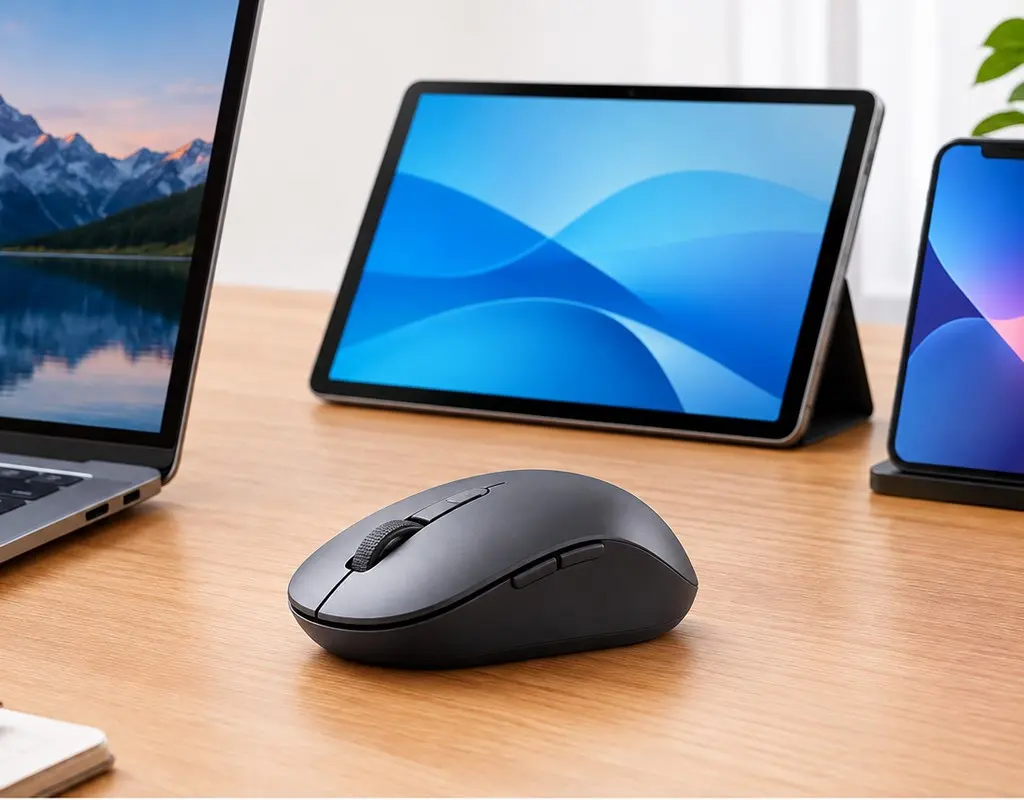
If you use more than one computer, a compact multi-device wireless mouse can make a small workspace more flexible.
Instead of keeping a separate mouse for every computer, a multi-device model can let you switch between compatible devices. This can be useful if you work on a laptop but occasionally use another computer from the same desk.
The important thing is to choose a model that remains reasonably compact. Extra productivity features are helpful, but they should not completely defeat the purpose of having a space-saving mouse.
Key features to look for:
- Compact design
- Multi-device support
- Wireless connectivity
- Easy device switching
- Comfortable shape
- Rechargeable battery
4. Best Ergonomic Option — Compact Vertical Wireless Mouse
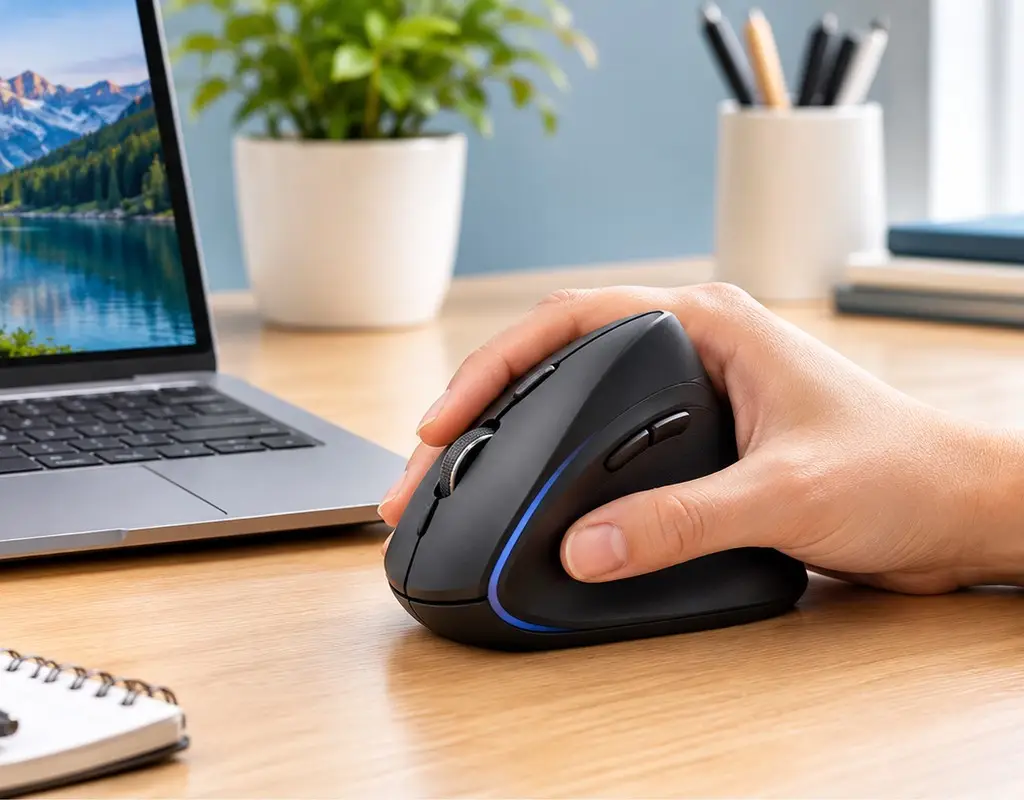
A compact vertical wireless mouse is worth considering if hand comfort is more important than having the smallest possible traditional mouse.
The vertical shape changes how your hand rests on the mouse and can feel noticeably different from a conventional design. Some people find this position more comfortable during longer work sessions.
It does require an adjustment period, however. If you have always used a traditional mouse, the vertical shape may initially feel unfamiliar.
For a small home office, look for a compact ergonomic model rather than a very large vertical mouse so you can maintain a comfortable setup without losing too much desk space.
Key features to look for:
- Vertical ergonomic shape
- Compact footprint
- Wireless connection
- Comfortable thumb support
- Easy-to-reach buttons
- Suitable for longer work sessions
How to Position a Wireless Mouse on a Small Desk
Choosing one of the best wireless mice for small desks is only part of the solution. The way you arrange the mouse and keyboard can make an equally noticeable difference.
Keep the mouse close to the keyboard so your arm does not need to reach toward the edge of the desk. Your keyboard should be positioned comfortably in front of your main screen, with enough room beside it for normal mouse movement.
If your keyboard has a number pad, it may push the mouse farther away from your body. A compact keyboard can solve this problem by giving you more horizontal space.
You can also raise your laptop if the desk is short on depth. A laptop stand can create useful space underneath the laptop while improving screen height at the same time. Our laptop stands for small desks guide covers some practical options.
The goal is to create a setup where the mouse, keyboard, and screen work together instead of competing for the same limited space.
Wireless Mouse vs. Wired Mouse for a Small Desk
Both wireless and wired mice can work well, but they have different advantages.
A wired mouse does not need batteries and is always ready when connected. It can be a good option if your mouse stays in one place and you do not mind having a cable on your desk.
A wireless mouse gives you more flexibility. You can move it around easily, remove it from the desk when you need more space, and avoid having a cable crossing the workspace.
For a small desk, wireless is often the more convenient choice because keeping the center of the workspace clear can make the whole area feel less crowded.
Which Wireless Mouse Should You Choose?
If your main priority is low cost and basic everyday use, a compact wireless mouse is a practical choice.
If you want a minimalist and portable setup, a slim wireless mouse can save useful desk space.
If you regularly work with multiple computers, a compact multi-device mouse can make switching between devices easier.
If long work sessions make comfort a priority, a compact vertical wireless mouse may be worth considering.
The right choice depends on more than physical size. Your hand size, work habits, computer setup, and preferred features all matter.
Frequently Asked Questions
Are wireless mice good for small desks?
Yes. Wireless mice can be especially useful on small desks because they remove the cable that normally connects the mouse to the computer. This gives you more flexibility when positioning the mouse and helps keep the workspace clear.
What type of mouse is best for a small desk?
A compact wireless mouse is usually a good starting point. Choose one that fits your hand comfortably while taking up relatively little room beside your keyboard.
Is a smaller mouse always better for a small desk?
No. A smaller mouse can save space, but comfort still matters. If you have larger hands or work for many hours, an extremely small mouse may become uncomfortable.
Is Bluetooth better than a wireless USB receiver?
Neither is automatically better. Bluetooth can save a USB port, while a wireless receiver can provide a simple connection. Choose according to the computer and devices you use.
Can I use a wireless mouse with a laptop?
Yes. Many wireless mice work with laptops through Bluetooth, a USB receiver, or both. Check the connection method before buying to make sure it is compatible with your laptop.
Do I need an expensive mouse for working from home?
No. A basic wireless mouse can handle everyday tasks such as browsing, email, documents, and general office work. More advanced models become useful when you specifically want ergonomic designs, multi-device support, or extra productivity controls.
The Bottom Line
The best wireless mice for small desks are not necessarily the smallest mice you can find. The better choice is one that gives you enough comfort and control while leaving useful space around your keyboard and laptop.
A compact wireless mouse is a good budget-friendly option, while a slim model can work well for minimalist setups. A multi-device mouse adds flexibility for people who use more than one computer, and a compact vertical mouse can be a better choice when ergonomic comfort is the priority.
Before buying, measure the space around your keyboard and think about how you normally use your mouse. A mouse that fits both your hand and your workspace will be much more useful than simply choosing the smallest model available.
If you are building a complete small home office, visit our Work-From-Home Tech category for more practical technology guides. You can also explore our Buying Guides section for more product comparisons and buying advice.