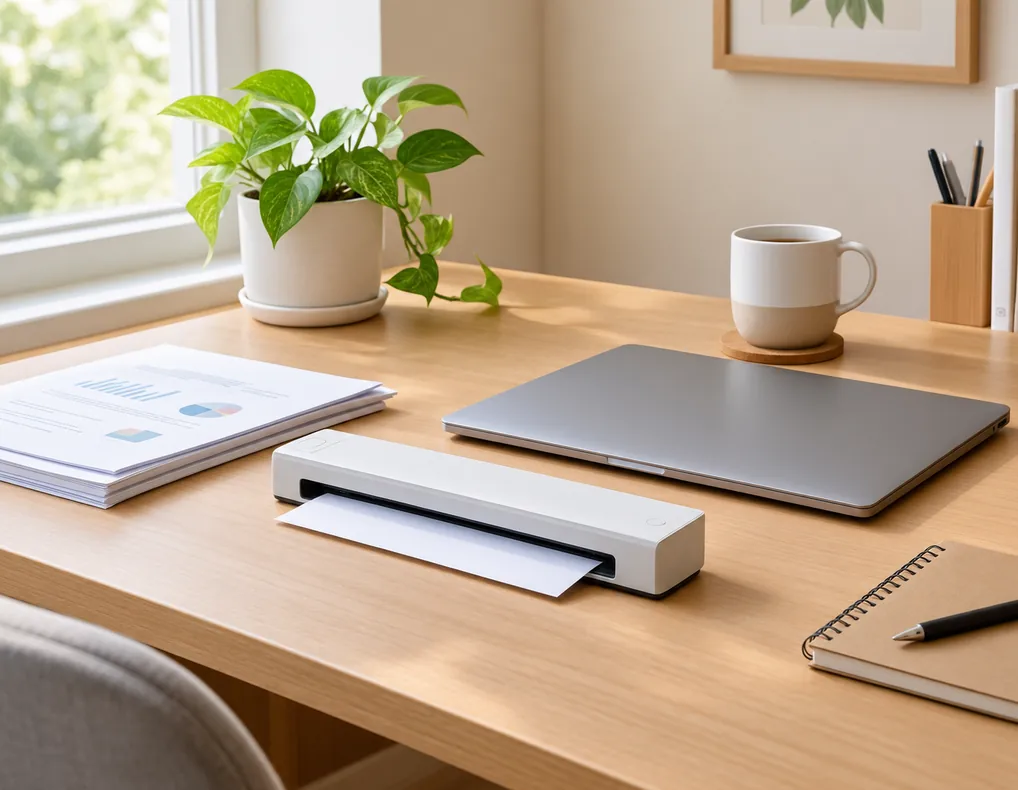
Compact document scanners for small home offices can make it easier to turn paper records into digital files without giving up a large portion of your workspace.
A small home-office desk may already need to hold a laptop or monitor, keyboard, mouse, notebook, lamp, and other everyday equipment. Adding a large scanner can make that limited surface even harder to use.
A compact scanner can help by focusing on document scanning while taking up less room than a larger office machine. But physical size is only part of the decision.
The type of documents you scan, how often you scan them, whether you need double-sided scanning, how many pages you process at once, and whether searchable text matters can all affect which scanner fits your routine.
This guide compares five compact document scanner types for small home offices. Instead of ranking individual brands, it focuses on different designs and use cases so you can compare features before buying.
Affiliate Disclosure: Some links on Buy Facto may be affiliate links. If you purchase through one of these links, we may earn a commission at no additional cost to you.
Amazon Associates Disclosure: As an Amazon Associate I earn from qualifying purchases.
Compact Document Scanners for Small Home Offices: What to Look For
A good scanner should fit both your workspace and your scanning routine.
Before choosing one, look beyond the product’s outer dimensions and think about how the machine will actually be used.
Physical Footprint
Check the manufacturer’s listed width, depth, and height.
Then consider how much room the scanner needs while paper is being loaded and collected.
A small scanner body can still require significant clearance during operation.
Scanner Design
Compact scanners are not all built for the same type of work.
Some are designed mainly for loose sheets. Others use flat glass and can handle photos, books, or individual originals.
Choose the design according to the documents you normally scan.
Duplex Scanning
Duplex scanning allows the scanner to capture both sides of a document.
This can be useful for double-sided forms, reports, agreements, and other office paperwork.
Automatic Document Feeder
An automatic document feeder, or ADF, can accept several pages so you do not have to place each sheet manually.
This becomes especially useful when scanning multi-page documents regularly.
Scan Speed
Scan speed matters most when you process many pages.
Manufacturer speed figures can depend on resolution, color mode, paper size, and whether duplex scanning is being used.
Compare products using similar conditions rather than one headline number.
Resolution
Optical resolution is commonly expressed in dpi.
Higher resolution can be helpful for detailed originals, but routine office documents do not necessarily require the highest available setting.
OCR
Optical Character Recognition, or OCR, can turn recognized text in scanned pages into searchable digital content.
This is useful when you want to find information inside archived documents instead of treating each scan as only an image.
Connectivity
A scanner may connect through USB, Wi-Fi, or another supported method.
Choose the connection that fits your computer and the way you want to use the scanner.
Software
The included software can be just as important as the hardware.
Check whether it supports the file types, scanning workflow, OCR, and document handling features you actually need.
Paper Handling
Look at supported paper sizes, thickness limits, feeder requirements, and other document-handling specifications.
A scanner that works well with standard office paper may not be suitable for unusual originals.
Quick Comparison: 5 Compact Document Scanner Types
| Scanner Type | Best For | Main Advantage |
|---|---|---|
| Compact duplex document scanner | Two-sided office paperwork | Reduces manual page turning |
| Portable sheet-fed scanner | Occasional scanning | Easy to move and store |
| Compact scanner with ADF | Multi-page documents | Automates page feeding |
| Wireless compact document scanner | Flexible office setups | Convenient network access |
| Small desktop scanner with OCR | Digital document filing | Supports searchable text workflows |
These are design categories rather than brand rankings. The right choice depends on the type and volume of documents you handle.
1. Compact Duplex Document Scanner
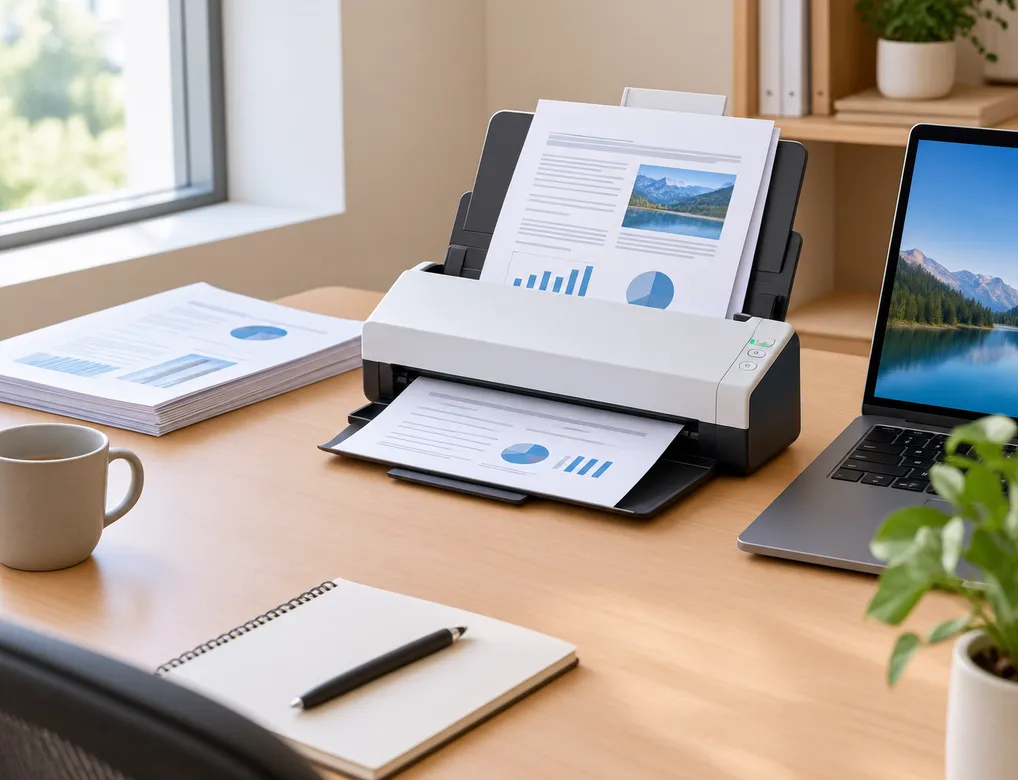
A compact duplex document scanner is designed for users who regularly scan documents printed on both sides.
Without duplex support, you may need to scan the front of a page, turn it over, scan the reverse side, and then combine or reorder the pages.
A duplex-capable scanner can simplify that process when its design supports two-sided scanning in one workflow.
Why Duplex Can Be Useful
This type may suit you if you frequently scan:
- Double-sided forms
- Reports
- Contracts
- Printed notes
- Two-sided worksheets
- Multi-page office records
Check the Actual Duplex Specifications
Do not stop at the word “duplex.”
Look at whether the manufacturer’s quoted scan speed applies to two-sided scanning and what paper sizes are supported.
Also check:
- Maximum feeder capacity
- Paper thickness limits
- Supported scan modes
- Output formats
- Software features
- Document size limitations
Consider the Operating Space
Even a compact duplex scanner may need room for paper to enter and exit.
Before placing it on your desk, consider the scanner’s operating position rather than measuring only the body.
A small machine that cannot be opened or fed comfortably in its assigned space is not very practical.
Best Use
This option makes sense for small offices where two-sided documents are common and reducing manual handling matters.
2. Portable Sheet-Fed Document Scanner
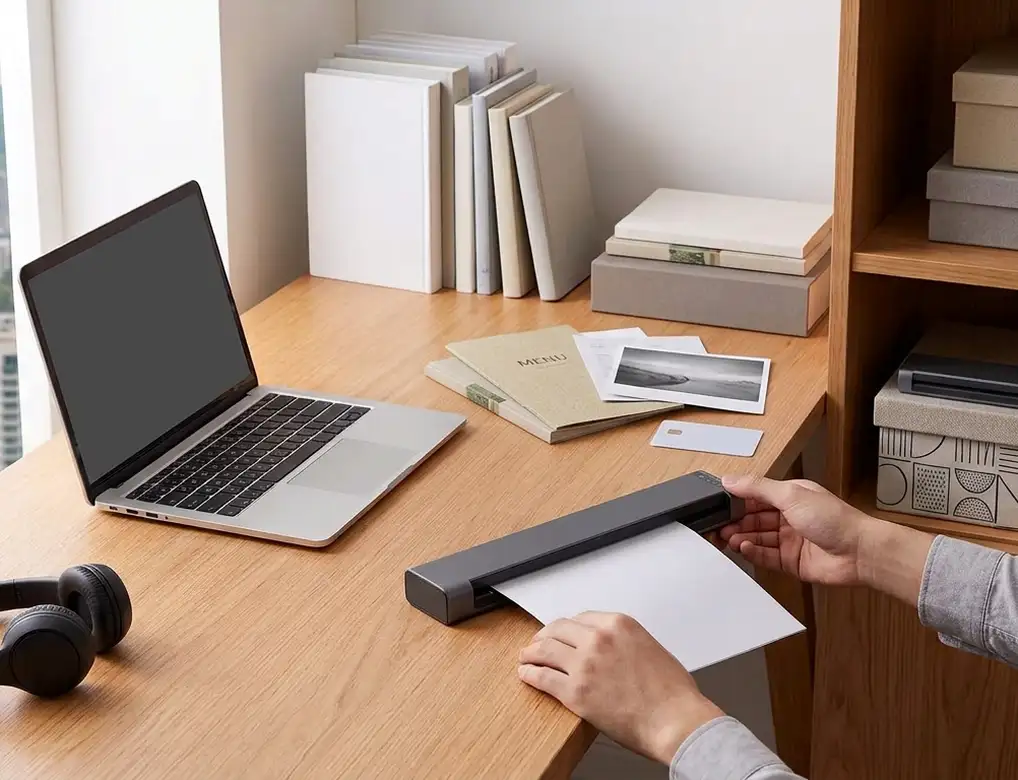
A portable sheet-fed scanner focuses on mobility and compact storage.
Instead of keeping a large scanning machine permanently on the desk, you can store a portable model when it is not needed and bring it out for occasional scanning.
This can be particularly useful when the workspace is very small.
Why Choose a Portable Design?
A portable scanner may suit you when:
- Scanning is occasional
- Desk space is limited
- You move between work areas
- Storage flexibility is important
- You usually scan a small number of loose pages
Consider Your Workload
Portability can become less convenient when you scan many documents every day.
A small portable scanner may require more manual feeding, depending on the design.
That means your scanning volume should be considered alongside physical size.
If you process only a few pages at a time, portability may be a major advantage.
If you regularly handle long document batches, another design may save more time.
Check Supported Documents
Review the manufacturer’s specifications for paper sizes and document types.
If you regularly scan thick material, unusual originals, photos, cards, or delicate pages, make sure the scanner is intended for those tasks.
Storage Matters Too
One advantage of a portable scanner is that it may spend more time stored than sitting on the desk.
Consider how easily it can be put away without creating another storage problem.
Best Use
This type works well when occasional scanning, easy movement, and compact storage matter more than high-volume document processing.
3. Compact Document Scanner With ADF
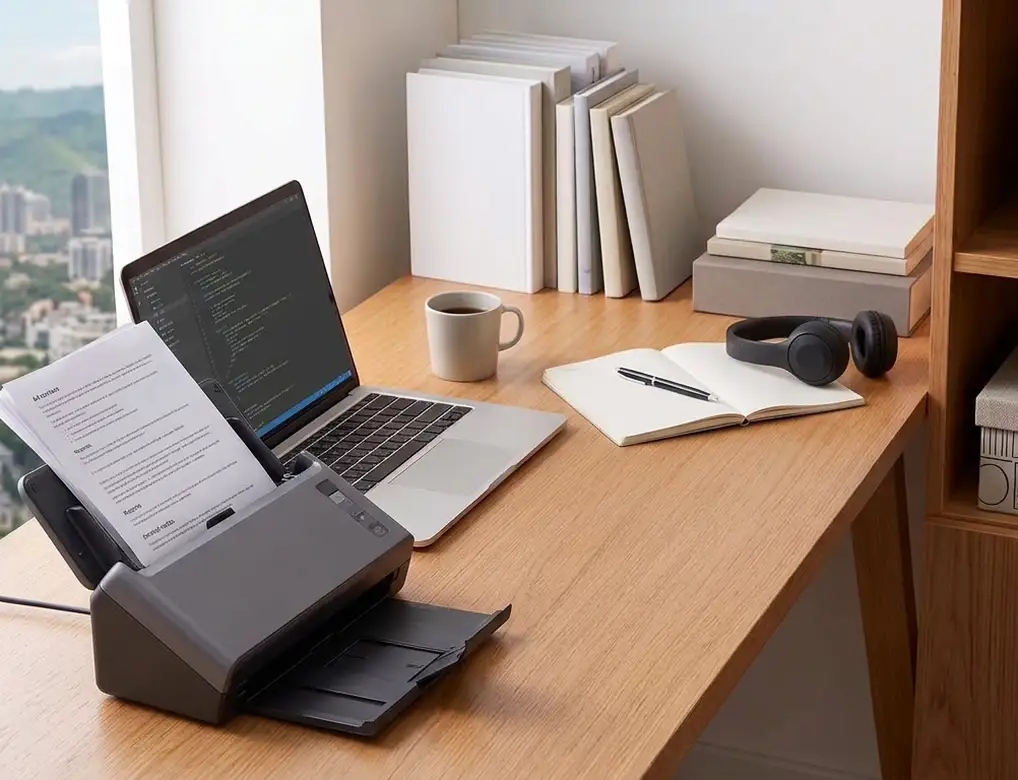
A compact scanner with an automatic document feeder can be a practical choice when multi-page scanning is part of your normal work.
Instead of placing every sheet individually on the scanning surface, the feeder allows multiple supported pages to be loaded into the machine.
Why an ADF Helps
An ADF can reduce repetitive handling when you scan:
Contracts
Reports
Applications
Meeting documents
Printed notes
Multi-page records
The main advantage is convenience.
You can prepare a supported stack of documents and let the scanner process them according to its capabilities.
Check Feeder Capacity
A larger ADF capacity is not automatically necessary.
Think about your normal batch size.
If you usually scan five or ten pages, a very large feeder may provide little practical benefit.
If you frequently digitize longer documents, feeder capacity becomes more relevant.
Paper Preparation Still Matters
An ADF does not mean you can place any paper into the feeder without preparation.
Remove staples, paper clips, folded edges, and other material that the manufacturer’s instructions say should not be fed into the machine.
Make sure pages are aligned properly before scanning.
Look at Feeding Reliability
Specifications can tell you capacity, but real-world usability also depends on how easily documents move through the feeder.
Check the manufacturer’s guidance for supported paper types and thickness.
Best Use
A compact ADF scanner is particularly useful for users who regularly turn stacks of loose documents into digital files.
4. Wireless Compact Document Scanner
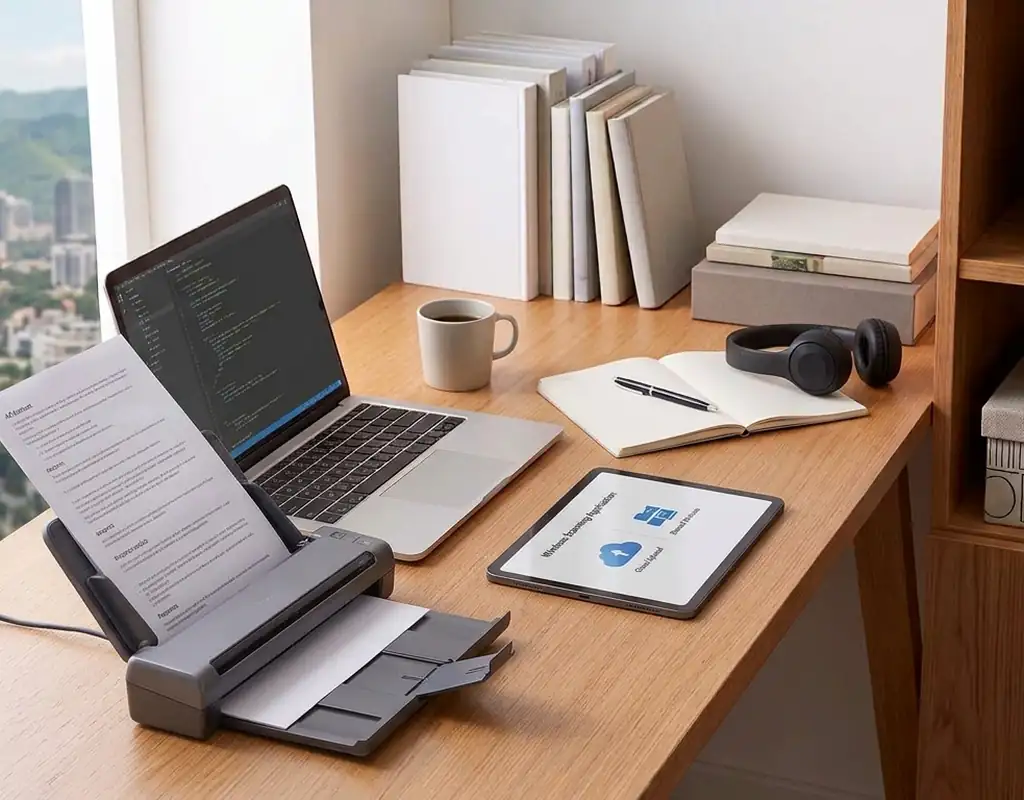
A wireless compact document scanner can provide more flexibility when you do not want the scanner to remain directly beside one computer.
Depending on the product, wireless connectivity may allow supported devices to access the scanner through a network.
Why Wireless Can Be Useful
This type may suit you when:
- More than one compatible device needs access
- The scanner sits away from the main computer
- Flexible placement matters
- You share the scanner in a home workspace
- You want to avoid a direct computer connection
Wireless Does Not Remove Physical Requirements
Even without a USB cable running directly to your computer, the scanner still needs:
- Power
- Paper access
- Output clearance
- A suitable placement area
Do not choose a location purely because the scanner can connect wirelessly.
Make sure the physical workflow remains convenient.
Check Software Compatibility
Wireless scanning depends on compatible software and devices.
Before buying, check which computers, operating systems, mobile devices, and applications are supported.
Also check whether all the features you need are available when using wireless scanning.
Consider Network Dependence
A wireless setup can be convenient, but it may introduce another part of the workflow.
If simple direct scanning is more important to you than flexible placement, USB connectivity may be sufficient.
Best Use
This type makes sense when flexible placement or shared scanner access matters more than a direct wired connection.
5. Small Desktop Scanner With OCR
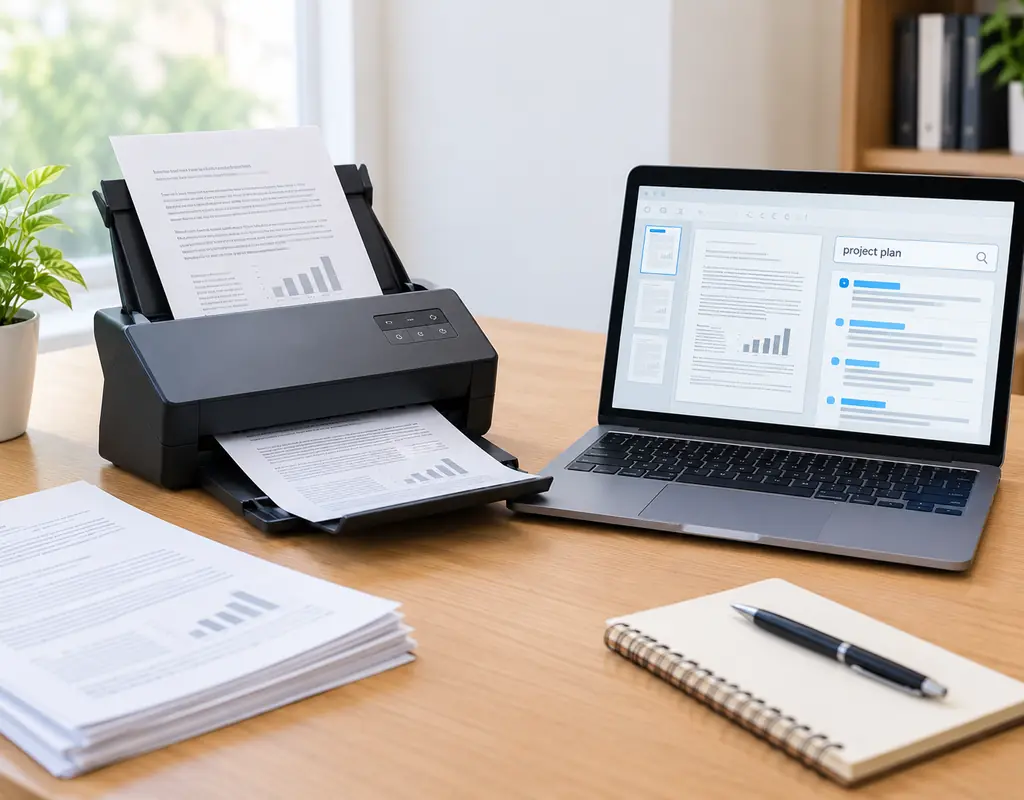
A small desktop scanner with OCR is useful when scanned documents need to become searchable digital records.
OCR stands for Optical Character Recognition. It allows software to analyze scanned pages and attempt to identify printed characters.
Why OCR Matters
Imagine storing dozens of scanned documents as image files.
Finding one particular sentence or reference later can be difficult.
A searchable document workflow can make it easier to locate text within supported files.
OCR can therefore be particularly useful for:
- Digital archives
- Business paperwork
- Receipts
- Reference documents
- Printed notes
- Records that need later searching
OCR Is Not Perfect
Recognition quality can vary.
Results can be affected by:
- Print quality
- Font
- Page layout
- Original condition
- Scan quality
- Software
For that reason, OCR should be viewed as a useful tool rather than a guarantee of perfectly recognized text.
Check Searchable Output
If OCR is important, look at how the scanner’s software handles searchable files.
A searchable PDF workflow may be more useful than simply creating image-only scans.
Consider the Whole Workflow
OCR is most valuable when it fits into the way you actually store and retrieve documents.
Think beyond the scan itself:
Paper → Scan → Text recognition → Save → Search
Best Use
This type is a good fit for users who want to turn paper records into digital files that are easier to find later.
Flatbed vs. Sheet-Fed Document Scanners
The way a scanner accepts the original can dramatically change how useful it is for your needs.
Sheet-Fed Scanners
Sheet-fed scanners are built mainly around loose pages.
They are often a natural choice for office documents such as forms, letters, reports, and contracts.
They can also work well with automatic document feeders when batch scanning is important.
Flatbed Scanners
Flatbed scanners place the original directly on a glass surface.
This design can be useful for:
- Photos
- Books
- Bound pages
- Fragile originals
- Individual documents
- Irregular materials
The trade-off is physical size.
A flatbed scanner may require more desk space than a narrow sheet-fed design.
Which One Fits a Small Office?
Start with the originals you normally scan.
If your work consists mostly of loose office pages, sheet-fed functionality may fit the workflow more naturally.
If you regularly scan photos, books, or unusual originals, a flatbed can provide capabilities that a compact sheet-fed scanner may not.
How Much Desk Space Does a Compact Scanner Really Need?
This is one of the most important questions for a small home office.
The manufacturer’s listed dimensions usually describe the scanner body.
They do not necessarily describe the complete working area required when:
- A feeder is opened
- Paper enters the machine
- Paper exits the scanner
- Covers are lifted
- Documents are removed
A scanner can have a small body but still require significant surrounding clearance.
Think About Three Areas
Storage footprint:
The space the scanner occupies when sitting unused.
Input area:
The space required to load documents.
Output area:
The space needed for scanned pages to leave the machine.
Before buying, think about all three.
This is especially important on shallow desks, where the scanner may compete with your monitor, keyboard, and mouse.
How Fast Should a Home-Office Scanner Be?
There is no single scan speed that every home-office user needs.
For occasional documents, a slower machine may be perfectly practical.
For regular batches, faster scanning can save time.
Consider Your Typical Session
Ask yourself:
- How many pages do I scan at once?
- How often do I scan documents?
- Are the pages single-sided or double-sided?
- Do I scan in color or black and white?
- Do I usually scan one document or several?
This gives you a better idea of whether speed should be a major buying factor.
Compare Speed Carefully
Manufacturers may quote different speeds under different conditions.
Resolution, color mode, paper size, and duplex operation can all affect performance.
Compare the specifications that correspond to the type of scanning you actually perform.
Do You Need Duplex Scanning?
Duplex scanning is most useful when both sides of a document contain important information.
For a double-sided form, for example, manual scanning can add extra steps.
A duplex-capable scanner can simplify the process by capturing both sides as part of the scanning workflow.
But there is no reason to pay extra for a feature you rarely need.
If most of your documents are single-sided, basic one-sided scanning may be sufficient.
Think about your normal paperwork rather than occasional exceptions.
Is an Automatic Document Feeder Worth It?
An ADF becomes valuable when you regularly scan more than a few pages.
For a single page, it may not make a meaningful difference.
For a larger document, it can remove a repetitive manual step.
ADF May Be Worth It When You Regularly Scan
- Reports
- Contracts
- Applications
- Forms
- Multi-page records
- Office paperwork
ADF May Be Less Important When
- Scanning is occasional
- Documents are usually one page
- Desk space is extremely limited
- You prefer a highly portable scanner
The right choice depends on whether the feeder solves a real problem in your workflow.
Is OCR Worth Paying For?
OCR can add value when digital document search matters.
If you simply scan a page and save it as an image, the visible words may not automatically become searchable text.
OCR can help by recognizing printed characters and creating a searchable text layer when the software supports that function.
OCR Can Be Useful For
- Archived paperwork
- Receipts
- Notes
- Forms
- Reference documents
- Business records
Check the Software
OCR quality and available output options depend partly on the software.
Before buying, check whether the scanner includes OCR tools or works with software that supports your preferred document workflow.
USB vs. Wireless Scanner Connectivity
Both connection methods can work well.
USB Connection
USB can be a straightforward choice when the scanner stays beside one computer.
It may suit you when:
- The scanner is near the computer
- You prefer a direct connection
- You do not need shared access
- Simplicity is the priority
Wireless Connection
Wireless can provide more placement freedom.
It can make sense when:
- The scanner is shared
- Multiple compatible devices need access
- The scanner is not beside the main computer
- You want more flexibility
The trade-off is that wireless operation depends on supported software, devices, and network setup.
What File Formats Should a Small Home Office Scanner Support?
The best format depends on what you do with the scan afterward.
PDF can be useful for multi-page office documents and records that need to remain together.
Searchable PDF
A searchable PDF can combine a scanned page with recognized text when OCR is supported.
Image Files
Image formats can be useful for individual pages, graphics, photos, or documents intended for use in other applications.
Choose formats based on your actual workflow rather than simply selecting a scanner with the largest list of supported formats.
How to Choose a Scanner for Receipts
Receipts can be smaller, thinner, and more varied than standard office pages.
If receipt scanning is a regular task, check the scanner’s supported document sizes and feeding method.
Consider:
- Paper size support
- Feeding system
- OCR capability
- File output
- Software
- Ease of handling
If you only scan a receipt occasionally, a general-purpose compact scanner may be enough.
There is no need to buy a specialized device for a task you rarely perform.
How to Choose a Scanner for Contracts and Forms
Contracts and forms often contain multiple pages and may be printed on both sides.
This makes duplex scanning and ADF support particularly relevant.
If you need searchable copies, OCR may also be useful.
Think about the complete process:
Prepare pages → Feed pages → Scan → Recognize text if needed → Save the file
A scanner that supports the entire workflow can be more useful than one with impressive specifications that do not match your routine.
How to Store a Scanner in a Small Office
Not every scanner needs to remain on the desk permanently.
If you scan only occasionally, consider keeping the machine on a nearby shelf or another suitable storage location when it is not in use.
A portable scanner can make this particularly easy.
However, storage should not damage the workflow.
If putting the scanner away every time makes you avoid using it, a slightly larger desktop location may actually be more practical.
For more ideas about fitting office equipment into limited spaces, see our Small Home Office Printer Setup guide.
How to Prevent a Scanner From Becoming a Desk Obstacle
A scanner should have a defined location.
Avoid leaving it in the center of the desk if it is used only occasionally.
Possible locations include:
- Rear desk corner
- Beside the monitor
- Nearby shelf
- Separate side table
- Storage area when not in use
Before choosing a position, confirm that the scanner can still be operated comfortably.
The paper path should not be blocked by a wall, monitor, shelf, or other equipment.
A good location is one that keeps the scanner accessible without taking away the most useful part of the desk.
Scanner vs. Multifunction Printer
Many home-office printers already include scanning.
That raises an obvious question: do you need a separate scanner?
The answer depends on your workload.
A Multifunction Printer May Be Enough When
- Printing is also important
- You scan only occasionally
- You do not process many pages
- You want one device for several tasks
A Dedicated Scanner May Make More Sense When
- Scanning is frequent
- You process many pages
- Duplex scanning matters
- ADF is useful
- OCR is important
- You want a dedicated document workflow
A dedicated scanner does not automatically replace a printer.
The right choice depends on which task is more important in your home office.
Scanner vs. Smartphone Scanning
A smartphone can be a convenient scanning tool for occasional documents.
A camera-based scanning app can be useful when you need a quick digital copy and do not want to use a dedicated machine.
Phone Scanning Can Work Well For
- Occasional pages
- Quick records
- One-off receipts
- Situations where portability matters
A Dedicated Scanner Can Be More Useful For
- Frequent scanning
- Multi-page documents
- Duplex workflows
- Repeated office tasks
- Consistent document handling
- Larger batches
For light occasional work, a phone may be enough.
For a regular document workflow, a dedicated scanner can be easier to use consistently.
How to Keep Scanner Cables From Taking Over the Workspace
Depending on the model, a scanner may need:
- Power
- USB connection
- Network connection
Keep these connections along the rear or edge of the workspace when possible.
Avoid running cables across the main keyboard or mouse area.
For broader cable-routing ideas, see our Best Cable Management Solutions for Small Desks guide.
The goal is not to turn the scanner into a cable-management project. It is simply to keep its required connections out of the main working zone.
What Features Matter Most for Different Users?
Occasional Scanner User
Prioritize:
- Compact size
- Easy storage
- Simple controls
- Straightforward connectivity
- Low setup complexity
Frequent Document Scanner
Prioritize:
- ADF
- Duplex scanning
- Suitable scan speed
- Reliable paper handling
- Comfortable batch workflow
Digital Record Keeper
Prioritize:
- OCR
- Searchable PDF support
- Useful software
- File-management options
Shared Home Office
Prioritize:
- Wireless connectivity
- Easy access
- Compatible software
- Convenient placement
Extremely Small Desk
Prioritize:
- Narrow dimensions
- Low operating footprint
- Easy storage
- A workflow that does not require excessive input or output clearance
This approach helps you choose based on your actual work instead of paying for features that will sit unused.
Common Document Scanner Buying Mistakes
Choosing Only by Physical Size
The smallest scanner is not automatically the most practical.
Check the operating clearance as well as the body dimensions.
Ignoring Your Document Type
A portable sheet-fed scanner may be fine for loose pages but unsuitable for books, photos, or delicate originals.
Buying an ADF Without Using It
If you normally scan only one or two pages, a large feeder may add unnecessary bulk.
Ignoring Duplex Needs
If your documents are often double-sided, manual page turning can quickly become repetitive.
Assuming More Resolution Is Always Better
Resolution is only one part of scanner performance.
Your documents, workflow, and final use should guide the choice.
Forgetting About OCR
If searchable documents matter, make sure the software supports the OCR workflow you need.
Choosing Wireless Without Checking Compatibility
Wireless scanning only helps when your computer, mobile device, network, and software are supported.
Comparing Speed Without Conditions
Always consider the scan settings behind the manufacturer’s speed figure.
Ignoring Paper Compatibility
Check document size, thickness, and feeding requirements before buying.
Forgetting About Operating Space
A compact scanner may still need room for paper to enter and exit.
Paying for Features You Will Not Use
A scanner with more functions is not automatically a better fit.
Choose features that solve real problems in your workspace.
Ignoring Maintenance
Paper-handling components and scanning surfaces may need cleaning or maintenance.
Check the manufacturer’s guidance before buying.
How to Choose the Right Compact Scanner
A simple decision process can narrow your options quickly.
When comparing compact document scanners for small home offices, pay attention to the documents you scan most often, the available workspace, and the features that fit your routine.
Step 1: Identify Your Documents
Are they mostly standard office pages, receipts, forms, photos, books, or mixed materials?
Step 2: Estimate Your Volume
Think about how many pages you scan in a typical session.
Step 3: Decide Whether Duplex Matters
If both sides of documents are commonly used, duplex support becomes more valuable.
Step 4: Decide Whether an ADF Matters
An ADF is most useful when you repeatedly scan several pages.
Step 5: Consider OCR
Choose OCR when searchable digital text is an important part of your workflow.
Step 6: Choose Connectivity
Decide whether USB, wireless, or a combination fits your setup.
Step 7: Measure the Location
Check not only the scanner’s body but also the space needed for operation.
Step 8: Compare Ongoing Needs
Look at software, maintenance, replacement parts, and any other recurring requirements.
This process keeps the buying decision centered on how the scanner will actually be used.
Quick Buying Checklist
Before buying a compact document scanner, check:
- Body dimensions
- Operating clearance
- Scanner type
- Duplex support
- ADF availability
- ADF capacity
- Scan speed
- Optical resolution
- OCR support
- Searchable PDF support
- Paper-size compatibility
- Paper thickness requirements
- USB connectivity
- Wireless connectivity
- Included software
- Supported file formats
- Maintenance requirements
- Replacement-part requirements
- Power requirements
- Desk placement
The best scanner for a small office is the one that matches your documents, workload, and available space.
FAQs
Are compact document scanners good for small home offices?
They can be useful when you regularly digitize documents and have limited desk space. The right design depends on the type of documents, scanning volume, and features you need.
What type of scanner is best for standard office documents?
A sheet-fed document scanner is designed around loose pages and can be a practical choice for letters, forms, reports, and similar paperwork.
Do I need a duplex scanner?
Duplex support is useful when you regularly scan documents printed on both sides. If most of your pages are single-sided, the feature may be less important.
What is an ADF?
ADF stands for Automatic Document Feeder. It allows multiple supported sheets to be loaded so the scanner can process them without requiring you to manually place every page.
Is an ADF necessary for a home office?
Not for everyone. It becomes more useful when you scan several pages at once or process multi-page documents regularly.
Is OCR important for home-office scanning?
OCR can be useful when you want scanned documents to become searchable digital records. Recognition quality depends on the original document and the software.
Can a compact scanner scan photos?
Some can, but not every compact document scanner is designed for photos. Check the manufacturer’s supported document types before buying.
Is a flatbed scanner better than a sheet-fed scanner?
Neither is universally better. Flatbed designs can be more versatile for photos, books, and unusual originals, while sheet-fed scanners are often better suited to loose office pages.
How much desk space does a compact scanner need?
That depends on the design. Check the scanner’s body dimensions as well as the space required for paper input, output, covers, and other operating movements.
Is a portable scanner worth considering?
It can be useful when scanning is occasional and storage space is limited. For frequent batch scanning, a desktop design with an ADF may be more practical.
Are wireless document scanners useful?
They can be helpful when flexible placement or shared access matters. Check device, software, and network compatibility before buying.
Should I choose USB or wireless?
USB can be straightforward for a scanner placed beside one computer. Wireless can provide more flexibility for shared or remote placement.
Can a scanner replace my printer?
A scanner and printer perform different tasks. A dedicated scanner may be useful for frequent document digitization, while a printer is still needed for physical output.
Is a multifunction printer enough for scanning?
It can be enough for occasional scanning. A dedicated scanner becomes more relevant when scanning volume, duplex support, ADF use, or OCR becomes important.
Can I scan documents with my phone?
Yes. Phone-based scanning can work well for occasional documents and quick copies. A dedicated scanner can be more convenient for repeated or multi-page work.
How fast should a compact scanner be?
There is no universal speed requirement. Occasional users may need only moderate speed, while frequent batch scanning can benefit from faster throughput.
What file format should I use for documents?
PDF is often convenient for multi-page office documents. Searchable PDF can be useful when OCR is available.
Do compact scanners require maintenance?
Yes. Follow the manufacturer’s cleaning and maintenance instructions, especially for scanning surfaces and paper-feeding components.
Can I store a compact scanner when I am not using it?
Some portable models are designed for easier storage. Follow the manufacturer’s storage guidance and make sure the scanner remains protected from damage.
What should I check before buying a compact document scanner?
Start with document type and scanning volume. Then compare footprint, operating clearance, duplex support, ADF, OCR, connectivity, software, paper compatibility, and maintenance requirements.
Final Thoughts
The best compact document scanners for small home offices are not necessarily the smallest machines or the ones with the longest specification sheets.
The right choice starts with the documents you actually handle.
A compact duplex scanner can be useful when double-sided paperwork is common. A portable sheet-fed design may suit occasional scanning and limited storage space. An ADF can reduce repetitive handling during multi-page jobs, while wireless connectivity can provide more flexible placement. If searchable digital records are important, OCR can add another useful layer to the scanning workflow.
Choosing compact document scanners for small home offices is mainly about matching the scanner’s size and capabilities to your actual document workflow.
Desk space should remain part of the decision from the beginning.
Check the scanner’s body dimensions, but also think about the room needed for paper input, paper output, feeder access, and other operating movements. A machine can be compact on paper but still be awkward on a shallow desk.
Your scanning volume also matters.
Someone who digitizes a few pages each month may not need the same features as someone who processes documents every day. Duplex scanning, ADF capacity, speed, OCR, and wireless connectivity should all be evaluated according to actual use.
Before buying, compare the complete workflow rather than one impressive specification. A scanner that fits your documents, workload, software needs, and available workspace is more useful than one that simply has more features.
For more compact home-office solutions, explore our Small Home Office Printer Setup, Best Desk Organizers for Small Home Offices, and Best Cable Management Solutions for Small Desks guides.