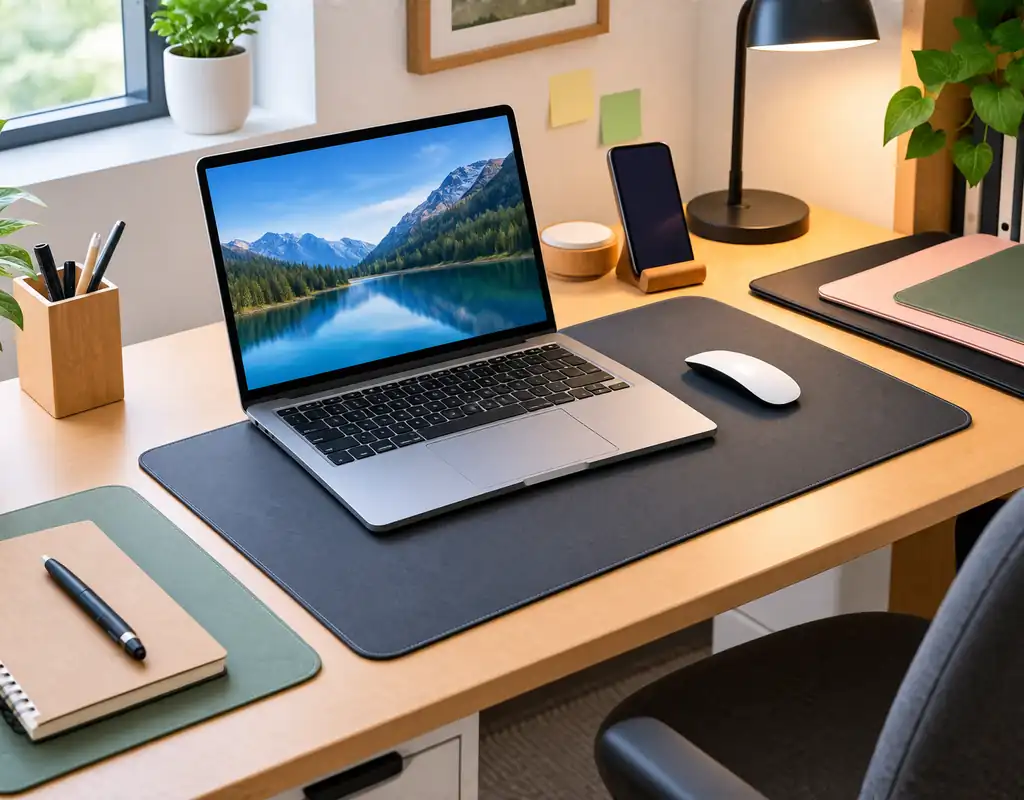
The best small home office desk mats can create a defined working area without covering the entire surface of a compact desk.
A small desk often has to support several things at once. Your keyboard, mouse, laptop, notebook, monitor accessories, lamp, phone, and other essentials all need somewhere to go. Adding a large desk mat without considering the available space can make the setup feel even tighter.
A better approach is to choose the mat around the part of the desk you actually use.
For some workspaces, that may mean a small mat for a keyboard and mouse. For a laptop-only setup, an even smaller mat may be enough. A shallow desk may benefit from a narrow design, while a busy workspace may be easier to maintain with a wipe-clean surface.
This guide compares seven desk mat options for small home offices and covers sizing, materials, backing, placement, maintenance, and common buying mistakes.
Affiliate Disclosure: Some links on Buy Facto may be affiliate links. If you purchase through one of these links, we may earn a commission at no additional cost to you.
Amazon Associates Disclosure: As an Amazon Associate I earn from qualifying purchases.
Best Small Home Office Desk Mats: What to Look For
A desk mat should support your normal work without taking over the rest of the desk.
The right choice depends on your equipment, available desk space, and how you use the workspace.
Size
Start with the area that is actually available.
A desk may be 100 cm wide, but the usable section can be much smaller after accounting for a monitor stand, laptop, lamp, speakers, or other equipment.
Measure the available area before buying.
Keyboard and Mouse Coverage
If you use a separate keyboard and mouse, make sure both can fit comfortably.
The mouse should have enough room for normal movement without repeatedly reaching the edge of the mat.
Depth
Desk depth can be just as important as width.
A mat that extends too far toward the front or rear may interfere with other equipment or reduce your available working area.
Surface Material
Different materials provide different textures and maintenance requirements.
Common options include:
- PU or synthetic leather
- Felt
- Fabric
- Cork
- PVC and other wipe-clean materials
Choose according to your everyday habits rather than appearance alone.
Backing
A suitable backing can help the mat remain stable on the desk.
This is especially useful when the keyboard or mouse is frequently moved.
Thickness
A thin mat can work well when you want minimal visual and physical bulk.
A thicker mat may provide a different feel, but it can also create a noticeable edge on a small desk.
Edge Finish
Pay attention to the edge because your hands and wrists may rest against it frequently.
A properly finished edge can make everyday use more comfortable and may also help the mat sit neatly on the desk.
Quick Comparison: 7 Desk Mat Options for Small Workspaces
| Desk Mat Type | Best For | Main Advantage |
|---|---|---|
| Thin compact desk mat | Very small desks | Uses less overall surface |
| Small PU or synthetic leather mat | Everyday office work | Easy everyday cleaning |
| Compact felt desk mat | Minimalist setups | Soft, understated appearance |
| Narrow desk mat | Shallow desks | Preserves front-to-back space |
| Non-slip desk mat | Active keyboard and mouse use | Helps keep the mat stable |
| Easy-clean desk mat | Busy workspaces | Simple maintenance |
| Minimal laptop desk mat | Laptop-only setups | Defines a small work zone |
These are different design approaches rather than a ranking. The right choice depends on your desk dimensions and equipment.
1. Thin Compact Desk Mat for Very Small Desks
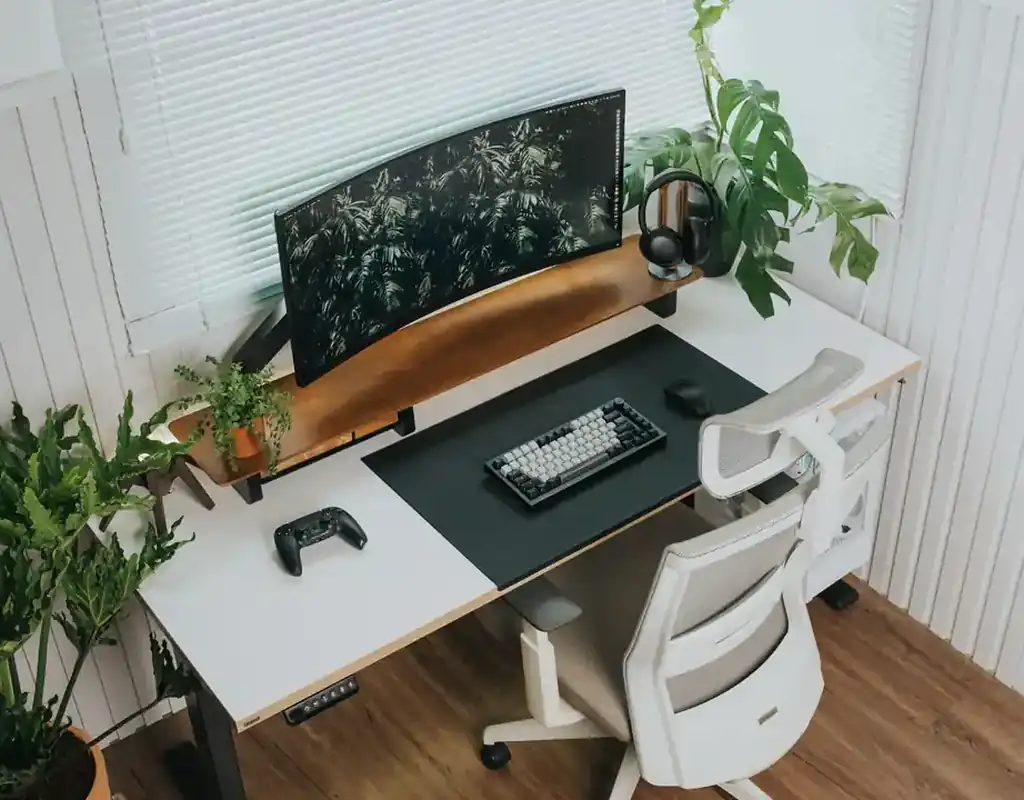
A thin compact desk mat is designed for situations where every bit of desk space matters.
Instead of covering most of the desktop, this type focuses on the area directly used for typing and mouse movement.
That can make sense when you still need open space for a notebook, laptop, phone, or other small essentials.
Why Choose a Thin Design?
A thin mat can help keep the workspace visually lighter.
It may also be easier to move or remove when you need the desk for another activity.
This can be useful in a room where the same desk serves more than one purpose.
What to Check
Do not choose a mat solely because it is thin.
Check:
- Width
- Depth
- Surface texture
- Mouse area
- Backing
- Edge construction
A very small mat may save space but become frustrating if the mouse reaches the desk surface during normal movement.
Best Use
This option works well for very small desks, compact keyboard-and-mouse setups, and workspaces where keeping some exposed desk area is important.
2. Small PU or Synthetic Leather Desk Mat
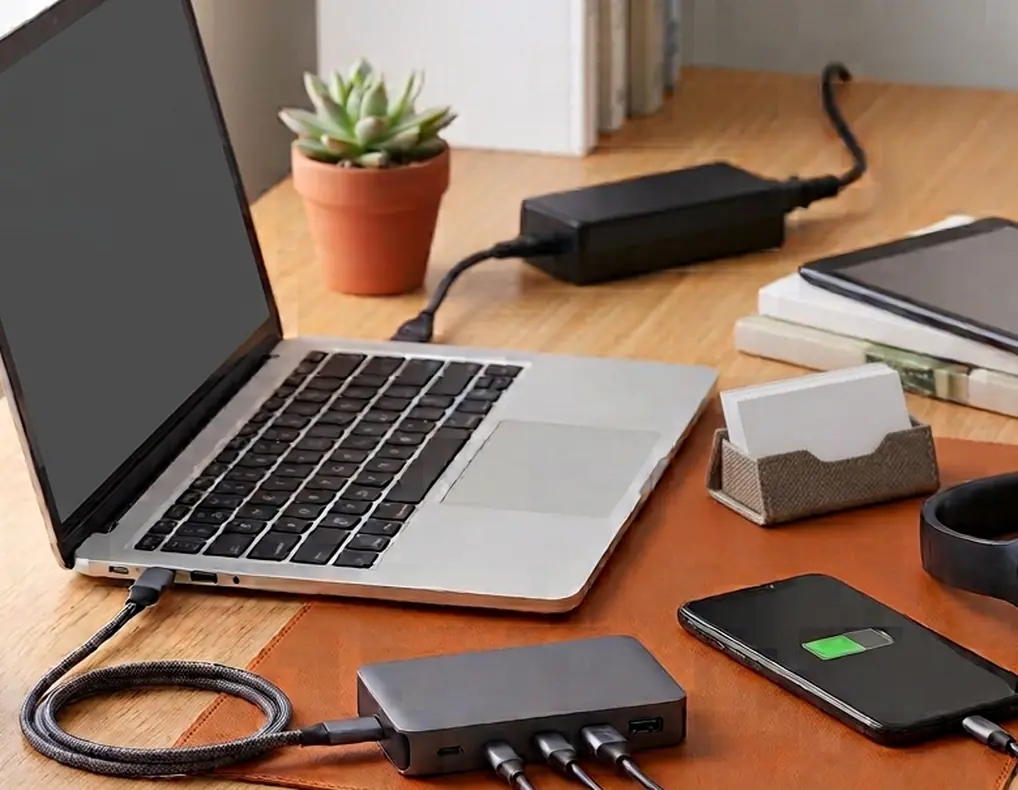
A small PU or synthetic leather desk mat can be a practical choice when easy maintenance is important.
The smooth surface can make everyday wiping relatively straightforward, which is useful for desks where drinks, food, paperwork, and work equipment share the same area.
Why Consider This Material?
A leather-style surface can give the desk a defined working area without requiring a thick or oversized mat.
It can also complement a simple office setup without adding a visually complicated pattern.
What to Check
Look at both the upper surface and the backing.
A smooth top can be convenient, but the mat still needs to remain stable while you use the keyboard and mouse.
Also check the care instructions before using cleaning products on the surface.
Keep the Size Controlled
There is no need for a leather-style desk mat to cover the whole desk.
A smaller version can provide the surface you need while leaving room for a laptop, notebook, or other equipment.
Best Use
This type can suit everyday office work where low-maintenance cleaning and a clean-looking surface are priorities.
3. Compact Felt Desk Mat
A compact felt desk mat can give a workspace a softer and more understated look.
Felt can fit particularly well with minimalist desks where you do not want the mat to become the dominant feature.
Why Choose Felt?
The texture gives the desk a different visual and physical feel from smooth synthetic surfaces.
A compact version can define the keyboard and mouse area while maintaining a relatively simple appearance.
Think About Spills
Felt needs more consideration around liquids than some smooth wipe-clean materials.
If you regularly keep coffee, tea, or water next to your computer, check the manufacturer’s cleaning instructions before buying.
Some users may find that a washable or easily wipeable surface is more practical for their routine.
Consider the Edges
Because felt is soft, the finished edge matters.
Look for a construction that sits flat and does not create an uncomfortable raised edge where your wrists normally rest.
Best Use
A compact felt mat is a good fit for minimalist workspaces where appearance, texture, and a calmer visual style matter.
4. Narrow Desk Mat for a Shallow Desk
A narrow desk mat can be particularly useful when your desk does not have much front-to-back depth.
This type is designed to cover the active work area without extending across the entire depth of the desk.
Why Choose a Narrow Mat?
A shallow desk may already have a monitor, laptop stand, or another piece of equipment occupying the rear section.
A deep mat could push the keyboard and mouse toward the front edge or leave very little remaining space.
A narrower mat can avoid that problem.
Measure the Desk First
Measure from the front edge of the desk to the equipment positioned behind the working area.
Then consider where your keyboard normally sits.
Do the same with the mouse so you understand the actual working zone.
Do Not Forget Width
“Narrow” usually refers to depth, but the width still needs to accommodate your equipment.
A mat that is too narrow from side to side can be just as inconvenient as one that is too deep.
Best Use
This option makes particular sense for shallow desks, narrow workstations, and compact setups where the rear section is already occupied.
5. Non-Slip Desk Mat
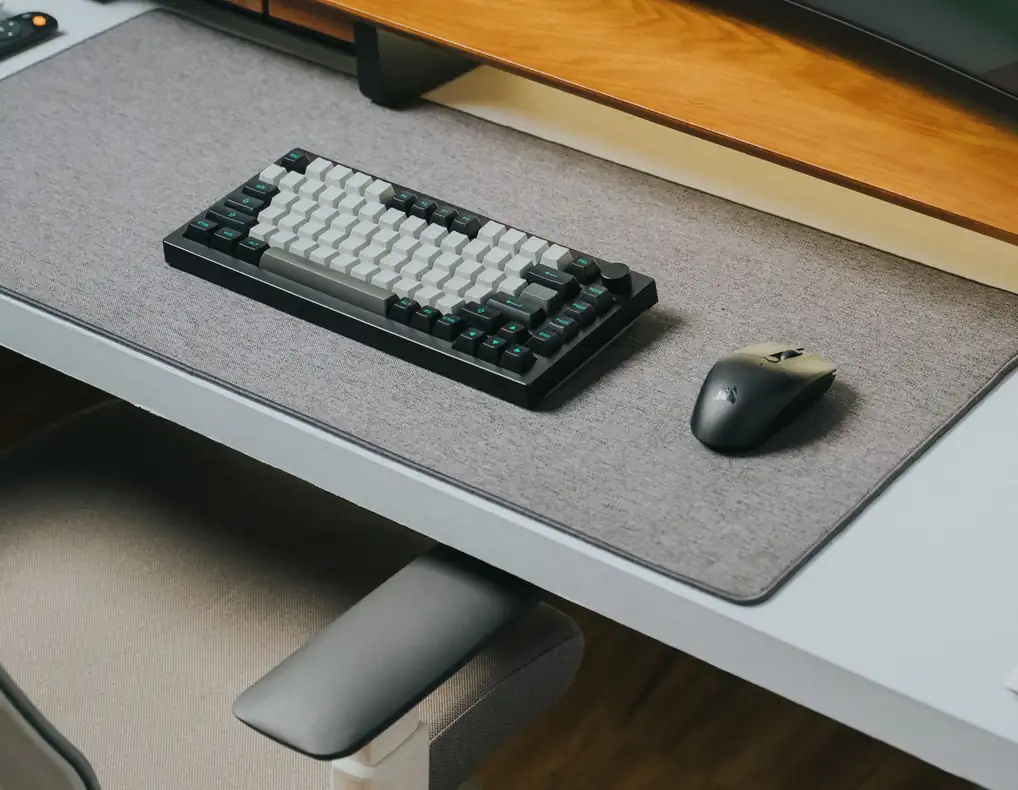
A non-slip desk mat focuses on stability.
If your keyboard shifts while typing or the mat moves when you use the mouse, a suitable backing can make the working area feel more controlled.
Why the Backing Matters
Most buyers pay attention to the visible surface, but the underside has an important job.
The backing should work appropriately with your desk surface and help prevent unwanted movement during normal use.
Consider Your Desk Surface
Desk materials can behave differently.
Your surface may be:
- Wood
- Laminate
- Glass
- Painted
- Glossy
- Textured
Check the manufacturer’s recommendations if compatibility is unclear.
Stability vs. Appearance
If your main concern is keeping the working zone steady, do not let decorative features distract from the backing.
A simple mat with suitable grip may be more useful than an attractive mat that slides around.
Best Use
Choose this style when keyboard stability and consistent mouse movement matter more than decorative design.
6. Easy-Clean Desk Mat
An easy-clean desk mat is aimed at people who want simple everyday maintenance.
Even a tidy desk can collect dust, fingerprints, food crumbs, and occasional drink marks.
A surface that can be cleaned easily can make the workspace easier to maintain.
Why Maintenance Matters on a Small Desk
On a compact desk, there is less empty space for dirt and clutter to hide.
A mat that can be quickly wiped may therefore be more convenient than one that needs careful spot treatment.
Check the Manufacturer’s Instructions
Do not assume that every smooth material can be cleaned with the same products.
Some surfaces may require only a damp cloth, while others may have specific care instructions.
Follow the manufacturer’s recommendations.
Think About Your Routine
An easy-clean mat can be particularly useful when your desk is also used for:
- Coffee or tea
- Snacks
- Paperwork
- Online classes
- Craft or hobby tasks
- Shared household activities
Best Use
This type suits busy workspaces where easy maintenance is more important than a particular decorative material.
7. Minimal Desk Mat for Laptop-Only Setups

A laptop-only workspace may not need the same mat size as a full desktop setup.
If you work directly from a laptop and rarely use a separate keyboard and mouse, a compact mat can define the area around the laptop without covering most of the desk.
Why Smaller Can Work Better
A laptop setup may also need room for:
- A notebook
- Phone
- Charging accessories
- Desk lamp
- External storage
- Personal items
A large desk mat can make these objects compete for the same space.
A smaller mat leaves more room around the laptop.
Check Laptop Size
Before buying, compare the mat’s dimensions with your laptop.
Leave enough space so the laptop does not sit awkwardly against the edge.
Also consider where your wrists rest if you type directly on the laptop.
Best Use
This design is best suited to laptop-first workspaces where you want a defined surface without the footprint of a large keyboard-and-mouse mat.
How to Choose the Right Desk Mat Size
The correct size depends on the equipment you actually use.
Do not start by choosing a standard desk-mat size and then trying to make the desk fit around it.
Instead, measure the active working area.
Step 1: Position Your Equipment
Put your keyboard, mouse, or laptop where they normally sit.
Step 2: Identify the Active Zone
Notice how much space your hands and mouse actually use.
Step 3: Measure the Area
Measure both width and depth.
Step 4: Check the Remaining Desk
Make sure there is still enough room for other items you need nearby.
Step 5: Compare With Product Dimensions
Check the manufacturer’s listed dimensions before buying.
This approach is much more reliable than choosing based on photographs.
For broader ideas on arranging your desk, see our Small Home Office Desk Organization Ideas.
Should a Desk Mat Cover the Whole Desk?
It does not have to.
A full-coverage mat can work well on a larger desk, but a compact workstation may benefit from partial coverage.
For example, the mat can sit underneath the keyboard and mouse while leaving an uncovered area for your laptop, notebook, or other equipment.
This can create a clear working zone without making the entire desk look covered.
The important thing is to match the mat to the way you use the surface.
Which Desk Mat Material Is Best?
There is no single material that suits every small office.
PU or Synthetic Leather
A smooth option that can suit people who prioritize easy everyday wiping and a clean appearance.
Felt
A softer material that can complement minimalist or understated setups.
Fabric
A flexible choice when surface texture and mouse movement are important.
Cork
A natural-looking option for users who prefer a warmer visual style.
PVC and Similar Wipe-Clean Materials
A practical choice when simple surface maintenance is a priority.
Always check the manufacturer’s material and cleaning information because products can vary even within the same broad material category.
How Thick Should a Small Desk Mat Be?
Thickness is partly a matter of preference.
A thinner mat can be easier to blend into a compact workspace and may create a lower-profile setup.
A thicker design can provide a different surface feel but may become more noticeable around the keyboard and wrist area.
Before buying, consider whether you prefer:
- Minimal edge height
- More cushioning
- A firmer surface
- Easier storage and rolling
- A more substantial desk accessory
For most small desks, the best thickness is the one that does not interfere with comfortable typing or normal mouse movement.
Where Should a Desk Mat Be Positioned?
Placement should follow your working pattern.
Centered Under Keyboard and Mouse
This is useful for a traditional desktop setup.
In Front of a Laptop
A small mat can define the area directly around the laptop and leave the sides of the desk available.
Toward the Back
This can work when the front edge of the desk needs to remain clear.
Off to One Side
A side-positioned mat can suit a desk where only part of the surface is used for computer work.
Avoid positioning the mat where it blocks drawers, interferes with equipment, or forces your keyboard into an uncomfortable position.
For more space-planning ideas, see our Small Home Office Layout Ideas.
How to Keep a Small Desk Mat Looking Clean
A desk mat does not replace normal desk cleaning.
To keep the working area manageable:
Remove Loose Items
Move pens, cables, notes, and other objects before cleaning the mat.
Follow the Material Instructions
Use only the cleaning method recommended for the specific surface.
Deal With Spills Quickly
If the material is sensitive to liquids, follow the manufacturer’s guidance rather than allowing the spill to sit.
Keep Unused Items Off the Mat
Do not turn the mat into a permanent parking area for objects that do not belong to the working zone.
Give the Mat a Defined Purpose
If the mat is primarily for typing and mouse movement, keep it focused on that task.
For additional ideas on keeping everyday desk items under control, see our Best Desk Organizers for Small Home Offices.
Desk Mat vs. Mouse Pad
A desk mat and mouse pad are similar in some ways but are designed for different amounts of surface coverage.
A mouse pad is mainly intended to provide a surface for the mouse.
A desk mat generally covers a broader working zone and can accommodate the keyboard and mouse together.
For a very small desk, a mouse pad may be enough when your only concern is mouse movement.
A desk mat makes more sense when you also want to create a defined keyboard area.
Desk Mat vs. No Desk Mat
A desk mat is optional.
You may not need one if:
- Your existing desk surface works well
- The keyboard stays stable
- The mouse tracks properly
- You do not need extra surface protection
- You prefer maximum exposed desk area
A mat becomes more useful when you want to define a working zone, change the desk surface, or create a barrier between everyday equipment and the desktop.
The decision should depend on your actual needs.
Does a Desk Mat Save Space?
A desk mat does not physically create additional desk space.
Its space-saving benefit comes from using only the amount of surface you actually need.
A correctly sized mat can define the active area without covering the whole desk.
An oversized mat can have the opposite effect.
That is why measurements matter more than the marketing term “compact.”
The purpose is not to make the product smaller at any cost. The purpose is to make the overall workspace more efficient.
The right small home office desk mats should define your working area without taking away space needed for other everyday equipment.
Common Desk Mat Buying Mistakes
Choosing the Largest Mat Automatically
More coverage is not always more useful on a small desk.
Ignoring Desk Depth
A mat can have enough width but still be too deep for the available working area.
Forgetting Mouse Movement
The mouse needs enough room for normal movement.
Choosing a Material Without Considering Your Habits
A visually attractive material may be inconvenient if your desk regularly has drinks or food on it.
Ignoring the Backing
A mat that constantly shifts can make a compact workspace feel disorganized.
Buying Only for Appearance
A mat should fit your equipment and working habits, not just look good in a product photograph.
Ignoring the Edges
A raised, curled, or uncomfortable edge can become noticeable during long periods of use.
Assuming Every Desk Surface Is the Same
Backing performance can vary according to the desk material.
Covering Too Much of the Desk
The mat should not force your notebook, laptop, lamp, or other essentials into awkward positions.
How to Choose a Desk Mat for Your Exact Setup
Use this simple process before purchasing.
If You Use a Laptop Only
Start with the laptop’s dimensions and choose a small working surface around it.
If You Use a Keyboard and Mouse
Measure the combined width and depth required by both.
If You Have a Shallow Desk
Prioritize depth and look for a narrow design.
If You Move the Mouse Frequently
Pay close attention to width and backing stability.
If You Regularly Drink at the Desk
Consider an easy-clean material.
If Appearance Matters
Compare felt, cork, leather-style, and other materials according to the overall desk design.
If Your Desk Is Extremely Small
Focus on the smallest practical mat that still accommodates your normal equipment comfortably.
This is a better approach than buying first and discovering later that the mat consumes your most useful working space.
When comparing the best small home office desk mats, focus on the amount of space your setup actually needs rather than choosing a mat based only on its advertised size.
Quick Buying Checklist
Before buying a desk mat for a small home office, check:
- Actual width
- Actual depth
- Keyboard fit
- Mouse movement area
- Laptop dimensions, if applicable
- Surface material
- Backing material
- Edge construction
- Thickness
- Desk-surface compatibility
- Cleaning requirements
- Spill considerations
- Storage requirements
- Available desk space around the mat
- Manufacturer care instructions
A few minutes of measuring can prevent you from buying a mat that is technically compact but still too large for your workspace.
FAQs
Do I need a desk mat for a small home office?
No. A desk mat is optional. It can be useful when you want to define the working area, change the desk surface, or add a layer between your equipment and the desktop.
What size desk mat is best for a small desk?
The appropriate size depends on your equipment and available space. Measure the keyboard, mouse, or laptop working area first and compare that measurement with the available desk surface.
Should a desk mat go under the keyboard?
It can. Make sure the mat provides enough space for the keyboard without forcing it too close to the front or sides of the desk.
Do I need a desk mat under my mouse?
You do not necessarily need one. A mat can provide a dedicated surface for the mouse, but whether it is useful depends on your desk surface and personal preference.
Is a small desk mat better than a full-size desk mat?
For many compact workspaces, a smaller mat can be more practical because it leaves additional desk space available for other equipment.
What desk mat material is easiest to clean?
Smooth wipe-clean materials are generally convenient for everyday maintenance, but always follow the manufacturer’s care instructions.
Is felt a good desk mat material?
Felt can work well when you prefer a softer and more understated surface. It requires more care around spills than some wipe-clean materials.
Is PU leather good for a desk mat?
PU or synthetic leather can be practical when you prefer a smooth surface and simple everyday cleaning.
What is better for a shallow desk?
A narrow or shallow mat can be useful because it leaves more front-to-back space available for the rest of the workstation.
Can a desk mat work with a laptop?
Yes. A compact mat can define the laptop working area without requiring the larger dimensions of a keyboard-and-mouse mat.
Can a desk mat save desk space?
It cannot physically increase the size of your desk. However, a correctly sized mat can define only the area you actually use and leave the remaining surface available for other tasks.
Does a desk mat protect the desk?
A mat can provide a layer between some equipment and the desk surface, but protection depends on the material and how the mat is used.
Should a desk mat have a non-slip backing?
A suitable non-slip backing can help the mat stay stable during normal keyboard and mouse use. Check that the backing is appropriate for your desk surface.
How do I stop a desk mat from moving?
Choose a mat with a suitable backing and place it on an appropriate clean surface. Follow the manufacturer’s instructions for the specific desk material.
How do I stop a desk mat from curling?
Follow the manufacturer’s instructions for flattening and storage. A mat that arrives rolled may need time to settle on a flat surface.
Should the monitor stand sit on the desk mat?
Not necessarily. A mat does not need to support every item on the desk. Place it according to the equipment and working area you want to define.
How thick should a small desk mat be?
There is no universal thickness. A thinner mat can create a lower-profile setup, while a thicker model provides a different surface feel. Choose one that does not interfere with comfortable use.
Is a cork desk mat good for a small home office?
Cork can suit users who prefer a natural-looking material. Check the product’s cleaning and maintenance instructions before buying.
How often should I clean a desk mat?
Cleaning frequency depends on how heavily the desk is used and the material of the mat. Regularly remove dust and visible marks and follow the manufacturer’s care instructions.
Final Thoughts
The best small home office desk mats are not necessarily the largest mats or the ones with the most elaborate designs.
A good choice starts with the working area you actually use.
A thin compact mat can preserve valuable surface space on a very small desk. A PU or synthetic leather design can suit users who prefer easy everyday cleaning, while felt can work well for a softer minimalist setup. A narrow mat can be useful on a shallow desk, and a non-slip option can help keep the working surface stable. For a laptop-only workstation, a smaller mat may be all you need.
Before buying, measure the available desk area and compare it with your keyboard, mouse, or laptop dimensions. Then consider the material, backing, thickness, edge construction, cleaning requirements, and how the mat will fit alongside your other equipment.
The goal is not to cover the desk. The goal is to define the part of the desk that supports your work while leaving the rest of the surface available.
A properly sized desk mat can therefore become a useful part of a compact workspace without turning into another source of clutter.
For more ideas on organizing a small workspace, explore our Small Home Office Desk Organization Ideas, Best Desk Organizers for Small Home Offices, and Small Home Office Layout Ideas.
You can also browse the full Small Home Office collection for more compact workspace guides.