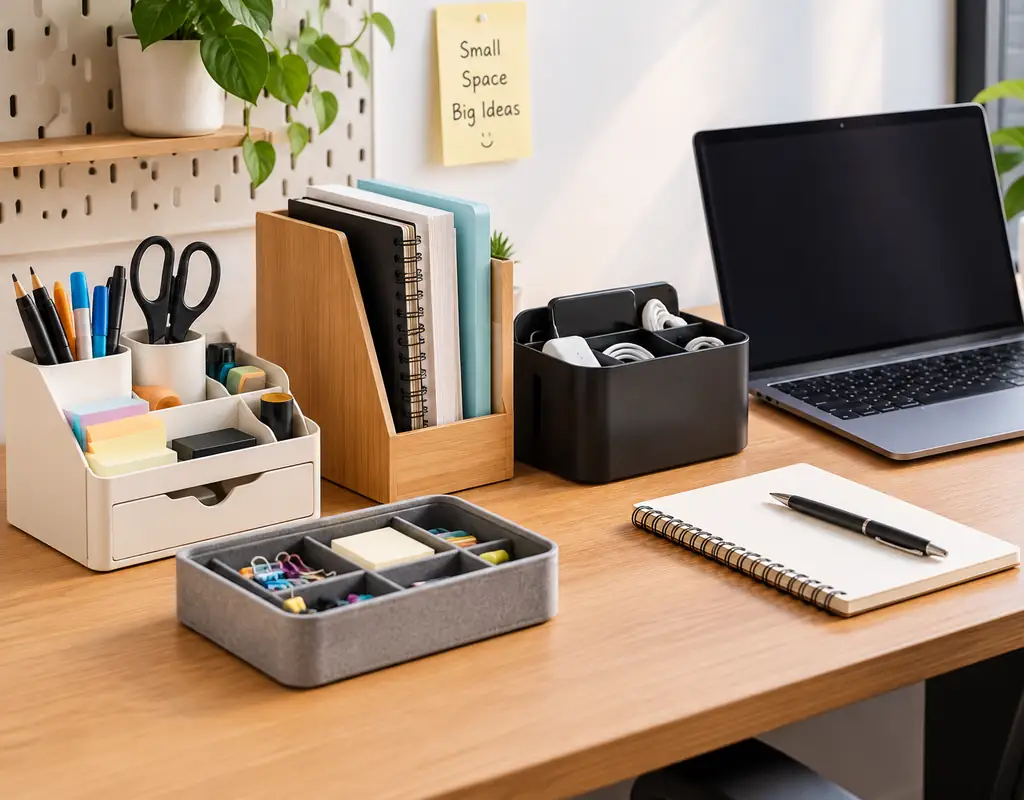
The best desk organizers for small home offices help keep everyday supplies accessible without taking over the surface you need for work. Pens, notebooks, charging accessories, sticky notes, and paperwork can quickly compete for space on a compact desk.
The right organizer depends on what you need to store. A compact desktop unit may suit frequently used supplies, a drawer organizer can keep smaller items out of sight, and a vertical file organizer can help manage papers without spreading them across the desk.
This guide compares five desk organizer types and explains what to consider before choosing one, including footprint, compartment layout, stability, accessibility, and how much working space will remain after installation.
Affiliate Disclosure: Some links on Buy Facto may be affiliate links. If you purchase a product through one of these links, we may earn a commission at no additional cost to you.
Amazon Associates Disclosure: As an Amazon Associate I earn from qualifying purchases.
Best Desk Organizers for Small Home Offices
If you want to compare the main options quickly, these are the organizer types worth considering:
1. Best Overall: Compact Desktop Organizer With Drawers
2. Best for Vertical Storage: Multi-Tier Desk Organizer
3. Best for Drawers: Expandable Desk Drawer Organizer
4. Best for Small Accessories: Compact Pen and Accessory Organizer
5. Best for Documents: Compact Vertical File Organizer
The right choice depends on how much desk space you have, what you need to store, and how often you use those items.
Start With the Clutter You Need to Solve
A desk organizer is most useful when it solves a specific problem. Before choosing one, notice which items regularly occupy your working space and why they are difficult to keep organized.
For example, writing tools and small accessories may need separate compartments, while papers and notebooks may be easier to manage in vertical sections. If your desk already has drawers, an internal organizer may create useful storage without taking up more surface area.
Think about three things before deciding:
- What needs to stay visible? Keep frequently used supplies accessible during the workday.
- What can be stored away? Spare accessories and occasional-use items may fit better in a drawer.
- What takes up the most space? Documents, equipment, and small loose items may each need a different organizing approach.
The goal is to make your desk easier to use, not to add another product simply because it offers more compartments.
If the clutter extends beyond the desktop to paperwork, cables, or unused space beneath the desk, our 8 Small Home Office Storage Ideas to Keep Your Workspace Organized guide covers broader storage solutions.
6 Things to Check Before Choosing a Desk Organizer
Before choosing a desk organizer, consider what you need to store and how much working space you can spare. These six checks can help you narrow down the options.
1. Footprint
Measure the available desk or drawer space before buying. Allow enough room for your keyboard, mouse, notebook, and other everyday work materials.
2. Storage Direction
When desk space is narrow, a taller organizer may use the available area more efficiently. Check its height against your monitor, lighting, and comfortable reach.
3. Compartment Layout
Choose compartments that suit the items you actually use. Small sections may work for stationery and accessories, while documents and notebooks may need wider spaces.
4. Drawer Compatibility
If you prefer storage inside a desk drawer, measure its internal width, depth, and height. For adjustable organizers, confirm that the minimum and maximum dimensions fit your drawer.
5. Stability
Check the organizer’s base, construction, and stated use. A tall or narrow unit should remain stable during ordinary use; follow the manufacturer’s safety guidance.
6. Everyday Access
Place frequently used items where you can reach them without moving other objects. Storage should make routine work easier, not create extra steps.
Use these checks to narrow your options. The next section compares five organizer types and explains which situations each one may suit.
1. Compact Desktop Organizer With Drawers
[Check Price — Compact Desktop Organizer With Drawers]
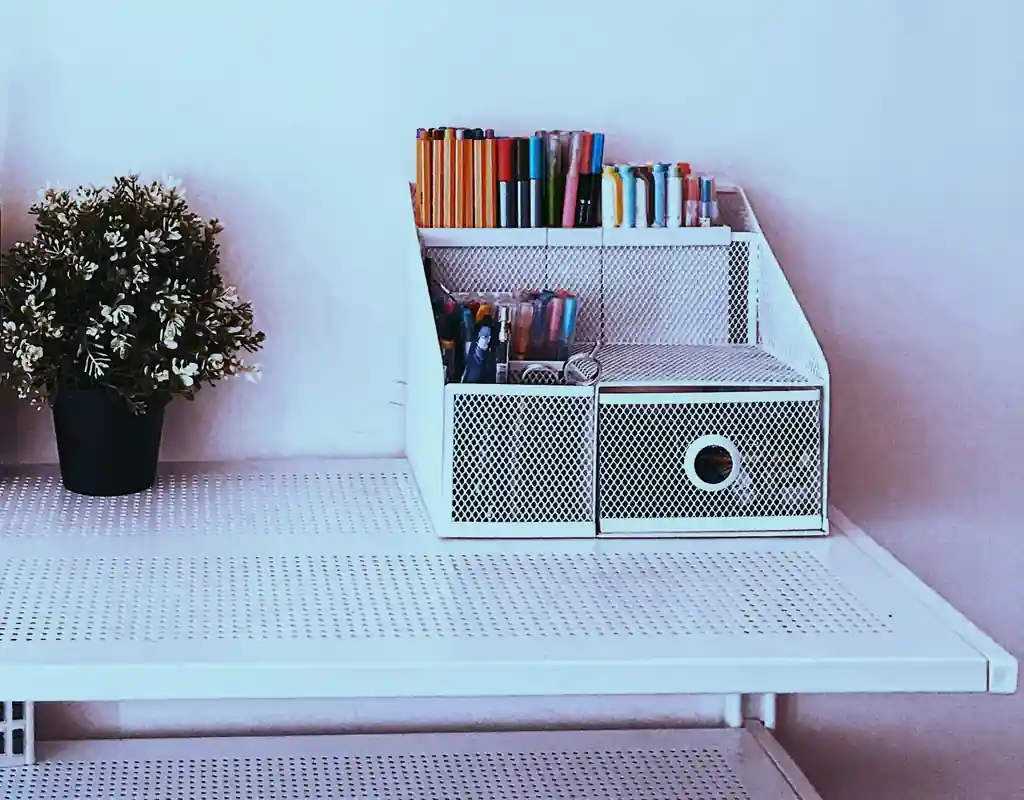
A compact desktop organizer with drawers can suit a small home office when several types of everyday supplies need to stay in one place. Open compartments provide convenient access to frequently used items, while drawers can keep smaller accessories out of sight.
This combination may be useful for stationery, sticky notes, paper clips, USB drives, and other small items that otherwise spread across the desk. The main benefit is having different storage areas in one unit rather than adding several separate containers.
What to Check Before Buying
- Overall dimensions: Measure the space available on your desk and check the organizer’s width, depth, and height.
- Drawer dimensions: Make sure the drawers can hold the items you intend to store.
- Compartment layout: Choose an arrangement that suits your supplies instead of paying for sections you will not use.
- Stability: Check the base and construction, particularly if the organizer is relatively tall or has several drawers.
- Access: Make sure the drawers can open without hitting your monitor stand, keyboard, or other desk equipment.
When This Type Makes Sense
This style is worth considering when your desk collects a mixture of small accessories and you want both visible storage and enclosed compartments. It may be less suitable when your workspace is extremely shallow or when most of your supplies can already fit in an existing desk drawer.
Before purchasing, compare the organizer’s complete footprint with the working area you need for your keyboard, mouse, and notebook. The objective is to make supplies easier to manage without sacrificing too much usable desk space.
2. Multi-Tier Desk Organizer
[Check Price — Multi-Tier Desk Organizer]
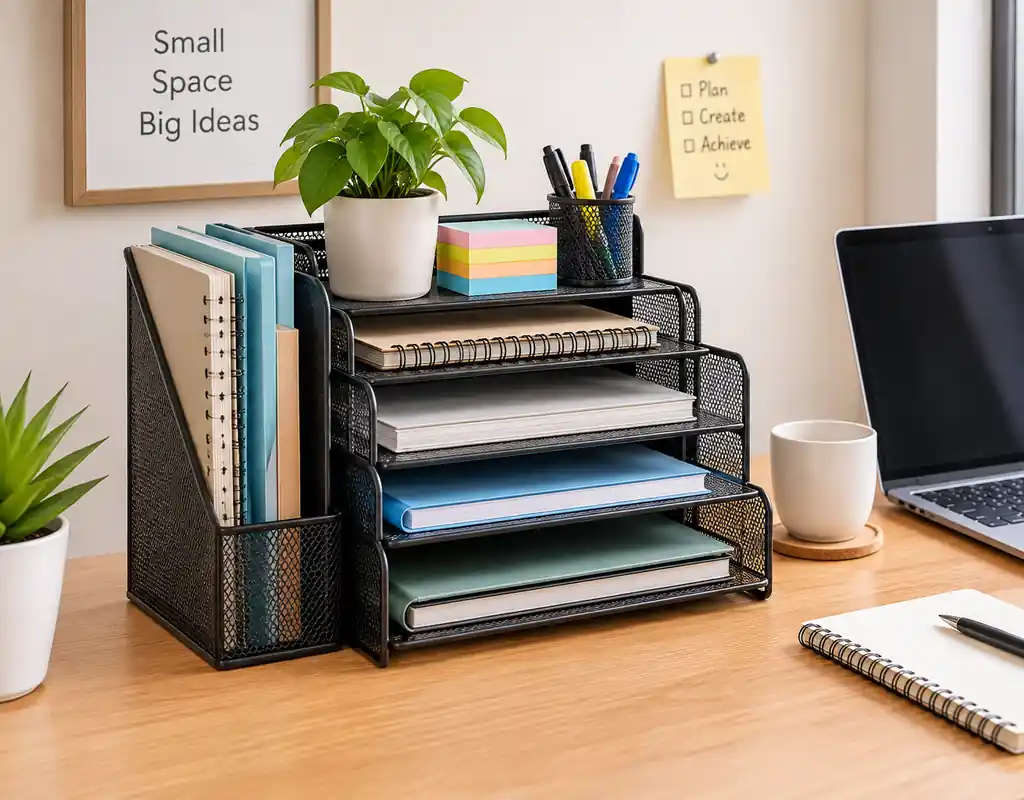
A multi-tier desk organizer uses several levels to keep selected work materials arranged vertically instead of spreading them across the desk. It can be useful when your desk is narrow but has enough vertical clearance for a taller organizer.
Depending on its design, this type may hold notebooks, incoming mail, reference papers, or frequently used accessories. The most practical arrangement keeps the items you reach for regularly on an accessible level while leaving less frequently used materials on the other tiers.
What to Check Before Buying
- Overall height: Make sure the organizer does not obstruct your monitor, desk lamp, or comfortable line of sight.
- Tier spacing: Check that the gaps between levels suit the thickness and size of the items you intend to place there.
- Base stability: Look for a stable construction that is suitable for the intended load.
- Ease of access: Make sure you can reach the upper and lower levels without repeatedly moving other objects.
- Available desk space: Check how much surface area the organizer occupies once placed in its intended position.
When This Type Makes Sense
A multi-tier organizer can be a practical choice when notebooks, papers, and small work materials need separate places but you want to preserve as much of the main desk surface as possible.
However, a taller design is not always the best choice. If the organizer blocks your view, interferes with lighting, or makes stored items difficult to reach, a lower organizer or drawer-based alternative may be more convenient.
Choose the number of tiers according to the items you actually need to keep nearby. The purpose is to make work materials easier to find, not simply to add more levels of storage.
3. Expandable Desk Drawer Organizer
[Check Price — Expandable Desk Drawer Organizer]
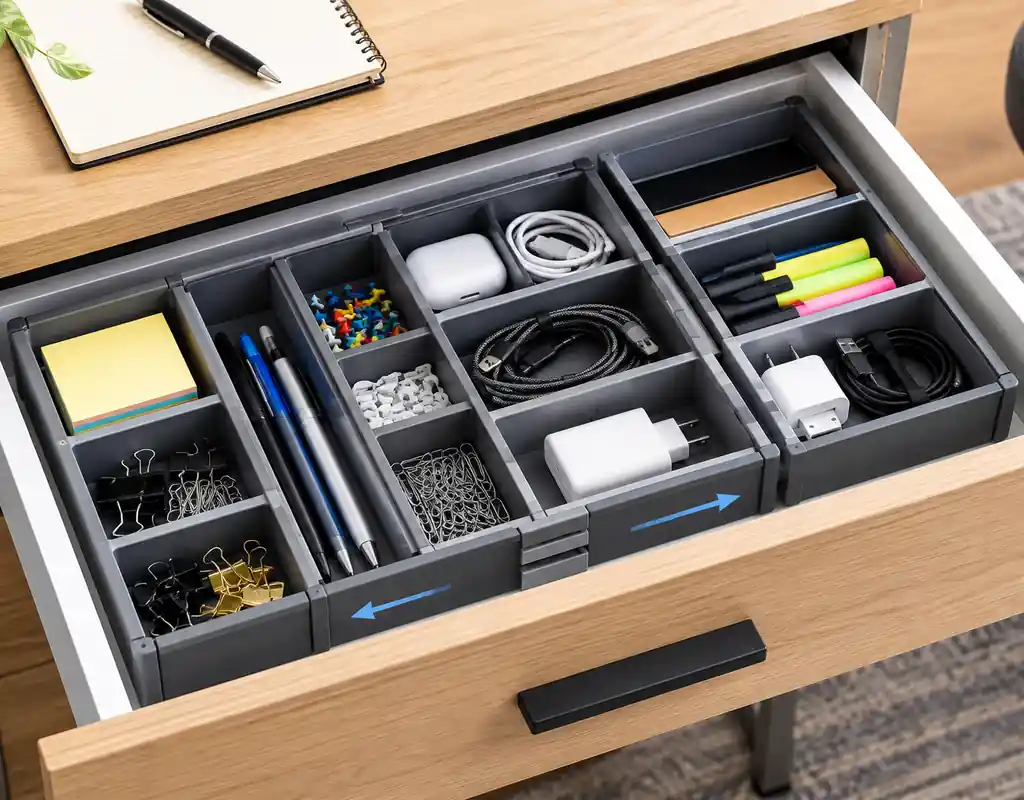
An expandable desk drawer organizer can help divide an existing drawer into separate sections for stationery, cables, USB drives, paper clips, and other small accessories. Because its width can be adjusted, it may suit drawers that do not fit standard fixed-size trays.
The main advantage is that it uses storage space already built into the desk. This can be especially useful when you want to organize small items without placing another container on the desktop.
What to Check Before Buying
- Adjustment range: Check the organizer’s minimum and maximum width to confirm that it can fit your drawer.
- Internal dimensions: Measure the inside of the drawer, including any narrow areas or built-in supports.
- Compartment sizes: Make sure the sections suit the accessories you intend to store.
- Fit and movement: The organizer should sit securely without preventing the drawer from opening or closing properly.
- Material and cleaning: Choose a design that is easy to maintain and appropriate for the items being stored.
When This Type Makes Sense
An expandable organizer is worth considering when your desk already has drawers but small items become mixed together. Separating supplies by purpose can make them easier to find and return to their designated places.
It may be less useful if your drawer is already well organized or if its internal dimensions fall outside the organizer’s adjustment range. Measure carefully before ordering, and leave enough room for the drawer to operate normally.
The aim is to make existing drawer space more useful rather than add another storage product that you do not need.
4. Compact Pen and Accessory Organizer

[Check Price — Compact Pen and Accessory Organizer]
A compact pen and accessory organizer can be useful when small items repeatedly spread across your desk. Separate compartments provide designated places for pens, pencils, scissors, sticky notes, USB drives, and other supplies you use throughout the day.
Unlike a larger organizer with drawers or multiple tiers, a compact accessory holder is intended mainly for small items that benefit from quick access. Its usefulness depends on whether the compartments match the items you actually keep nearby.
What to Check Before Buying
- Footprint: Check how much desk space the organizer occupies.
- Compartment sizes: Make sure the sections accommodate your pens, tools, and other accessories.
- Stability: Look for a base that remains steady when you remove or replace items.
- Accessibility: Choose a layout that lets you retrieve frequently used supplies without moving other objects.
- Cleaning: Consider whether the material and compartment design will be easy to maintain.
When This Type Makes Sense
This organizer type can suit a desk where pens, stationery, and small accessories are the main source of clutter. It may be less useful if you mostly need to store documents, notebooks, or larger equipment.
Before buying, look at the supplies you use during a typical workday and estimate how much room they need. Choose an organizer that accommodates those essentials while leaving enough space for your keyboard, mouse, and other work materials.
The goal is to keep small supplies accessible without allowing the organizer itself to dominate a compact desk.
For more ideas on useful additions to a compact workspace, explore our 10 Small Home Office Accessories Worth Adding to Your Desk guide.
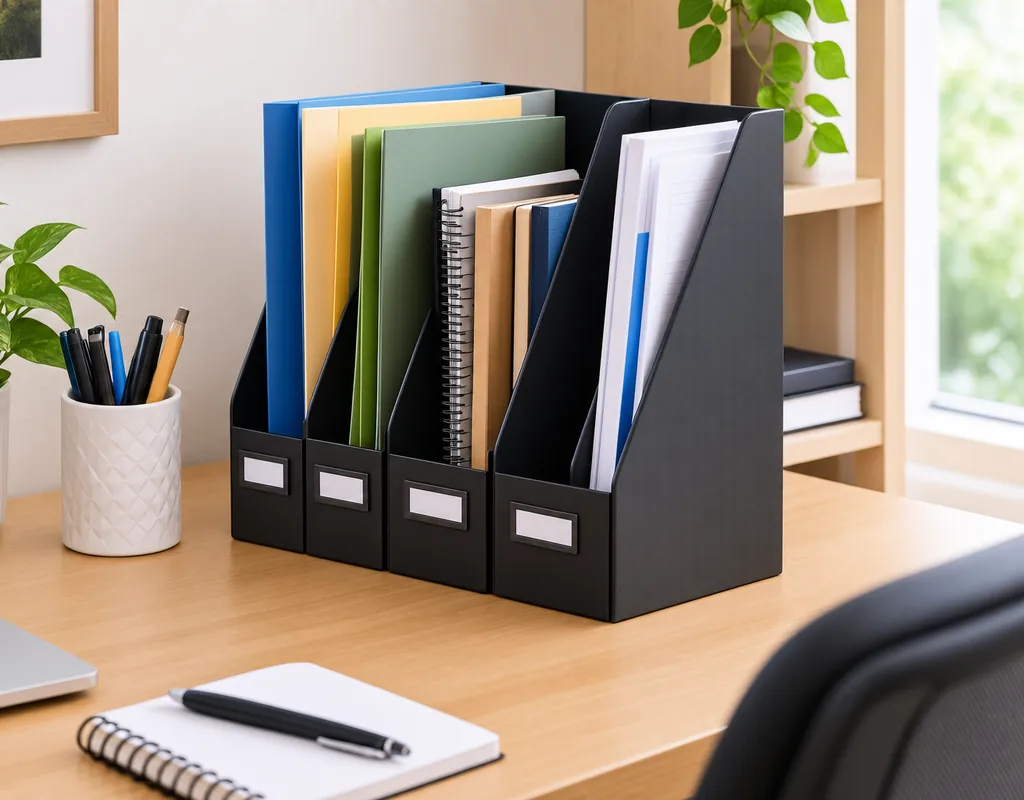
5. Compact Vertical File Organizer
[Check Price — Compact Vertical File Organizer]
A compact vertical file organizer can help manage documents, folders, notebooks, and loose papers without spreading them across the desk. Its upright compartments make it easier to separate different types of paperwork while keeping them accessible.
This type may be particularly useful when you regularly refer to printed documents but do not have enough room for horizontal paper stacks or a large filing unit.
What to Check Before Buying
- Compartment width: Make sure your folders, notebooks, and documents fit comfortably.
- Overall height: Check that the organizer does not obstruct your monitor, lighting, or normal line of sight.
- Footprint: Measure its width and depth against the desk space available.
- Stability: A loaded organizer should sit securely without tipping easily.
- Capacity: Consider how many documents you actually need to keep nearby rather than choosing the largest option.
When This Type Makes Sense
A vertical file organizer can suit a desk where paperwork frequently accumulates and needs to remain within easy reach. It may be less useful if most of your documents are digital or if you rarely need printed material during the workday.
Before buying, gather a few of the folders or notebooks you intend to store and check their dimensions against the organizer’s compartments. This helps you choose a size that fits your actual paperwork.
The goal is to keep important documents accessible while preserving enough desk space for your daily work.
Desktop Organizer or Drawer Organizer?
A desktop organizer and a drawer organizer serve different purposes. The better choice depends on whether you want supplies visible and ready to use or stored away when they are not needed.
Choose a Desktop Organizer When
- You frequently use pens, sticky notes, scissors, or small accessories.
- You want to see your everyday supplies at a glance.
- Your desk has enough unused surface area for a compact organizer.
- Quick access matters more than keeping every item out of sight.
Choose a Drawer Organizer When
- Your desk already has a usable drawer.
- You prefer a clearer desktop with fewer visible objects.
- You need to separate small items such as clips, adapters, and USB drives.
- You want to organize supplies without adding another container to the work surface.
Which Option Fits Your Desk?
If you work with several small items throughout the day, a desktop organizer may be more convenient. If you mainly want to put supplies away after use, a drawer organizer may be a better fit.
You can also use both if each solves a different problem. For example, keep frequently used pens in a small desktop holder and store spare stationery inside a drawer.
Before buying either option, consider the storage you already have. The most useful organizer is often the one that improves your current setup without taking up space you still need for work.
How Much Space Should a Desk Organizer Take?
There is no single ideal size for a desk organizer. The right dimensions depend on your desk, the items you need to store, and how much space you need for everyday work.
Before choosing an organizer, measure the area where you plan to place it. Consider not only the organizer’s width and depth, but also its height and how it will affect the surrounding workspace.
Measure the Working Area First
Check how much room you need for your keyboard, mouse, notebook, and other regularly used equipment. An organizer should fit around these essentials rather than forcing you to move them whenever you work.
Consider the Organizer’s Full Dimensions
A tall organizer may use less horizontal space, but its height could interfere with your monitor or lighting. A wide organizer may hold more supplies but leave less room for writing or using a mouse.
Allow Room for Access
If the organizer has drawers, check that they can open fully. Make sure you can remove items comfortably without moving other equipment or bumping into nearby objects.
Test the Proposed Position
Before buying, mark the organizer’s approximate footprint on the desk using paper or removable tape. Place your usual work items around the marked area and check whether the remaining space feels comfortable.
The aim is not to use every available inch for storage. Choose an organizer that keeps essential supplies accessible while preserving enough clear space to work comfortably.
Where Should You Place a Desk Organizer?
The best place for a desk organizer depends on the items it holds and how you use your workspace throughout the day. A useful position keeps supplies accessible without interfering with your main working area.
Place Everyday Supplies Within Easy Reach
If you frequently use pens, sticky notes, or small tools, position their organizer where you can reach it without repeatedly leaning across the desk. Avoid placing frequently used items behind equipment that you need to move each time.
Keep Documents Easy to Retrieve
A vertical file organizer may work well toward the back or side of the desk, provided it does not block your monitor or lighting. Choose a position where you can remove documents without disturbing other items.
Use Corners for Smaller Organizers
A compact accessory holder may fit into a desk corner that would otherwise remain unused. Check that it does not interfere with a lamp, monitor stand, or other equipment.
Keep the Main Work Zone Clear
Try to preserve the area directly around your keyboard, mouse, and notebook. Storage placed too close to these items can make everyday tasks feel cramped, even when the desk has enough overall space.
Check the Arrangement During Normal Use
Once you have positioned the organizer, work at your desk as usual. Notice whether you can reach supplies comfortably, retrieve documents easily, and move your hands freely. Small adjustments to placement may improve the setup without requiring a different organizer.
The aim is to give every organizer a useful location that supports your normal working habits rather than making the desk harder to use.
How to Prevent the Organizer From Becoming Clutter
A desk organizer should make it easier to find and return everyday items. If it becomes a place for unrelated objects, unused supplies, and tangled accessories, it may add another layer of clutter instead of solving the problem.
Start by giving each compartment a clear purpose. Keep similar items together, and avoid using every empty section for something you rarely need.
Keep Only Useful Items
Remove broken pens, empty packaging, outdated notes, and accessories you no longer use. Reducing unnecessary items can make the organizer more effective without requiring a larger model.
Give Each Compartment a Purpose
For example, one section might hold writing tools while another contains small accessories. Choose an arrangement that matches your actual routine rather than forcing every item into a separate compartment.
Review the Contents Regularly
After using the organizer for a few days, notice which items are difficult to find or which compartments become crowded. Move things that are inconveniently placed and remove supplies that no longer need to stay on the desk.
Avoid Overfilling
An organizer does not need to be full to be useful. Leaving some room makes it easier to return items to their places and prevents the unit from becoming difficult to use.
The purpose of an organizer is to support your work routine. If it consistently takes up too much space or makes everyday items harder to reach, reconsider its location or whether you need that particular design at all.
If your larger goal is keeping the whole desk easier to manage, see our guide to Small Home Office Desk Organization Ideas.
Materials and Appearance Matter Too
The material and design of a desk organizer affect its appearance, maintenance, and suitability for everyday use. The best choice depends on your workspace, the items you plan to store, and how often you will use the organizer.
Plastic
Plastic organizers are often lightweight and available in a variety of shapes and compartment layouts. Check the construction and stability, especially if the organizer will hold several items.
Metal
Metal organizers can provide a structured design for stationery and office accessories. Check the finish, edges, and base to make sure the unit is suitable for the intended surface and use.
Wood and Bamboo
Wood and bamboo organizers can complement desks with natural finishes. Consider the dimensions, construction, and cleaning instructions before choosing one.
Acrylic and Transparent Designs
Transparent organizers make stored items easy to see and can help maintain a visually light appearance. However, visible contents can still look cluttered if the organizer holds too many unrelated items.
Choose for Practicality as Well as Appearance
Before buying, consider how easy the material is to clean, whether the organizer remains stable when loaded, and whether the design suits the supplies you need to store.
A stylish organizer is only useful if its compartments, dimensions, and accessibility work for your daily routine. Choose a design that supports the workspace instead of taking attention away from it.
Desk Organizers and Cable Management
A desk organizer can hold small charging accessories, adapters, and other items, but it is not designed to solve every cable-management problem. Longer cables and several connected devices usually need a separate plan for routing and securing their connections.
Before putting cables into an organizer, consider how often you use them and whether they can be stored safely without becoming tangled. Keep regularly used charging accessories accessible, and avoid overfilling compartments with cords that are difficult to separate.
For cables connected to your computer, monitor, and other equipment, focus on keeping them away from your main working area. Make sure cables are not pinched by furniture, caught by chair wheels, or routed where they could create a tripping hazard.
A desk organizer and a cable-management accessory can complement each other, but they serve different purposes. Use the organizer for storing small items and a suitable cable-management solution for routing and securing connected cables.
For a more detailed comparison of cable clips, sleeves, trays, and other options, see our Best Cable Management Solutions for Small Desks guide.
Common Desk Organizer Mistakes
A desk organizer should make your workspace easier to use. Choosing the wrong size or layout can have the opposite effect, taking up valuable desk space without solving the clutter problem.
Buying an Organizer That Is Too Large
A larger organizer may offer more compartments, but it can leave less room for your keyboard, mouse, notebook, and other work essentials.
Measure the available space before buying. Consider how much room you need for everyday tasks rather than choosing the organizer with the greatest capacity.
Ignoring the Items You Need to Store
An organizer designed for pens and small accessories may not suit notebooks, folders, or larger equipment. Before choosing a style, identify the items that actually need a dedicated place.
Match the compartment sizes and layout to your supplies instead of paying for features you are unlikely to use.
Forgetting to Measure a Drawer
If you are choosing an expandable drawer organizer, measure the drawer’s internal dimensions rather than its outer width.
Check the organizer’s adjustment range and available height so that it fits properly and does not prevent the drawer from closing.
Overlooking Stability
An organizer that tips, slides, or shifts when you remove an item can become frustrating to use.
Check the base and construction, and follow the manufacturer’s instructions for loading and placement. Pay particular attention to taller designs and organizers that will hold several items.
Blocking Your Main Work Area
Placing an organizer too close to your keyboard, mouse, or monitor can make the desk feel crowded.
Check the organizer’s complete footprint and make sure you can still work comfortably after placing it in position.
Choosing Appearance Over Practicality
A stylish organizer may look attractive, but its compartments still need to suit your everyday supplies.
Consider dimensions, accessibility, stability, and cleaning requirements alongside appearance. The best choice is one that supports your routine rather than simply looking good on the desk.
Buying More Storage Than You Need
Several organizers can create more clutter if their purposes overlap.
Start with the main problem you want to solve. If one suitable organizer is enough, there may be no need to add another container or storage unit.
The aim is to choose a practical organizer that fits your desk, accommodates the items you use, and leaves enough room for comfortable work.
Quick Checklist Before You Buy
Before choosing a desk organizer, use this checklist to confirm that it suits your workspace and the items you need to store.
- Measure the available desk or drawer space.
- Check the organizer’s width, depth, and height.
- Confirm that your everyday supplies fit comfortably.
- Choose compartments that suit the items you use most often.
- Check that drawers or moving parts can open properly.
- Make sure the organizer remains stable during normal use.
- Confirm that it will not block your monitor, lighting, or other equipment.
- Preserve enough space for your keyboard, mouse, notebook, and daily work.
- Consider whether your existing storage could solve the problem instead.
- Review the product details and return conditions before ordering.
The right organizer should make your desk easier to use without creating another space problem. Choose according to your actual needs rather than simply selecting the largest model or the one with the most compartments.
Frequently Asked Questions
What Is the Best Desk Organizer for a Small Home Office?
The best option depends on what you need to store. A compact desktop organizer may suit everyday stationery, a drawer organizer can keep small accessories out of sight, and a vertical file organizer may be more practical for documents.
Should I Choose a Desktop Organizer or a Drawer Organizer?
Choose a desktop organizer when you want frequently used supplies visible and easy to reach. A drawer organizer is useful when your desk already has a drawer and you prefer to keep small items out of sight.
Are Vertical Desk Organizers Good for Small Desks?
They can be useful when horizontal space is limited but there is enough vertical clearance. Check the organizer’s height and make sure it does not block your monitor, lighting, or normal line of sight.
How Do I Choose the Right Size Desk Organizer?
Measure the available desk or drawer space before buying. Check the organizer’s width, depth, and height, and make sure enough space remains for your keyboard, mouse, notebook, and other work essentials.
How Can I Keep a Desk Organizer From Becoming Cluttered?
Give each compartment a clear purpose, keep similar items together, and remove supplies you no longer use. Avoid filling every available section simply because there is room.
Do Desk Organizers Help With Cable Management?
They can hold some small accessories and spare cables, but long or connected cables may need a dedicated cable-management solution. See our Best Cable Management Solutions for Small Desks guide for more options.
Final Thoughts
The best desk organizer for a small home office is the one that solves your everyday storage problem without taking over the space you need to work.
A compact desktop organizer can keep frequently used stationery within reach, while a multi-tier organizer can make use of vertical space. Drawer organizers help separate smaller accessories, and vertical file organizers can keep documents accessible without spreading them across the desk.
Before choosing an organizer, measure the available space and consider what you need to store. Check compartment sizes, stability, accessibility, and how much room will remain for your keyboard, mouse, and other daily work essentials.
You do not need to fill every corner of your desk with storage. Start with the items that create the most clutter, choose an organizer that fits those needs, and keep the main working area clear.
For more practical workspace ideas, explore our guides to Small Home Office Desk Organization Ideas, 8 Small Home Office Storage Ideas to Keep Your Workspace Organized, Best Cable Management Solutions for Small Desks, and 10 Small Home Office Accessories Worth Adding to Your Desk.
Pingback: 8 Small Home Office Storage Ideas for Better Organization