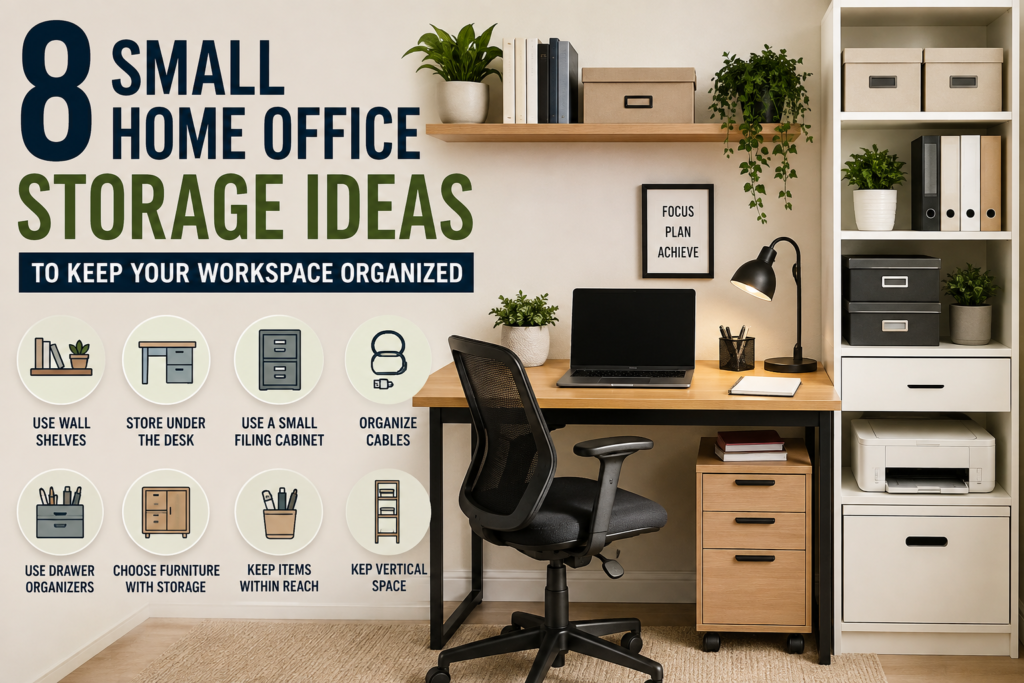
Small home offices can run out of usable space quickly. Papers, cables, spare supplies, and work equipment can take over the desk or floor when they do not have suitable places to go.
These small home office storage ideas cover different parts of the workspace, from under-desk storage and filing to cable organization and multi-purpose furniture. Each option serves a different purpose, so you can start with the problem that affects your daily work most instead of buying every storage product at once.
Before choosing a solution, consider what needs to stay within easy reach, what can be stored elsewhere, and which unused areas could serve a practical purpose. Measuring your available space first can help you avoid products that interfere with legroom, access, or comfortable movement.
1. Use Wall-Mounted Storage to Free Up Floor Space
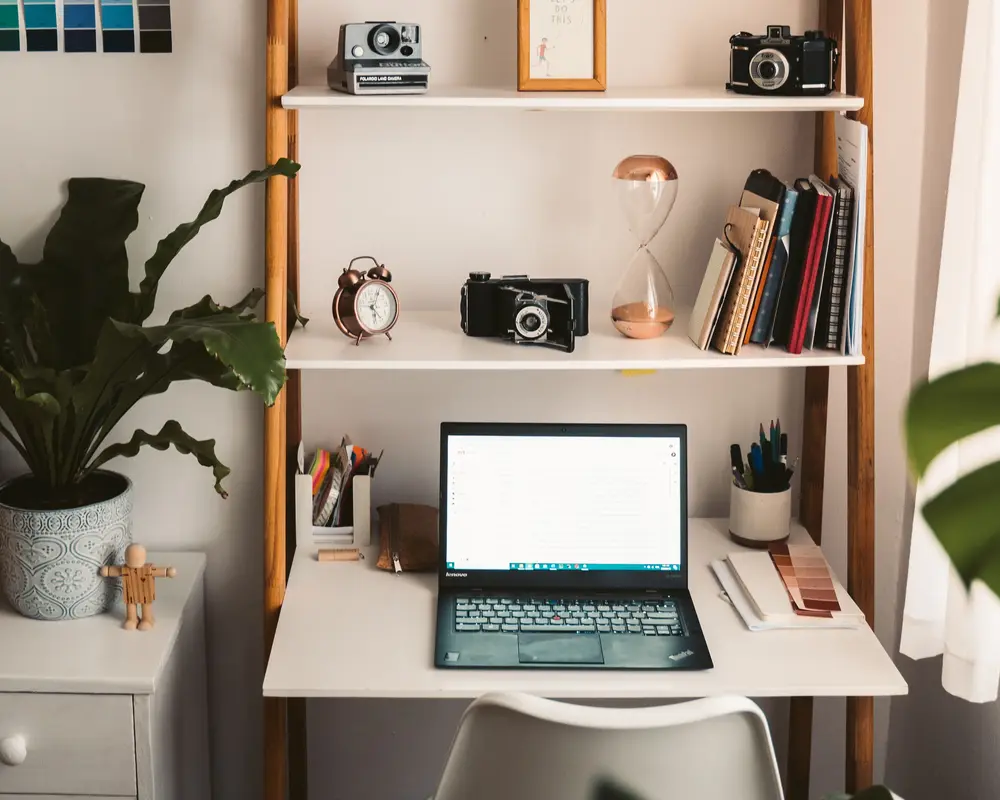
Wall-mounted storage can help organize a small home office without adding another floor-standing unit. The most useful option depends on what you need to keep nearby and how much wall space is available.
A short shelf, a wall-mounted pocket organizer, or a simple rail can provide a place for frequently used work materials. Before choosing one, consider the items it needs to hold and whether you can reach them comfortably from your desk.
Measure the available wall area and check that the proposed arrangement will not obstruct your monitor, lighting, windows, or normal movement around the workspace. For wall-mounted products, follow the manufacturer’s installation instructions and confirm that the fixing method and weight rating are suitable for your wall and intended load.
If you are specifically planning shelf placement, shelf depth, or layouts above and beside a desk, see our Small Home Office Shelving Ideas guide for more detailed advice.
The aim is to move selected items off the floor or desk without filling every available section of wall. Choose wall storage that solves a real space problem rather than adding another fixture simply because there is room for it.
2. Don’t Ignore the Space Under Your Desk
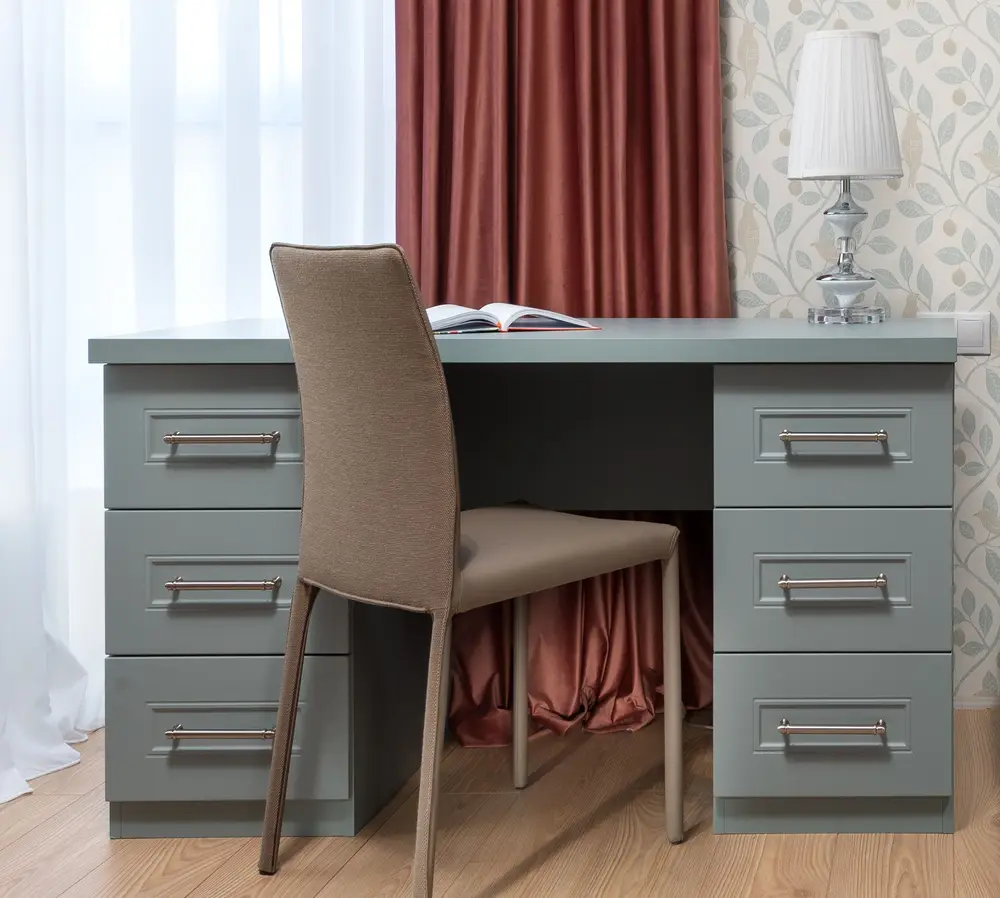
The space beneath a desk can provide useful storage without requiring another large piece of furniture. Depending on the desk design, this area may accommodate a slim drawer unit, a compact storage trolley, or a few suitable containers for items you do not need on the desktop.
Before choosing under-desk storage, measure the available width, depth, and height. Remember to account for your chair, legroom, desk supports, and any cables that run beneath the work surface.
A few practical checks can help you choose an appropriate option:
- Protect legroom: Make sure the storage does not interfere with your normal sitting position or movement.
- Check desk clearance: Measure between the supports and other obstacles, not just the overall desk width.
- Consider access: Drawers and trolley wheels need enough room to open or move comfortably.
- Plan around cables: Keep storage away from pinched cords, power connections, and moving parts.
- Check the load: Follow the manufacturer’s weight limits and stability instructions.
You do not need to fill the entire space beneath your desk. A small unit that keeps selected items accessible may be more practical than storage that makes the workstation feel cramped.
Before buying anything, use a tape measure to mark the proposed footprint beneath your desk. This quick check can help you confirm that the storage will fit without sacrificing the comfort you need for everyday work.
When choosing small home office storage ideas for the area beneath your desk, make sure your storage does not restrict legroom or foot movement. The OSHA computer workstation guidance also highlights the importance of keeping adequate clearance beneath a desk for comfortable movement.
3. Get a Small Filing Cabinet
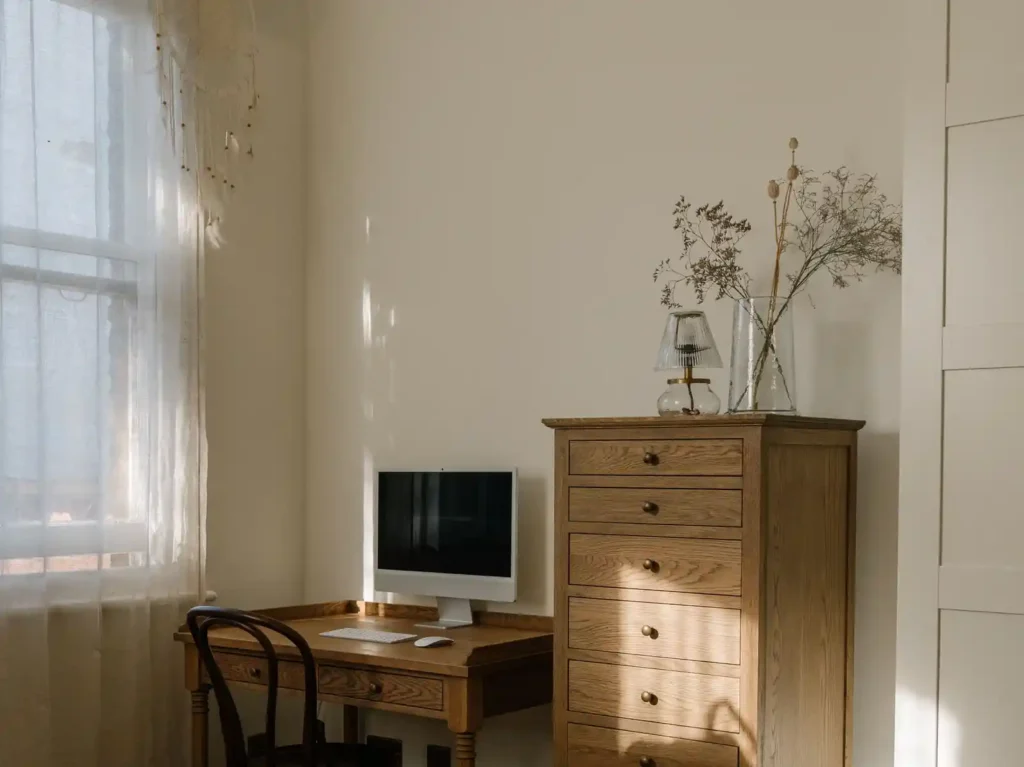
Paperwork can take up valuable space in a small home office, especially when bills, receipts, forms, and reference documents accumulate on the desk. A compact filing cabinet can give these records a designated place while keeping important papers accessible.
Before choosing a filing cabinet, consider how much paperwork you actually need to keep and how often you refer to it. A small two- or three-drawer unit may be sufficient for occasional records, while a larger unit could take up space that your desk or chair needs.
Use these checks when comparing options:
- Measure the available footprint: Check the cabinet’s width and depth, as well as the space needed to open its drawers.
- Consider drawer capacity: Make sure the drawers can accommodate the folders and documents you intend to store.
- Check accessibility: Place frequently used files where you can reach them without moving other furniture.
- Review stability and load limits: Follow the manufacturer’s instructions for loading and positioning the cabinet.
- Plan the filing arrangement: Group records by purpose so you can retrieve them without searching through every drawer.
You may not need a dedicated filing cabinet if you keep only a small amount of paperwork. The right-sized solution is one that accommodates the documents you genuinely need to retain without making the workspace harder to move around.
Measure the intended location before buying, and consider how the cabinet will fit alongside your desk, chair, and other furniture.
4. Keep Cables Out of the Main Work Area
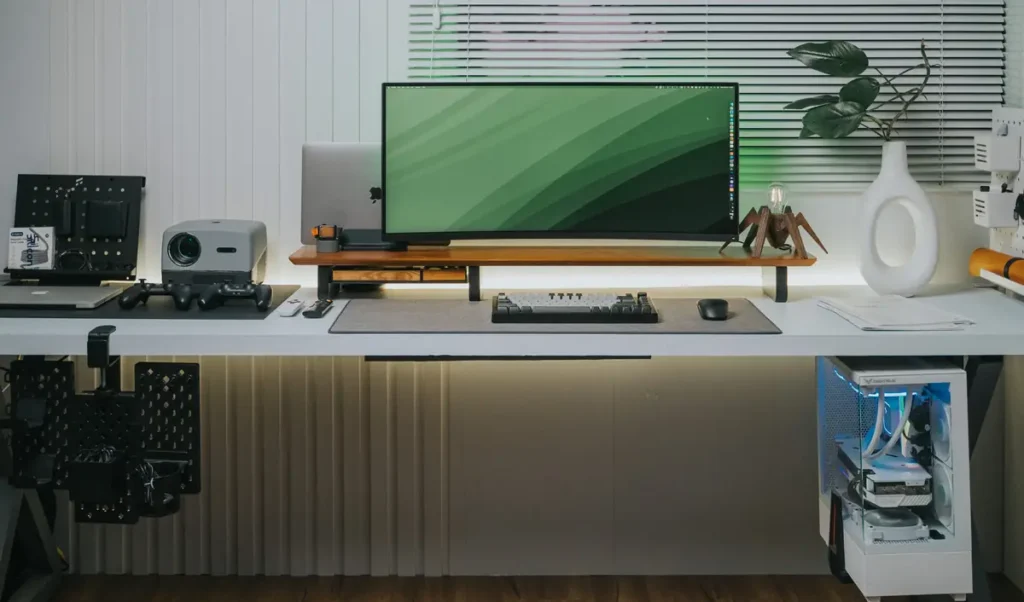
Loose cables can make a small home office look untidy and interfere with the space you need for everyday work. A few simple changes to cable placement can help keep the desk surface and the area beneath it easier to use.
Start by identifying which cables you use regularly and which accessories can be stored when they are not needed. Route frequently used cables along suitable desk edges, and use clips or ties designed for cable management to keep them from spreading across the work surface.
Keep these points in mind:
- Keep cables away from legroom: Avoid routes that catch on your feet or chair.
- Leave connections accessible: Do not bundle cables so tightly that you cannot reach the plugs when needed.
- Store occasional-use accessories: Keep spare charging cables and adapters in a suitable drawer or container.
- Protect cables from damage: Avoid sharp bends, pinching, and routes where wheels or moving furniture can catch them.
- Use suitable accessories: Follow the manufacturer’s instructions and avoid placing cables where they may be exposed to spills or excessive heat.
The aim is to keep cables out of the main working area without making connections difficult to reach. For a more detailed comparison of clips, sleeves, trays, and other options, see our Best Cable Management Solutions for Small Desks guide.
5. Give Small Items a Place in Desk Drawers
Small items such as pens, sticky notes, USB drives, spare batteries, and paper clips can quickly turn a desk drawer into a cluttered collection of supplies. Giving these items designated places makes it easier to find what you need without searching through the entire drawer.
Start by removing items you no longer use. Then group the remaining supplies according to their purpose. Everyday stationery can stay near the front, while occasional-use items can be placed farther back.
A few simple habits can help:
- Group similar items: Keep writing supplies, small electronics, and paper accessories in separate areas.
- Use the available space carefully: Choose dividers or small containers that fit the drawer without wasting too much room.
- Keep frequently used items accessible: Place everyday essentials where you can reach them easily.
- Avoid overfilling: Leave enough room to open and close the drawer comfortably.
- Review the contents occasionally: Remove supplies that are broken, empty, or no longer useful.
Before buying drawer dividers, measure the drawer’s internal width, depth, and height. Check whether the dividers can accommodate the items you plan to store and whether the drawer will still close properly.
The aim is to make the drawer easier to use, not to create a separate compartment for every small object. For a more detailed comparison of desk organizer styles and features, see our Best Desk Organizers for Small Home Offices guide.
6. Choose Furniture That Serves More Than One Purpose
Multi-functional furniture can help a small home office accommodate more tasks without adding several separate pieces of furniture. The key is to choose furniture that performs a useful second job while still working well for its main purpose.
For example, a desk with built-in drawers can provide a workspace and a place for everyday supplies. A sturdy cabinet may also support a printer if its surface, dimensions, and load capacity are suitable. In a room that serves several purposes, furniture may also need to fit alongside other household activities.
Before choosing a multi-functional piece, consider these factors:
- Identify the main purpose: Make sure the furniture works comfortably for its primary task.
- Check the dimensions: Measure the available space and account for drawers, doors, and other moving parts.
- Consider access: Make sure the additional function does not make the main workspace awkward to use.
- Check the load rating: If the furniture will support equipment, follow the manufacturer’s stated weight limits.
- Think about flexibility: Consider whether the piece will still suit the room if your work setup or storage needs change.
Multi-functional furniture is not automatically the best choice for every small office. A piece with several features can take up more room than a simpler alternative, particularly when you do not need all of its functions.
Compare the complete footprint and practical benefits before buying. The best option is one that solves a genuine space problem without making everyday work more complicated.
7. Create Easy-to-Reach Storage Zones
A useful storage arrangement makes everyday work easier by keeping frequently used items accessible and less frequently needed items out of the main working area. Instead of placing everything close to the desk, organize the available space according to how often you use each item.
Start by identifying the supplies and equipment you reach for throughout a typical workday. Keep these items in convenient locations, while materials you use only occasionally can be stored elsewhere in the room.
You can plan your storage zones around three simple priorities:
- Daily-use items: Keep notebooks, frequently used stationery, and essential accessories in convenient locations.
- Occasional-use items: Place spare supplies, reference materials, and backup accessories where they remain accessible without occupying prime workspace.
- Rarely used items: Store seasonal or infrequently needed materials in suitable locations that do not interfere with everyday work.
Think about the movements involved in retrieving and returning each item. If you repeatedly have to stand up, move equipment, or reach awkwardly to access something you use all day, its storage location may need adjusting.
At the same time, avoid filling every convenient surface with supplies. Keeping only essential items close to the desk helps preserve the space needed for working.
Review your arrangement after using it for a few days. Move items that are inconvenient to reach, and reconsider storage locations that make routine tasks unnecessarily difficult.
The goal is to create a storage layout that follows your working habits, rather than forcing you to adapt your routine to an inconvenient arrangement.
8. Make Better Use of Underused Areas
A small home office may have useful storage space in places that are easy to overlook. The area beneath a desk, the space beside a cabinet, or an unused section near the entrance may provide room for items that would otherwise occupy the main work surface.
Start by looking at the room as a whole. Identify areas that can accommodate storage without making the workspace harder to move around or use.
A few practical checks can help:
- Look for unused areas: Consider suitable spaces beside furniture, beneath a desk, or inside existing cabinets.
- Keep access in mind: Storage should not block doors, drawers, walkways, or everyday movement.
- Match storage to the items: Check the dimensions and weight of the items before deciding where they should go.
- Avoid unnecessary additions: An empty area does not automatically need a storage product.
- Keep the room balanced: Too many storage units can make a compact workspace feel crowded.
If you are planning shelves specifically, their placement, depth, proportions, and mounting requirements need separate consideration. Our Small Home Office Shelving Ideas guide covers those decisions in more detail.
The aim is to make better use of space that already exists, while preserving a comfortable area for work and movement.
How to Choose Storage Solutions for a Small Home Office
The most useful storage solution is the one that fixes a specific problem in your workspace. Before buying anything, identify what is making your office difficult to use and decide what kind of improvement would help most.
Use this simple process to narrow your options:
1. Identify the main source of clutter. Is it paperwork, loose accessories, cables, equipment, or everyday supplies? Start with the problem that interferes with your work most often.
2. Decide what needs to stay accessible. Items you use throughout the day should be convenient to reach. Materials you rarely need can be stored elsewhere, provided they remain easy enough to retrieve when necessary.
3. Choose a storage approach that fits the problem. Paper records may need a filing solution, loose accessories may benefit from a drawer arrangement, and equipment may need a suitable dedicated location. Avoid buying several products when one appropriate solution could be enough.
4. Consider the complete footprint. Think about how a storage item will affect the desk, chair, drawers, and walking space when it is actually in use—not just how it looks when standing alone.
5. Start with one improvement. You do not need to reorganize the entire office at once. Make one change, use the workspace for a few days, and see whether the problem has genuinely improved.
6. Review before adding more. If the first change solves the issue, additional storage may not be necessary. If clutter remains, identify what is still difficult to manage before choosing another solution.
This approach helps you make deliberate choices instead of filling a compact room with storage products that may not be needed. The goal is to support your daily work with a practical arrangement that suits your space and routine.
Frequently Asked Questions
What Is the Best Way to Organize a Small Home Office?
Start by identifying what makes your workspace difficult to use. Paperwork, loose accessories, equipment, and cables may need different storage approaches. Focus on the biggest source of clutter first instead of buying several products at once.
How Can I Add Storage Without Making My Office Feel Crowded?
Measure the available space before adding furniture or storage products. Consider how drawers open, how much room your chair needs, and whether a storage unit obstructs a walkway. Sometimes reorganizing what you already own is more practical than adding another item.
Should I Use Wall Storage or Floor Storage?
The better option depends on the room layout and what you need to store. Wall-mounted solutions can leave more floor space available, while suitable floor-standing units may provide enclosed storage or accommodate larger items. Check dimensions, installation requirements, and accessibility before deciding.
For detailed advice about shelf placement and layout, see our Small Home Office Shelving Ideas guide.
How Can I Keep Small Office Supplies Organized?
Group similar supplies together and give frequently used items convenient locations. Periodically remove items you no longer need, and avoid filling every available compartment simply because space is available.
For specific desk organizer types and features, explore our Best Desk Organizers for Small Home Offices guide.
Do I Need to Buy All My Storage Products at Once?
No. Start with the problem that affects your work most often. Make one improvement, use the workspace for a few days, and assess whether it helped. This approach can prevent unnecessary purchases and help you understand what storage you actually need.
How Often Should I Reorganize My Home Office Storage?
There is no fixed schedule that suits everyone. Review your storage when drawers become difficult to use, paperwork accumulates, or frequently used items become hard to find. Short, occasional tidy-ups can help you maintain a useful arrangement without having to reorganize the entire office.
Final Thoughts
You do not need to renovate an entire room to make a small home office easier to use. A few well-chosen storage changes can help keep paperwork, equipment, cables, and everyday supplies from taking over your workspace.
Start with the problem that causes the most difficulty in your daily routine. Under-desk storage may help when the floor area is underused, while a filing cabinet can provide a place for documents. Drawer organization, suitable furniture, and better cable placement can also make the workspace more practical.
Before buying anything, measure the available space and consider how the storage will affect your desk, chair, access, and movement around the room. Choose solutions that serve a clear purpose rather than filling every empty area with another product.
The most effective small home office storage ideas are the ones that fit your actual needs. Start with one improvement, see how it works in everyday use, and make additional changes only when they solve a real problem.
For more practical ideas and workspace improvements, explore our Small Home Office guides.