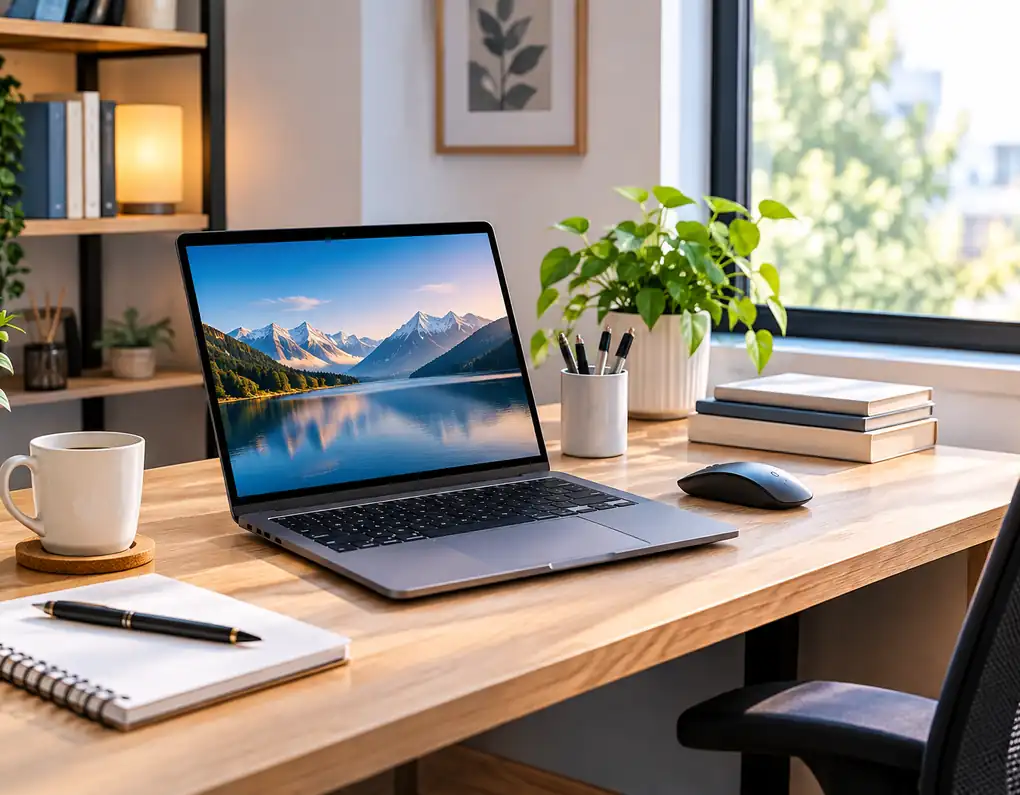
Best laptops for small home offices need to balance useful performance with a workspace-friendly design. When desk space is limited, the right laptop can make everyday work easier without taking up more room than necessary. In this guide, we compare five laptop models by size, performance, memory, storage, display, and connectivity.
When a desk has to accommodate a laptop, mouse, charger, notebook, and other daily equipment, every centimetre starts to matter. A bulky computer can quickly make a workspace feel crowded, while the right laptop can keep the setup practical without giving up the features you need for work.
That is why choosing between laptops based only on processor names or screen size can be misleading.
For this guide, we compared five actual laptop models that can suit different types of small-home-office users. They are not identical machines, and that is exactly what makes the comparison useful. One prioritizes minimum desk footprint, another offers a compact Windows design, while others focus on a larger display, business connectivity, or a balance between size and features.
Our recommendations are based on published specifications and how those specifications fit common home-office needs. They are not claims of hands-on testing of every model.
Affiliate Disclosure: Some links on Buy Facto may be affiliate links. If you purchase through one of these links, we may earn a commission at no additional cost to you.
As an Amazon Associate I earn from qualifying purchases.
Quick Comparison
| Laptop | Processor | Memory | Storage | Display | Best For |
|---|---|---|---|---|---|
| MacBook Air 13-inch with M5 | Apple M5 | 16GB | 512GB SSD | 13.6″ | Smallest premium setup |
| Acer Aspire 14 AI A14-52M-72S0 | Core Ultra 7 256V | 16GB | 1TB SSD | 14″ WUXGA | Compact Windows setup |
| Acer Aspire 14 AI A14-52MT-59DP | Core Ultra 5 226V | 16GB | 1TB SSD | 14″ WUXGA Touch | AI productivity + compact setup |
| Lenovo V15 Gen 4 IRU | Core i5-13420H | 16GB* | 512GB* | 15.6″ FHD | Business-oriented work |
| Samsung Galaxy Book4 15.6″ | Core 7 150U | 16GB | 512GB SSD | 15.6″ FHD | Larger screen + connectivity |
*The Lenovo memory and storage figures refer specifically to the Amazon configuration discussed in this guide, rather than every V15 Gen 4 configuration.
1. MacBook Air 13-inch with M5
Best for a Very Small Desk
When desk space is the first thing you worry about, the 13-inch MacBook Air has an obvious advantage: it combines a relatively small footprint with a high-resolution display and modern hardware.
Apple’s 2026 13-inch MacBook Air with M5 is available with 16GB unified memory and 512GB SSD storage. Its 13.6-inch display offers a 2560 × 1664 resolution, while the laptop weighs approximately 1.23kg.
Key Specifications
- Apple M5 chip
- 10-core CPU
- 16GB unified memory
- 512GB SSD
- 13.6-inch display
- 2560 × 1664 resolution
- Up to 500 nits brightness
- Two Thunderbolt 4 USB-C ports
- MagSafe 3 charging
- 12MP Center Stage camera
- Wi-Fi 7
- Approximately 1.23kg
Why It Stands Out
The interesting part is the combination of small footprint and strong specifications.
A 13.6-inch screen leaves more physical room for a mouse, notebook, phone, or compact accessories. The low weight also makes the laptop easier to move when the same desk has to be cleared at the end of the working day.
The high display resolution is another advantage for people who spend a lot of time reading documents, writing, browsing, or working with detailed content.
There is one obvious trade-off: the display is smaller than the 15.6-inch alternatives in this guide. If your work depends heavily on large spreadsheets or several windows side by side, the extra screen area of a larger laptop may be more useful.
Best For
Writers, freelancers, remote workers, students, consultants, and people who value a clean, compact workstation.
2. Acer Aspire 14 AI A14-52M-72S0
Best Compact Windows Option
The Acer Aspire 14 AI is an interesting choice for someone who wants a Windows laptop without moving to a large 15.6-inch chassis.
The A14-52M-72S0 configuration is listed with an Intel Core Ultra 7 256V processor, 16GB LPDDR5X memory, 1TB SSD storage, and a 14-inch WUXGA display.
Key Specifications
- Intel Core Ultra 7 256V
- 8-core processor
- 16GB LPDDR5X memory
- 1TB PCIe SSD
- 14-inch WUXGA display
- 1920 × 1200 resolution
- 16:10 aspect ratio
- Intel Arc 140V integrated graphics
- Wi-Fi 6E
- Windows 11
- USB-C / USB4 connectivity
- HDMI output
Why It Stands Out
The combination of a 14-inch display, 16GB memory, and 1TB storage gives this laptop a strong specification balance for a compact Windows workstation.
The 16:10 display is particularly useful for office work because the screen is taller than a standard 16:9 panel. That can be helpful when reading longer pages, working with documents, or scrolling through spreadsheets.
The 1TB SSD also gives you more room for projects and local files than the 512GB configurations found in several alternatives.
Best For
Windows users who want a compact laptop with plenty of storage and a modern specification balance.
3. Acer Aspire 14 AI A14-52MT-59DP
Best for AI-Powered Productivity in a Compact Workspace
The Acer Aspire 14 AI A14-52MT-59DP is an interesting option for users who want a compact Windows laptop with newer AI-focused hardware.
The configuration used for this guide features an Intel Core Ultra 5 226V processor, 16GB LPDDR5X memory, 1TB Gen 4 SSD storage, and a 14-inch WUXGA touchscreen. It also includes Intel Arc 130V graphics, an NPU designed for AI workloads, and Wi-Fi 6E connectivity.
Key Specifications
- Acer Aspire 14 AI A14-52MT-59DP
- Intel Core Ultra 5 226V
- 16GB LPDDR5X memory
- 1TB Gen 4 SSD
- 14-inch WUXGA touchscreen
- 1920 × 1200 resolution
- Intel Arc 130V graphics
- NPU with up to 40 TOPS
- Wi-Fi 6E
- 1080p FHD IR webcam
- Aluminum chassis
- 180-degree hinge
- Windows 11
- USB-C connectivity
Why It Stands Out
The biggest attraction is the combination of a compact 14-inch design, touchscreen, 16GB memory, 1TB storage, and modern AI hardware.
The 14-inch WUXGA display provides more vertical screen space than a standard 16:9 Full HD panel, which can be useful for documents, web pages, and office applications.
The aluminum chassis and 180-degree hinge also make the laptop practical for users who move between different work locations. The 1080p IR webcam and Acer’s AI-enhanced camera and microphone features can be useful for video meetings and remote work.
The 1TB SSD is another advantage for users who keep larger files, projects, photos, or other work data locally.
Best For
Remote workers, students, professionals, and small-home-office users who want a compact Windows laptop with a touchscreen, generous storage, and newer AI-focused hardware.
4. Lenovo V15 Gen 4 IRU
Best for Business-Oriented Work
The Lenovo V15 Gen 4 is aimed more toward practical office use than ultra-portable computing.
Important configuration note: Lenovo’s official PSREF confirms that the V15 Gen 4 IRU platform is available with the Intel Core i5-13420H and supports configurations up to 16GB DDR4 memory. However, the V15 Gen 4 is sold in multiple configurations with different memory and storage combinations.
For this guide, the 16GB RAM + 512GB SSD specification refers specifically to the Amazon listing ASIN B0D1YQJKY2. It should not be presented as though every Lenovo V15 Gen 4 automatically comes with 16GB RAM and a 512GB SSD.
Key Specifications of the Amazon Configuration
- Lenovo V15 Gen 4 IRU
- Intel Core i5-13420H
- 8 cores / 12 threads
- Up to 4.6GHz
- 16GB DDR4 RAM
- 512GB SSD
- 15.6-inch FHD display
- 1920 × 1080 resolution
- Integrated Intel UHD Graphics
- Windows 11 Pro
- USB-C
- USB-A
- HDMI
- RJ45 Ethernet
- Numeric keypad
- Wi-Fi and Bluetooth
- Around 1.65kg for the relevant Lenovo configuration
Why It Stands Out
The V15 becomes more interesting when your home office setup includes traditional office accessories and wired connections.
The 15.6-inch display is useful for document-heavy work, while the Core i5-13420H provides more performance headroom than many basic office laptops.
The numeric keypad can also be useful for finance, accounting, inventory, spreadsheets, and other tasks involving frequent number entry.
The built-in RJ45 Ethernet connection is another practical advantage if your home office benefits from a wired network connection.
The compromise is size. This is not a miniature laptop, so it needs a desk with enough room for a 15.6-inch machine.
Best For
Business applications, spreadsheets, number-heavy work, documents, remote work, and users who prefer a conventional office-style layout.
5. Samsung Galaxy Book4 15.6-inch
Best for a Larger Screen and Built-In Connectivity
The Samsung Galaxy Book4 is an appealing option for someone who wants a larger 15.6-inch display without moving to a particularly bulky design.
The configuration compared here uses an Intel Core 7 150U processor, 16GB memory, 512GB SSD storage, and a 15.6-inch Full HD IPS display.
Samsung Galaxy Book4 configurations can vary by market and region, so it is important to check the exact listing before purchasing.
Key Specifications
- Intel Core 7 150U
- Up to 5.4GHz
- 16GB memory
- 512GB NVMe SSD
- 15.6-inch FHD IPS display
- 1920 × 1080 resolution
- Anti-glare screen
- Intel integrated graphics
- Wi-Fi 6
- Gigabit Ethernet on the relevant configuration
- HDMI
- USB-C
- USB-A
- Fingerprint reader
- Backlit keyboard
- Around 1.55kg in the relevant configuration
Why It Stands Out
Its biggest attraction is the combination of large working area and useful built-in connectivity.
The 15.6-inch screen gives you more room for side-by-side work, while HDMI, USB-C, USB-A, and Ethernet can reduce the need for additional adapters.
That can be surprisingly useful in a home office because adapters and hubs can quickly add to desk clutter.
At around 1.55kg for the relevant configuration, it is also much easier to move than a traditional desktop setup.
Best For
Windows users who want a larger screen, useful ports, and a relatively manageable laptop footprint.
Which Laptop Is Best for a Small Home Office?
There is no universal winner because each laptop solves a slightly different problem.
Best for the Smallest Footprint
MacBook Air 13-inch with M5
Its 13.6-inch display and approximately 1.23kg weight make it the easiest option here to position on a very small desk.
Best Compact Windows Option
Acer Aspire 14 AI
The 14-inch format, 16GB memory, and 1TB storage make it an attractive combination when you want Windows without moving up to a larger 15.6-inch machine.
Best for Everyday Office Work
Dell 15 DC15250
Its 15.6-inch FHD display makes it more appealing when screen area is important for documents and spreadsheets.
Best for Business-Style Use
Lenovo V15 Gen 4 IRU
The larger display, numeric keypad, RJ45 Ethernet, and practical port selection make it a natural fit for office-oriented tasks.
Remember that the 16GB/512GB specification refers to the specific Amazon configuration, not every V15 Gen 4 model.
Best for Screen Size and Connectivity
Samsung Galaxy Book4
The 15.6-inch display combined with useful ports can make it attractive for a more connected home-office setup.
What Should You Prioritize When Buying?
The best laptops for small home offices are not determined by processor speed alone.
Physical Size
Measure the actual area where the laptop will sit.
Remember to leave room for your mouse and any accessories you use every day.
Screen Size
A smaller screen saves space, but a larger display can make documents, spreadsheets, and side-by-side work easier.
RAM
For many modern office setups, 16GB is a useful target when multitasking across browsers, documents, spreadsheets, meetings, and communication apps.
Storage
A 512GB SSD is a practical starting point for general work. A 1TB SSD is more attractive when you regularly keep larger files locally.
Ports
Think about your current accessories before buying.
Do you need HDMI? USB-A? USB-C? Ethernet?
A laptop with the right built-in ports can reduce the number of adapters on your desk.
Weight
If your workspace is shared, weight becomes more important because you may need to move or store the laptop regularly.
Keyboard
A laptop that looks compact on paper can still be uncomfortable if you type for hours every day.
How to Make a Laptop Work in a Very Small Workspace
The laptop itself is only part of the equation.
A simple setup can include a laptop, mouse, charger, and one notebook. Avoid placing every accessory on the desk at once.
If you regularly use the laptop with the lid open beside another display, a laptop stand can help reclaim part of the desk surface. See Best Laptop Stands for Small Desks.
When the laptop needs more connections than it provides, a compact USB hub can also reduce the need to move equipment around the desk. See Best USB Hubs for Small Home Offices.
And when the desk itself is becoming difficult to manage, Small Home Office Desk Organization Ideas can help you rethink the arrangement.
Common Laptop Buying Mistakes
Buying the Smallest Screen Without Considering Your Work
A compact laptop can save space but become frustrating if you work with large spreadsheets or several windows.
Paying for Performance You Will Never Use
More processing power is useful only when your workload can take advantage of it.
Ignoring the Laptop’s Actual Dimensions
Screen size does not tell you the entire physical footprint.
Forgetting About Ports
A very slim laptop may look perfect until you realize that you need several adapters for your normal setup.
Choosing by Processor Name Alone
A laptop is a complete system. RAM, storage, display, cooling, keyboard, battery, weight, and connectivity all affect how useful it will be.
Final Thoughts
The best laptops for small home offices are not necessarily the smallest laptops or the most powerful ones.
The MacBook Air 13-inch with M5 is particularly appealing when minimum footprint and portability are the priority. The Acer Aspire 14 AI gives Windows users a compact 14-inch alternative with a strong memory and storage combination.
The Dell 15 DC15250, Lenovo V15 Gen 4 IRU, and Samsung Galaxy Book4 move toward the larger 15.6-inch class, giving you more screen area while still keeping the computer easier to manage than a traditional desktop setup.
The right choice depends on how you actually work.
If desk space is extremely limited, prioritize physical dimensions and weight. If spreadsheets and document-heavy work dominate your day, screen size may matter more. If your workspace relies on external displays and accessories, ports can become a deciding factor.
Before buying, think about the desk you already have, the work you actually do, and the equipment you need to connect.
That is the best way to choose a laptop that feels like it belongs in your home office rather than one that simply looks impressive on a specification sheet.
For more workspace technology ideas, explore Buy Facto’s Work-From-Home Tech guides.