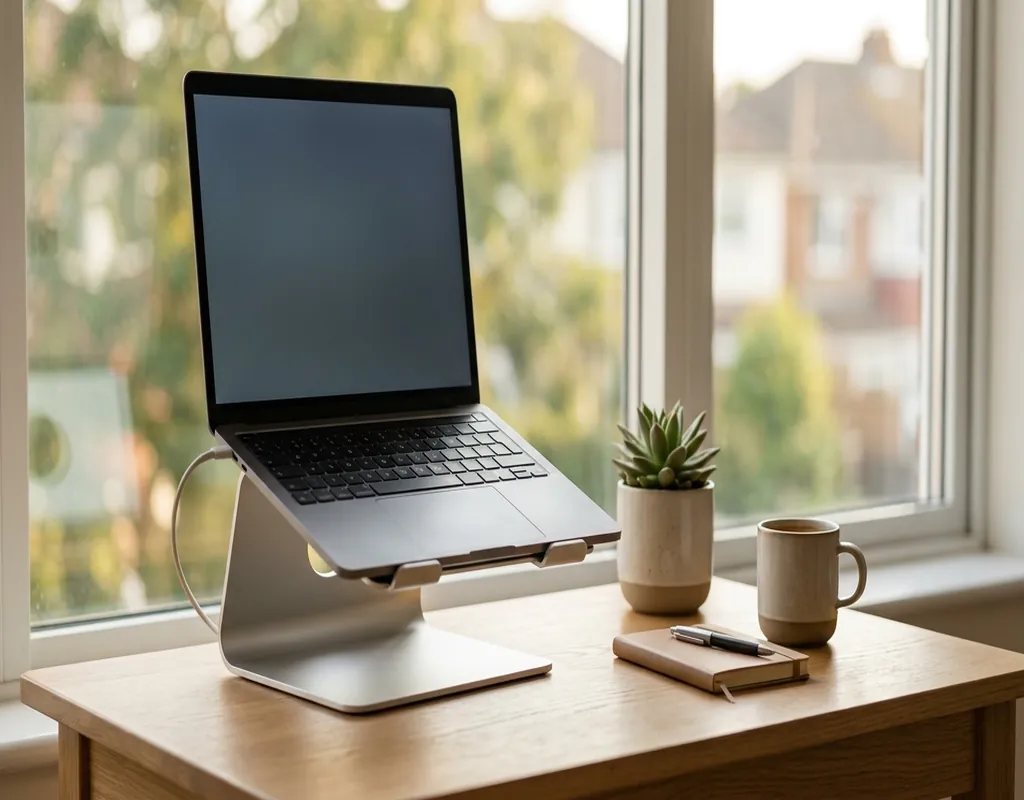
A small desk can feel crowded very quickly. Once you add a laptop, keyboard, mouse, charger, phone and a few other everyday items, there may be very little room left to work comfortably.
A laptop stand can help in two simple ways. It raises the screen to a better viewing position and can free up some of the space underneath or around the laptop.
But not every stand is a good fit for a compact desk. Some take up more room than expected, while others are designed mainly for portability or vertical storage.
In this guide, we look at different types of laptop stands and explain which option may work best for your particular setup.
If you are still choosing your desk, you may also want to see our guide to 5 Best Small Desks for a Small Home Office.
Quick Comparison
| Laptop Stand Type | Best For | Main Advantage | Possible Drawback |
|---|---|---|---|
| Foldable Laptop Stand | Small desks and flexible workspaces | Easy to fold and store | May offer limited height |
| Adjustable Laptop Stand | Home-office setups | Flexible height and viewing angle | Can take more desk space |
| Fixed Laptop Stand | Permanent setups | Stable and simple | Not very portable |
| Vertical Laptop Stand | Very small desks | Saves desktop space | Usually requires external keyboard |
| Dual-Slot Vertical Stand | Multiple devices | Stores two devices in a small area | Not suitable for direct typing |
1. Foldable Laptop Stand – Best for Small Desks
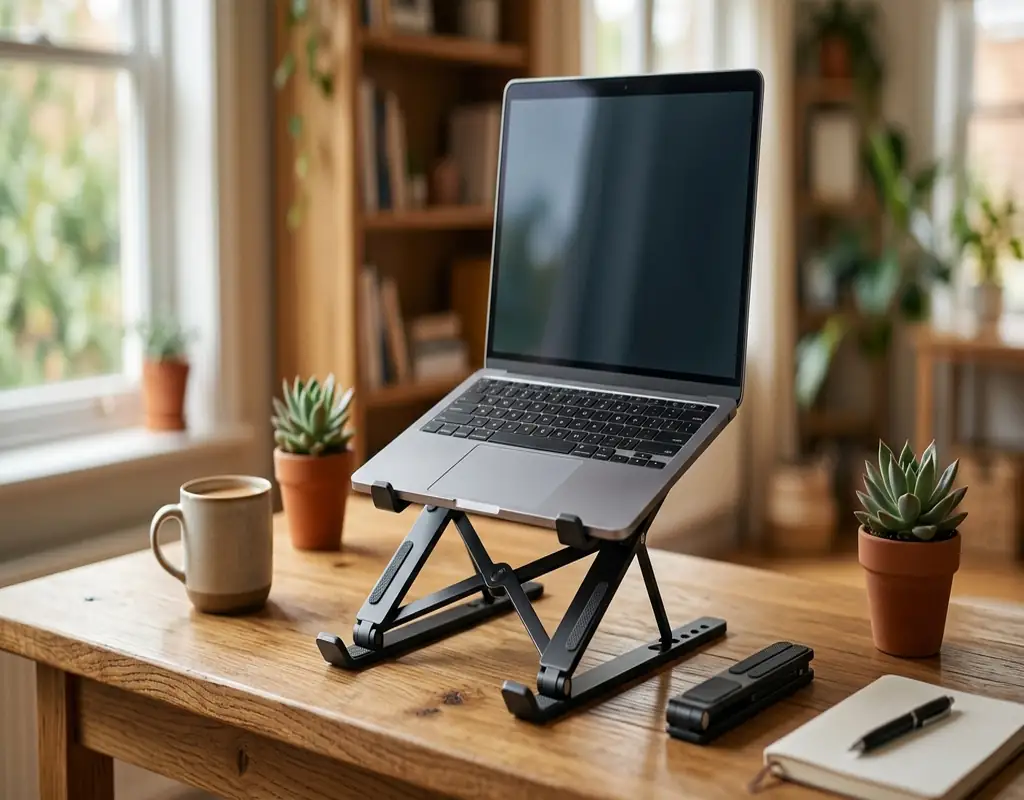
A foldable laptop stand is a practical option when you want to save space without permanently committing part of your desk to a bulky accessory.
When you need to clear the desk, many foldable designs can be collapsed and stored in a drawer or another convenient location.
This makes them particularly useful for shared desks, study areas and small home offices where the workspace may need to serve more than one purpose.
A foldable stand can also be useful if you regularly move your laptop between different rooms.
Best for: Small desks, shared workspaces and people who value portability.
Pros
- Easy to fold and store
- Usually lightweight
- Takes less storage space
- Useful for flexible workspaces
Cons
- Height adjustment may be limited
- Some lightweight designs may feel less stable
- Not every model is suitable for heavier laptops
2. Adjustable Laptop Stand – Best for Flexibility
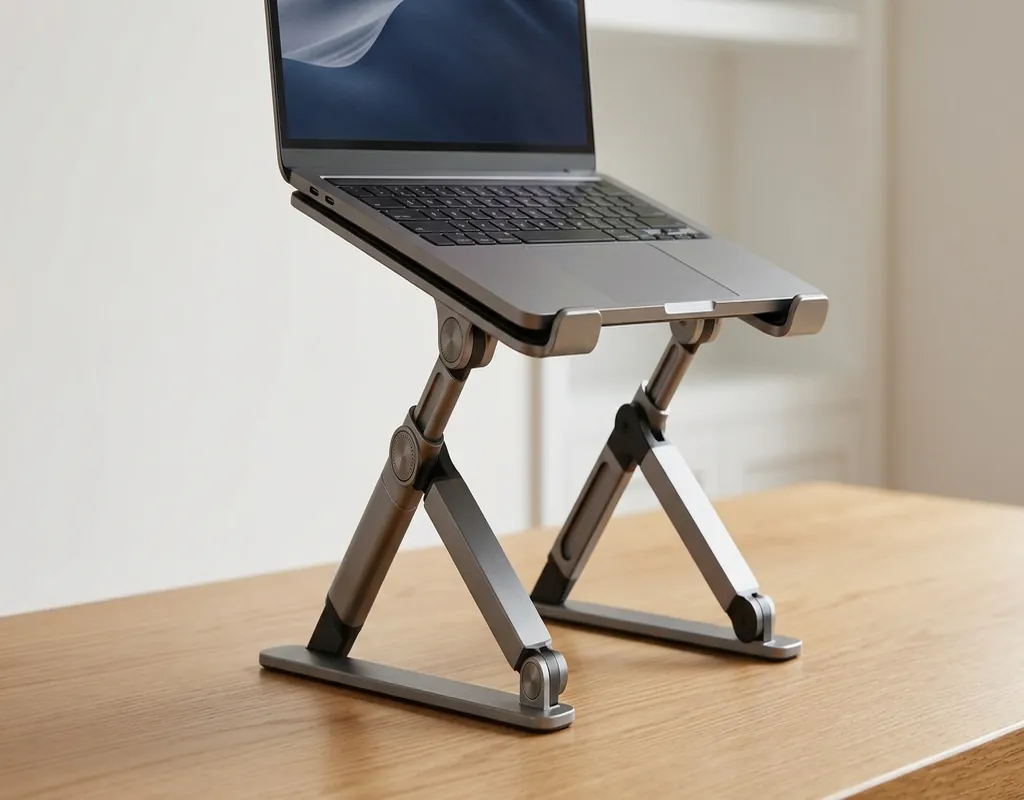
If you want more control over your laptop’s position, an adjustable stand may be the better choice.
You can change the height or viewing angle depending on how you are sitting and what you are doing.
For a small desk, an adjustable stand can work particularly well when paired with an external keyboard and mouse. The laptop screen can be raised while your hands stay at a more comfortable typing position.
Before buying, check the stand’s dimensions and weight capacity. Some adjustable designs are surprisingly large, which can reduce the space-saving benefit on a very small desk.
Best for: Home-office users who want adjustable positioning.
Pros
- Flexible height and angle
- Useful for different seating positions
- Works well with an external keyboard
- Suitable for longer work sessions
Cons
- Some models have a larger footprint
- Heavier than simple foldable stands
- More moving parts can make setup slightly more complicated
3. Fixed Laptop Stand – Best for Permanent Setups
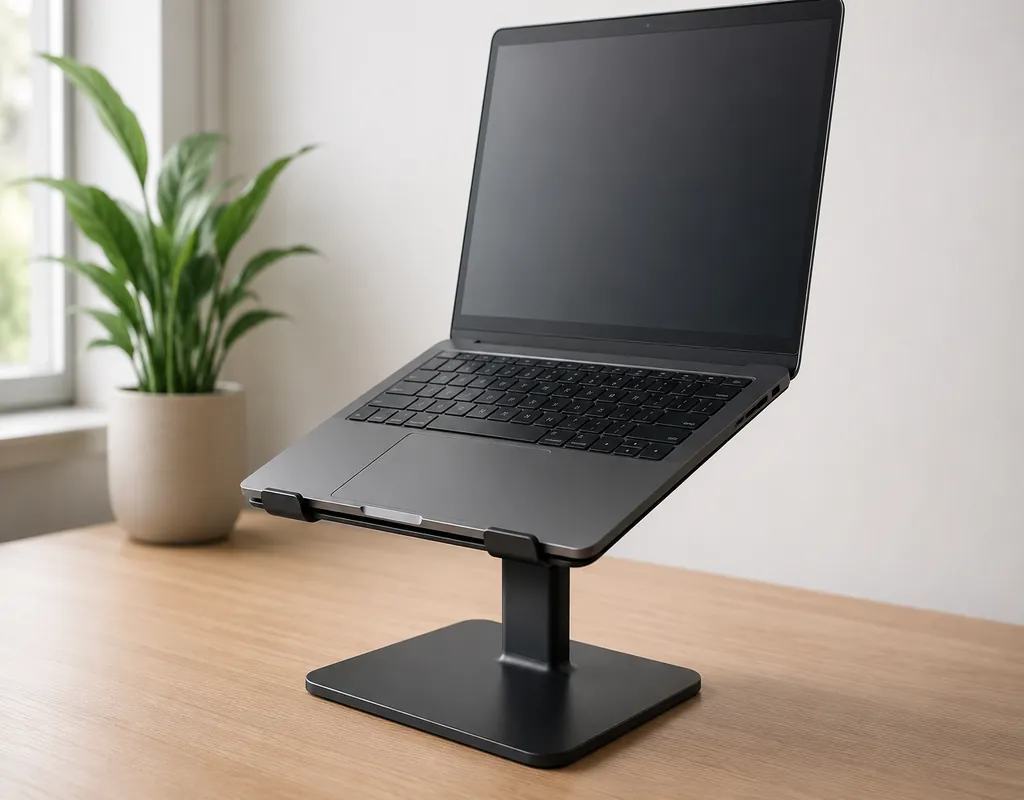
If your laptop normally stays in one place, you may not need a stand with lots of adjustment.
A fixed laptop stand offers a simple way to raise the screen while keeping the setup stable.
This type of stand can work well on a dedicated home-office desk where you already know the height and viewing position you prefer.
The main disadvantage is flexibility. Once the stand is in place, you cannot easily change its height or fold it away.
Best for: Permanent home-office workstations.
Pros
- Simple design
- Stable support
- Easy to use
- Good for permanent setups
Cons
- Limited adjustment
- Not ideal for travel
- Uses permanent desk space
4. Vertical Laptop Stand – Best for Saving Desk Space
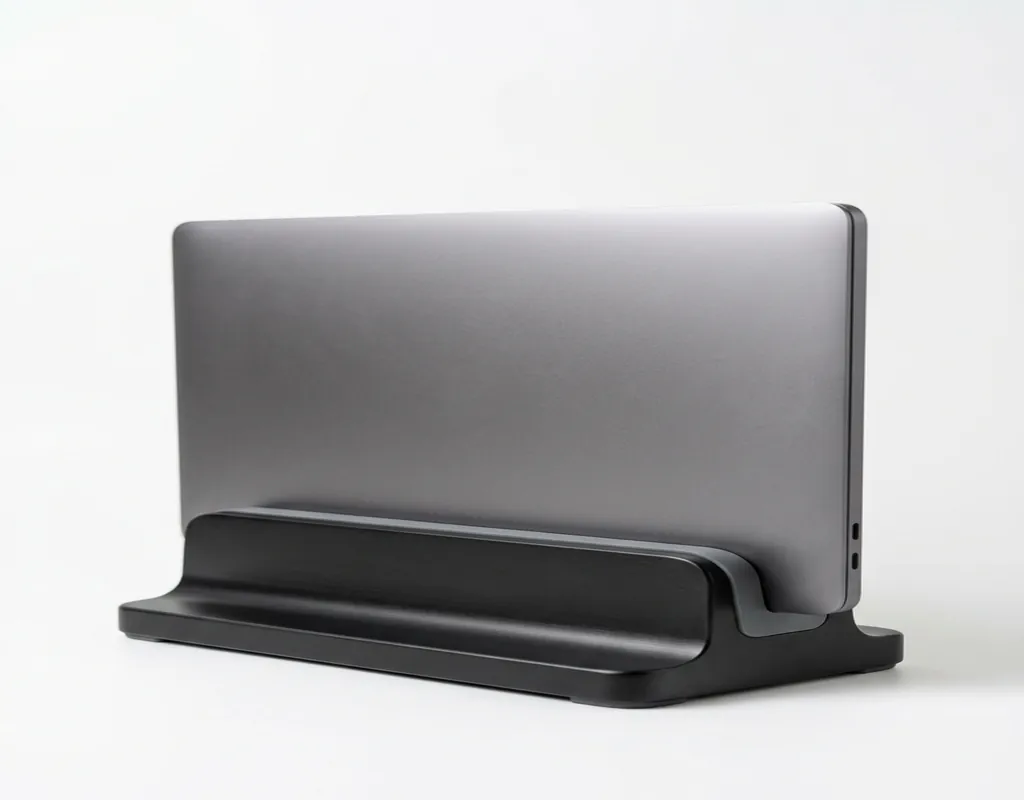
A vertical laptop stand approaches the problem differently.
Instead of keeping the laptop open and flat on your desk, it stores the device upright. This can free up a useful amount of desktop space.
This setup works best when the laptop is connected to an external monitor, keyboard and mouse. The laptop becomes more like the computer behind your workstation rather than the main screen and typing surface.
For a genuinely small desk, this can be one of the most effective ways to reclaim space.
However, it is not the right choice if you regularly use the laptop’s built-in keyboard and screen.
Best for: Very small desks and external-monitor setups.
Pros
- Uses very little desktop space
- Keeps the laptop upright
- Works well with an external monitor
- Helps create a cleaner workspace
Cons
- Not practical for direct laptop typing
- Laptop thickness must be compatible
- Works best with external accessories
5. Dual-Slot Vertical Laptop Stand – Best for Multiple Devices
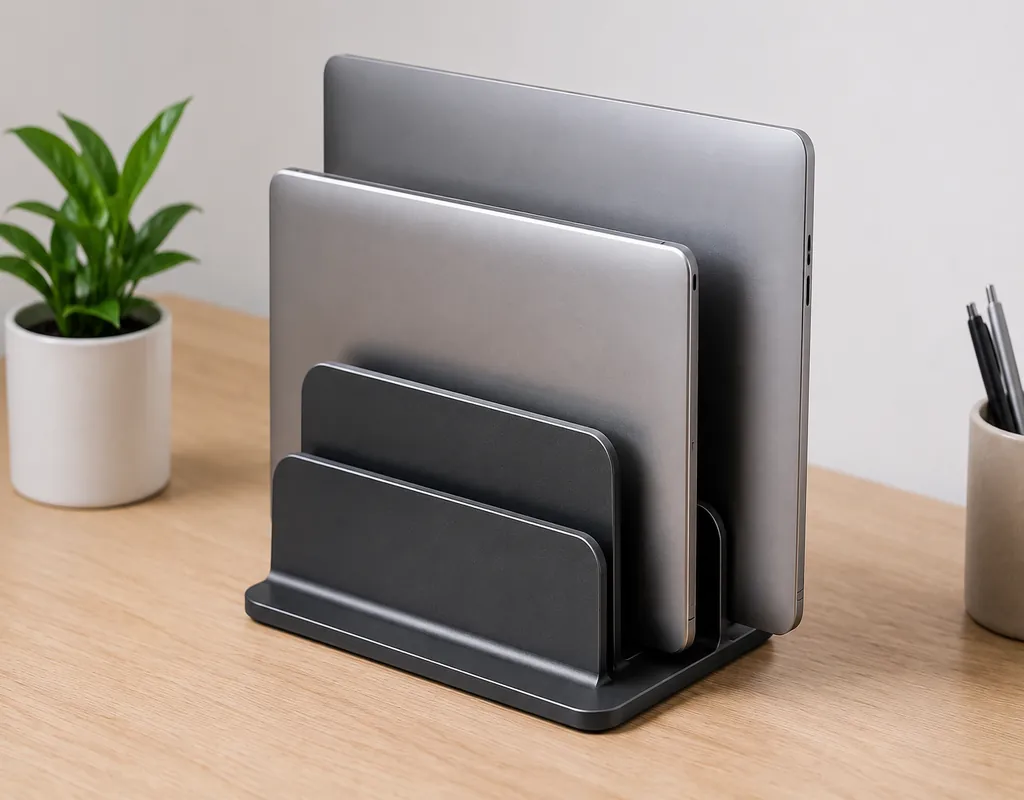
If you have two laptops or another similarly sized device, a dual-slot vertical stand can help keep both devices organized without taking up much desk space.
Instead of leaving multiple devices flat on the desk, you can store them upright in separate slots.
This can be useful in a home office where one laptop is used for work and another is kept nearby for personal use.
Before buying, check the slot width and the recommended device sizes. Different laptops can have noticeably different thicknesses.
Best for: Multiple laptops or devices.
Pros
- Saves horizontal desk space
- Keeps multiple devices organized
- Small overall footprint
- Useful for compact workstations
Cons
- Not suitable for direct typing
- Compatibility needs to be checked
- May be unnecessary for a single-device setup
Which Laptop Stand Is Best for a Small Desk?
There is no single stand that works perfectly for everyone. The right choice depends on how you use your laptop and how much space you have.
Choose a Foldable Stand If You:
- Move your laptop frequently
- Need to clear your desk regularly
- Share your workspace
- Want something easy to store
A foldable stand is usually the most flexible option.
Choose an Adjustable Stand If You:
- Want to change screen height
- Prefer different viewing angles
- Use an external keyboard and mouse
- Spend several hours at your desk
An adjustable model gives you more control over the setup.
Choose a Fixed Stand If You:
- Keep your laptop in one place
- Have a dedicated workspace
- Prefer simplicity
- Do not need portability
A fixed stand can be enough if you already know the position that works for you.
Choose a Vertical Stand If You:
- Use an external monitor
- Use an external keyboard and mouse
- Need maximum desk space
- Usually keep the laptop closed
For the smallest desks, vertical storage can provide the biggest space-saving benefit.
What to Look for in a Laptop Stand
Before buying, consider how the stand will actually fit into your workspace.
Laptop Size and Weight
Check the recommended laptop size and weight capacity. The stand should support your laptop securely without excessive movement. Do not assume that a stand suitable for a smaller laptop will automatically work with a larger or heavier one.
Desk Footprint
Measure the available space on your desk before buying. Pay attention to both width and depth. A product can look compact in photos while taking up a surprising amount of desk space.
Height and Viewing Angle
Think about where the screen will sit when you are actually working. An adjustable stand provides more flexibility, while a fixed stand can be perfectly adequate if you already know the height you need.
Stability
Stability matters even more if you plan to type directly on the laptop. If you use an external keyboard, the stand does not have to support typing pressure, but it should still hold the laptop securely.
Portability
If you work in different rooms or locations, a foldable stand can be much easier to carry. If your laptop stays permanently on your desk, stability and footprint may matter more than portability.
Ventilation
Look for a design that does not unnecessarily cover the laptop’s ventilation areas. An open stand can leave more space around the underside of the device, although a laptop stand should not be considered a replacement for a dedicated cooling solution.
Laptop Thickness
This is particularly important with vertical stands. Check the recommended slot width and make sure it matches your laptop before purchasing.
Laptop Stand or Laptop Flat on the Desk?
Keeping your laptop directly on the desk is certainly the simplest option, but it can use a large portion of the available surface.
On a small desk, that leaves less room for your mouse, keyboard, notebook and other items.
A laptop stand raises the screen and can make the space underneath or around the laptop more useful.
When combined with an external keyboard and mouse, it also separates the screen from the typing position, which can make the overall workspace more comfortable.
If you also use a monitor, our guide to Best Monitor Stands for Small Desks may be useful.
Common Laptop Stand Mistakes to Avoid
Buying Without Measuring — A stand may look small online but still take up too much space once placed on your desk. Measure first.
Choosing Too Much Height — Higher is not automatically better. The stand should work with your chair, desk and screen position.
Ignoring Weight Capacity — Always check the recommended weight before placing your laptop on the stand.
Forgetting Laptop Thickness — This is especially important with vertical stands. A slot that is too narrow may not hold the laptop properly.
Using the Raised Laptop Keyboard for Long Periods — If the laptop is raised significantly, typing directly on it may become less comfortable. An external keyboard and mouse can make a raised laptop setup much more practical.
Paying for Features You Do Not Need — More adjustment does not always mean better. If your laptop stays in one place, a simple fixed stand may be all you need.
How to Set Up a Laptop Stand on a Small Desk
Start by placing the laptop stand toward the back of the desk.
This leaves more space toward the front for your keyboard, mouse and other items you use regularly.
If you have an external monitor, place the laptop to one side or store it vertically if that suits your setup.
Try to route charging cables toward the back of the desk instead of across your main working area.
For more ideas, see our guide to Best Cable Management Solutions for Small Desks.
Frequently Asked Questions
Is a laptop stand worth it for a small desk?
Yes. A suitable stand can raise the laptop screen while helping you make better use of limited desk space. The biggest benefit often comes when the laptop is paired with an external keyboard and mouse.
What type of laptop stand saves the most desk space?
A vertical laptop stand can save a significant amount of surface space when the laptop is used with an external monitor and keyboard.
Is an adjustable laptop stand better than a fixed stand?
Not necessarily. An adjustable stand provides more flexibility, while a fixed stand can be simpler and more stable for a permanent setup.
Can I use a laptop stand without an external keyboard?
Yes, but typing can become less comfortable if the laptop is raised significantly. An external keyboard and mouse are often a better choice for a raised laptop.
Are vertical laptop stands safe?
They can be safe when they are correctly sized for the laptop and hold the device securely. Always check the recommended laptop thickness and size before buying.
Can a laptop stand improve airflow?
An open stand may leave more space around the underside of a laptop and help avoid blocking ventilation areas. However, it should not be treated as a dedicated cooling device.
What is the best laptop stand for a very small desk?
It depends on how you use the laptop. A foldable stand is useful when flexibility matters, while a vertical stand can save the most desktop space when you use an external monitor and keyboard.
Our Verdict
For most small desks, a foldable or adjustable laptop stand offers a good balance between usability and flexibility.
A foldable stand makes sense if you move your laptop frequently or need to clear the desk regularly.
An adjustable stand is better suited to people who want more control over screen height and viewing angle.
If you normally use your laptop with an external monitor, keyboard and mouse, a vertical laptop stand can be the most effective option for saving valuable desk space.
Before buying, measure your desk, check your laptop’s size and weight, and decide which matters most to you: portability, adjustability or maximum space saving.
The best laptop stand is not necessarily the one with the most features. It is the one that solves your particular workspace problem without making your small desk harder to use.
For more compact workspace ideas, explore our Work-From-Home Tech guides and Small Home Office content.
Affiliate Disclosure
Some links on Buy Facto may be affiliate links. If you purchase a product through one of these links, we may earn a commission at no additional cost to you.
Product prices, availability, features and specifications can change over time. Always check the current product information on the retailer’s website before making a purchase.