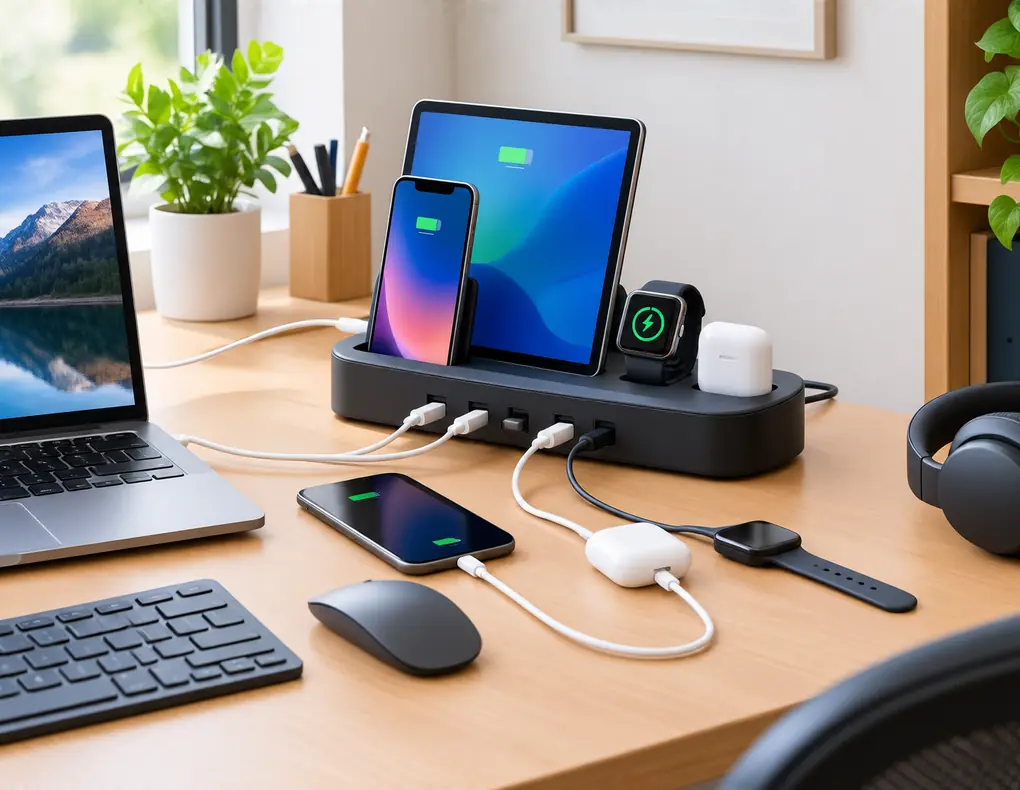
Finding the best compact charging stations for small home offices can make it easier to give phones, earbuds, tablets, watches, and other everyday devices one dedicated place to charge without taking over a limited desk. A compact charging station can also help reduce cable clutter while keeping frequently used devices organized in one convenient location.
A small workspace may include a laptop, phone, tablet, wireless headphones, keyboard, mouse, and other rechargeable accessories. When each device depends on a separate charger, the charging area can quickly become awkward and difficult to manage.
A dedicated charging station can bring those charging needs together in one location. Depending on the design, it may combine multiple USB charging ports, wireless charging surfaces, device slots, or higher-power USB-C charging for compatible laptops.
For a small office, however, choosing a charging station is not simply about finding the model with the most ports. The station needs to fit the available space, provide suitable power for the devices you actually use, and remain convenient in everyday use.
This guide compares five compact charging-station designs for small home offices. Instead of focusing on specific brands, it explains how each type works, what to look for, and which features are worth considering before you buy.
Affiliate Disclosure: Some links on Buy Facto may be affiliate links. If you purchase through one of these links, we may earn a commission at no additional cost to you.
Amazon Associates Disclosure: As an Amazon Associate I earn from qualifying purchases.
What Is a Multi-Device Charging Station?
A multi-device charging station is a dedicated charging product designed to power several compatible devices from one central location.
Some stations use several wired charging ports. Others add wireless charging areas or physical slots that hold devices upright while they charge.
The main purpose is convenience: instead of spreading multiple charging points across your workspace, you create one defined charging area.
That makes a charging station different from some other accessories.
A USB hub is mainly designed to expand connectivity between a computer and peripherals. A power strip mainly provides additional electrical outlets. A charging station is primarily built around charging devices.
Some products combine more than one of these functions, so always check the manufacturer’s specifications and intended use before buying.
For dedicated USB connectivity, see our Best USB Hubs for Small Home Offices.
Best Compact Charging Stations for Small Home Offices: What to Look For
The right charging station depends on your devices, available space, and charging routine.
Rather than starting with the number of ports, begin with how you actually use your workspace.
Number of Devices
Think about how many devices normally need charging at the same time.
If you usually charge a phone, headphones, and tablet together, a station designed around those three devices may be enough.
You do not necessarily need a large station simply because you own more devices.
USB-C Ports
USB-C can be important for newer devices and higher-power charging.
However, a USB-C connector does not by itself tell you how much power a port can provide.
Check the manufacturer’s stated output rather than assuming every USB-C port has the same capability.
For more technical information about USB Power Delivery, see the USB-IF USB Power Delivery overview.
Total Power
Port count and power capacity are two different things.
A station may provide several charging connections while still having a limited total power budget.
This matters when multiple devices are connected simultaneously.
Individual Port Output
Also check the maximum output of the ports you expect to use.
A high-power port can be important when one of your devices requires more power than smaller accessories.
Power Sharing
Some charging stations distribute available power across connected devices.
That means the available output for one device may change when additional devices are plugged in.
Read the product specifications carefully so you understand how the station behaves under multiple-device use.
Wireless Charging Compatibility
Wireless charging can be convenient, but only compatible devices can use it.
Check the supported charging standard and device compatibility before buying.
Physical Size
Measure the actual space where the station will sit.
A charging station should not create a new desk-space problem.
Compare the manufacturer’s listed width, depth, and height with your available area.
Device Slots
If the station uses slots or upright holders, check their size.
Thick cases or larger tablets may not fit every slot.
Heat and Ventilation
Charging electronics can produce heat.
Use the station according to the manufacturer’s placement recommendations and avoid covering ventilation areas.
A compact design still needs appropriate airflow.
Quick Comparison of 5 Compact Charging Station Types
| Charging station type | Best suited to | Space advantage |
|---|---|---|
| Compact USB-C desktop station | Phones, tablets, and everyday accessories | One central charging point |
| Vertical slot charging station | Several phones or small devices | Uses desk height instead of depth |
| Compact wireless charging station | Compatible wireless devices | Simple device-side charging |
| Laptop and multi-device station | Laptop plus smaller accessories | Combines different charging needs |
| Under-desk charging station | Very limited desktop space | Moves charging below the desk |
These are different design approaches rather than a ranking. Your own devices and workspace will determine which type fits best.
1. Compact USB-C Desktop Charging Station
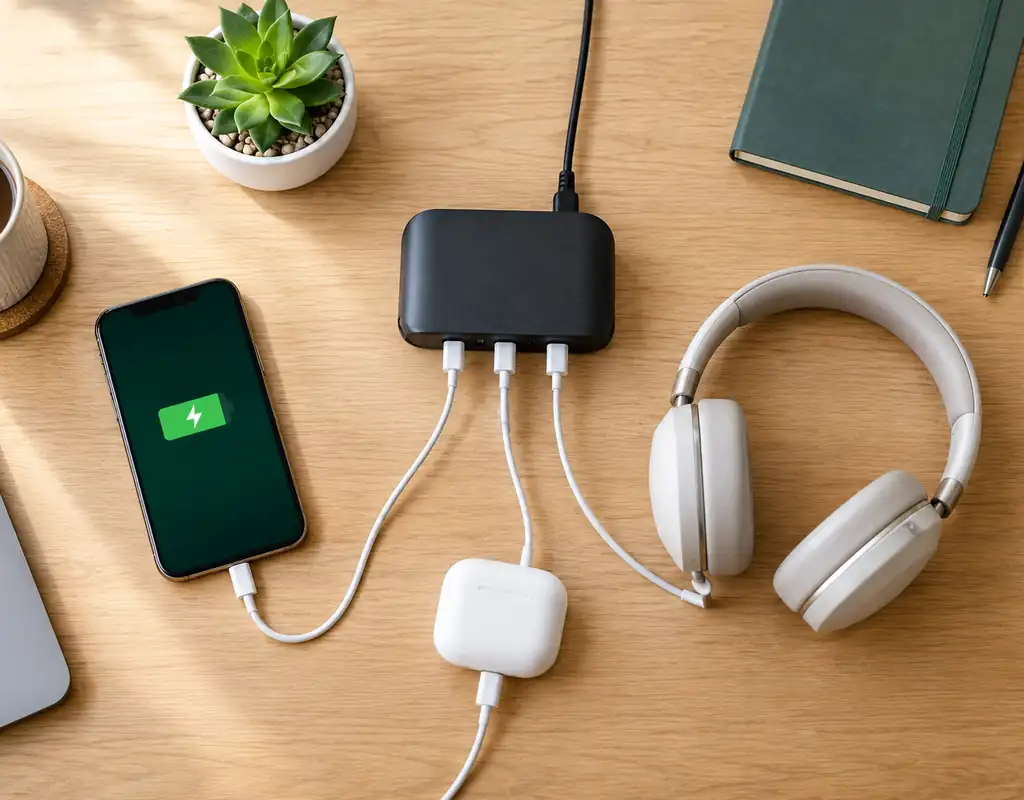
A compact USB-C desktop charging station is a practical option for people who regularly charge several devices with wired connections.
This type usually places multiple charging ports into one small desktop unit.
It can be useful for a workstation where phones, tablets, headphones, and other rechargeable devices are commonly used throughout the day.
Why Consider This Type?
A compact USB-C desktop station may suit you when you want:
- Several wired charging connections
- One central charging location
- USB-C support
- A relatively small desktop footprint
- Easy access to charging ports
Focus on Power, Not Just Port Count
A station with six ports is not automatically more capable than one with four.
Check:
- Maximum output per port
- Total output
- Power-sharing behavior
- Supported charging standards
- Included power adapter
These details tell you much more about the station’s practical capability.
Who Is It For?
This design works well when most of your devices charge through cables and you want one dedicated charging point.
It may be less appealing when wireless charging is a major part of your routine or when you have almost no free desk surface.
2. Vertical Slot Charging Station
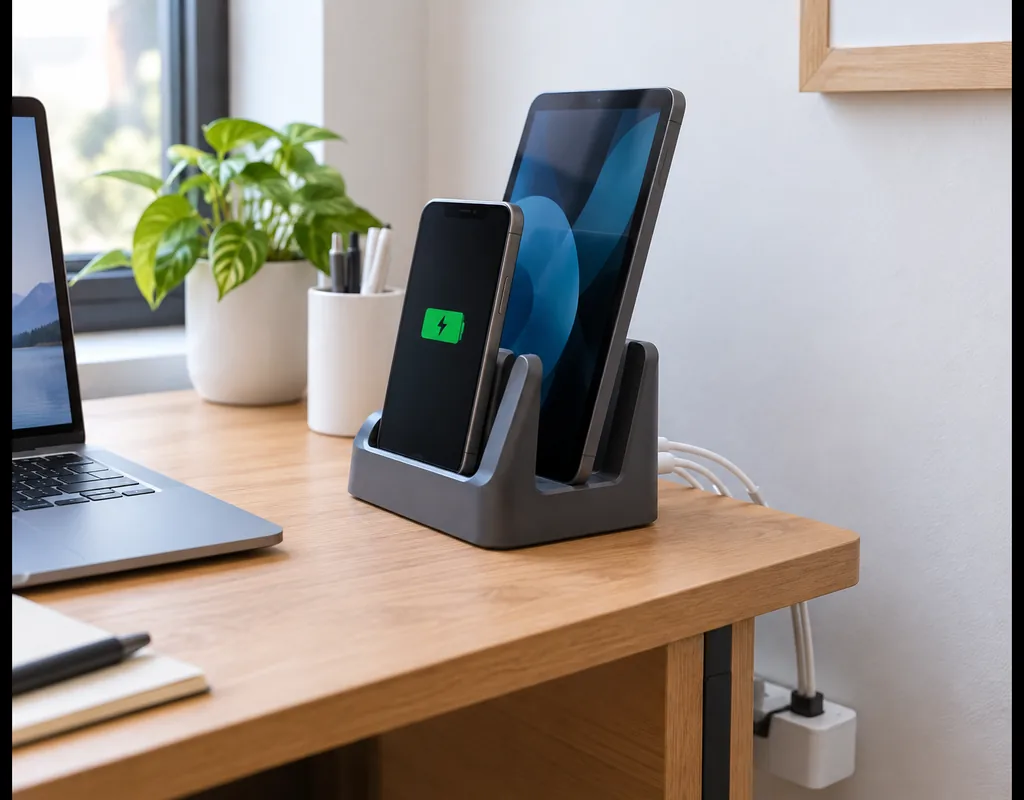
A vertical slot charging station combines charging with a structured place for compatible devices to sit.
Instead of spreading devices flat across your desk, the station holds them in upright or angled positions.
This can be useful when desk depth is limited but there is some available height.
Why Vertical Placement Can Help
Vertical positioning may allow several devices to occupy less horizontal space.
It can also make individual devices easier to identify while they are charging.
For a compact workstation, that can be more practical than having several phones or tablets lying flat across the desktop.
What to Check
Before buying, look at the physical dimensions of the slots.
Check:
- Slot width
- Slot depth
- Device thickness
- Case compatibility
- Charging-cable access
- Base stability
A tablet or phone with a thick protective case may not fit every slot.
Keep the Station Focused
A charging station can become cluttered when every device is left there permanently.
Use the station primarily for devices that actually need charging.
That keeps the charging area useful without turning it into another storage location.
3. Compact Wireless Charging Station
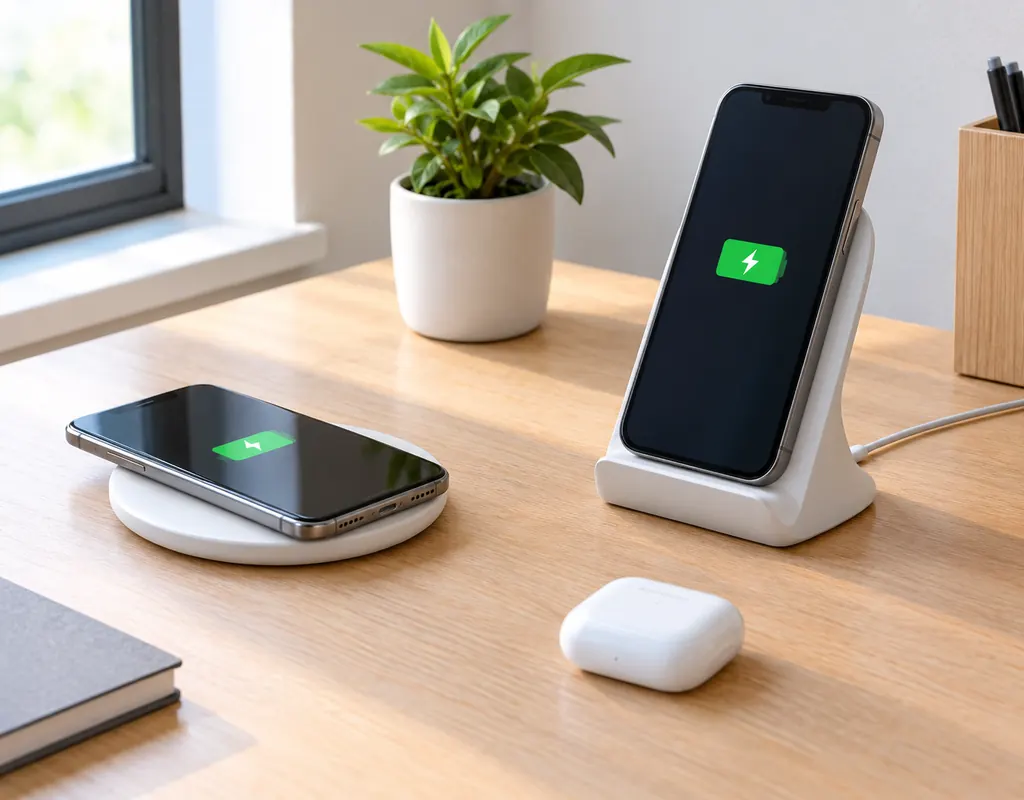
A compact wireless charging station can make everyday charging more convenient for compatible devices.
Instead of plugging a cable directly into a device, you place it on the appropriate charging surface or stand.
This can be particularly useful for a phone or other compatible accessory that is charged frequently.
Why Choose Wireless Charging?
You may prefer this type when:
- Your devices support wireless charging
- You like quick drop-and-charge convenience
- You want fewer cables connected directly to devices
- You keep the station in one location
- You prefer a cleaner charging area
Flat Pad vs. Stand
A flat wireless station may take little vertical space and can be easy to place on a small desk.
A stand-style design can keep a phone upright, which may make it easier to see notifications or the charging status without picking it up.
The right choice depends on how you use the device while it charges.
Check Compatibility Carefully
Wireless charging is not universal.
Before buying, confirm that your devices support the required charging method and that the station is designed for them.
Also remember that the charging station itself still needs a power connection.
4. Laptop and Multi-Device Charging Station
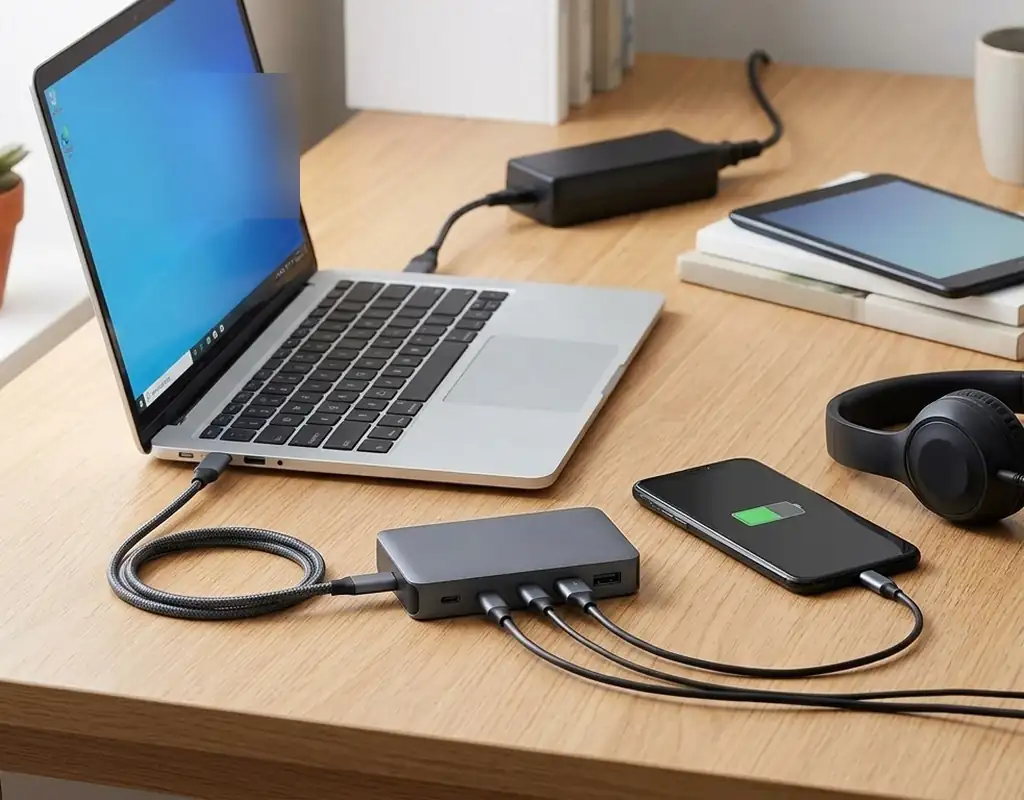
A laptop and multi-device charging station is aimed at workspaces where one of the connected devices requires substantially more power than smaller accessories.
This can be useful when a laptop is part of your everyday home-office setup and you also want to charge a phone, tablet, headphones, or other devices from the same central unit.
Start With the Laptop
Before looking at the number of smaller charging ports, check the laptop’s charging requirements.
Then compare them with the station’s specifications for:
- USB-C Power Delivery
- Maximum output
- Per-port output
- Total output
- Power distribution
- Included power supply
Do not assume that every USB-C charging station can power every laptop.
Why This Type Can Save Space
A suitable high-output station may reduce the number of separate charging adapters around the workspace.
That can make the charging area easier to manage without adding another large piece of equipment.
When to Be Careful
A station that can charge a laptop efficiently by itself may behave differently when several other devices are connected.
Check the manufacturer’s multi-device output information before buying.
5. Under-Desk Charging Station
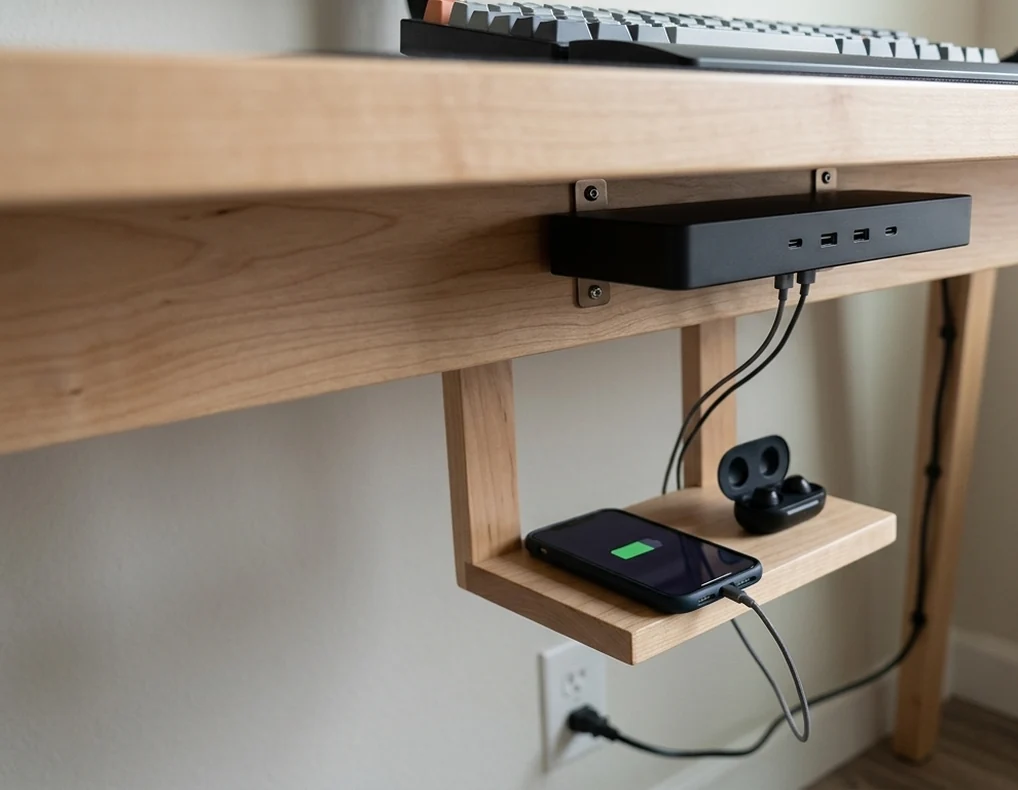
An under-desk charging station is designed for situations where almost no useful desktop space remains.
Instead of placing the charging unit beside your monitor or keyboard, the station is mounted or positioned beneath the desk, depending on the product design.
Why Use Under-Desk Space?
The underside of a desk is often unused.
Moving the charging point there can leave the main desktop available for work while still keeping charging connections within reach.
This approach may be useful when:
- Your desk surface is already crowded
- Several devices need charging
- You want the charging equipment out of the main work area
- You have suitable mounting space
- The station can remain accessible
Check Installation Requirements
Under-desk products can have different mounting methods.
Before buying, check:
- Mounting hardware
- Required clearance
- Cable length
- Ventilation
- Weight
- Access to charging ports
- Suitable desk surfaces
A charging station should be secure and easy to reach.
Keep It Practical
Do not mount the station so far underneath the desk that connecting a device becomes inconvenient.
The purpose is to save space without making everyday charging harder.
How Many Devices Should Your Charging Station Support?
The best number depends on how many devices you charge simultaneously.
This is more useful than simply counting everything you own.
Imagine your regular workday.
You might charge:
- One laptop
- One phone
- One tablet
- One pair of headphones
But you may rarely charge all four at exactly the same time.
In that case, a smaller station could be sufficient.
On the other hand, if several devices regularly need power together, a larger station may be more practical.
The important question is:
How many charging connections do you actually need at the same time?
Answering that before shopping can prevent both underbuying and unnecessary bulk.
How Much Power Do You Need?
Power requirements vary between devices.
A small accessory may need much less power than a laptop.
That is why you should compare three things rather than relying on one headline specification.
Individual Port Output
This tells you how much power a specific connection can provide under the stated conditions.
Total Station Output
This describes the overall power available from the station.
Power Distribution
When several devices are connected, available power may be distributed differently between them.
A station with four ports might not provide the full maximum output to every port simultaneously.
Read the manufacturer’s specifications carefully.
For USB Power Delivery standards and technical information, see the USB Implementers Forum.
Charging Station vs. USB Hub
A charging station and USB hub may both have several USB ports, but their primary purposes are different.
A charging station is designed mainly to provide power to devices.
A USB hub is mainly designed to add connectivity and provide additional ports for peripherals or other compatible devices.
That difference matters when shopping.
If you need extra connections for a keyboard, mouse, storage device, or other computer peripheral, look at a USB hub.
If you mainly need to charge phones, tablets, headphones, or other rechargeable devices, a charging station is the more relevant product category.
You can compare dedicated connectivity options in our Best USB Hubs for Small Home Offices guide.
Charging Station vs. Power Strip
A charging station and a power strip can both help centralize power, but they serve different roles.
A power strip mainly provides additional electrical outlets.
A charging station is generally designed around direct device charging, often through USB connections or wireless charging.
That makes the choice relatively simple:
If the main problem is not enough AC outlets, look at power distribution products.
If the main problem is several personal devices needing charging in one location, look at a charging station.
For compact outlet options, see our Best Compact Power Strips for Small Home Offices.
Wired vs. Wireless Charging
Both charging methods can work well in a compact office.
Wired Charging
Wired charging may be more flexible when:
- You charge different types of devices
- Devices require different power levels
- You want predictable physical connections
- Some devices do not support wireless charging
- Laptop charging is important
Its main drawback is the need for charging cables.
Wireless Charging
Wireless charging can be more convenient when:
- Your devices are compatible
- You regularly charge the same device
- You like placing a device on a charging surface
- You want fewer cables connected directly to the device
Its main limitation is compatibility.
For a mixed-device workspace, a combination of wired and wireless charging can sometimes be more useful than relying on only one method.
Where Should the Best Compact Charging Stations for Small Home Offices Go?
The best location is not necessarily the center of the desk.
Your central workspace is usually needed for the keyboard, mouse, notebook, or other tasks.
Consider these locations instead:
Rear Desk Area
The back of the desk can keep the charging station out of your main working zone.
Desk Corner
A corner may use space that would otherwise remain relatively unused.
Beside the Monitor
This can make the station easy to reach, provided it does not block the display or interfere with monitor adjustment.
Nearby Shelf
A shelf can preserve desk space while keeping the charging area accessible.
Under the Desk
An under-desk solution can be helpful when desktop space is extremely limited.
The right location is the one that keeps charging convenient without taking away space you need for work.
How to Keep the Charging Area Organized
A charging station can centralize power, but wired stations still require cables.
You may have:
- A station power cable
- USB-C cables
- Device-specific cables
- Spare charging cables
The easiest way to keep this area manageable is to connect only the cables you regularly use.
Avoid leaving a large collection of unused cables attached to every port.
For more detailed cable-routing ideas, see our Best Cable Management Solutions for Small Desks.
The goal here is simply to keep the charging station usable; your main cable-management setup can handle broader desk wiring needs.
What About Laptop Charging?
Laptop charging deserves extra attention because power requirements vary widely between models.
Before selecting a charging station, check the laptop manufacturer’s charging requirements.
Then compare them with the station’s USB-C or other supported output.
Pay attention to:
- Required charging wattage
- USB-C Power Delivery support
- Maximum output
- Included adapter
- Cable requirements
- Multi-device power sharing
A charging station should not be chosen for laptop use based only on the presence of a USB-C port.
The actual output specifications matter.
What Features Are Worth Paying For?
Not every charging station needs every available feature.
For a small home office, focus on the features that solve a real problem.
USB-C Power Delivery
Useful when compatible higher-power devices are part of your setup.
Multiple Charging Positions
Helpful when several devices need to charge at once.
Wireless Charging
Convenient for compatible devices that you charge frequently.
Device Slots
Useful when you want phones or tablets held upright rather than lying across the desk.
Compact Dimensions
Important when available space is limited.
Power Indicators
Can make it easier to understand whether the station is active.
Automatic Device Detection
Some charging products advertise automatic power adjustment based on connected devices. Check the manufacturer’s specifications for the actual supported behavior.
Replaceable or Standard Accessories
A station that uses readily available cables or a standard power connection may be easier to maintain over time.
Do not pay for features simply because they sound impressive. Choose the combination that fits your daily charging routine.
How to Avoid Taking Up More Space Than You Save
A charging station should improve the workspace rather than becoming another large accessory.
Before buying, choose the exact area where you expect it to go.
Then measure that area.
Think about:
- Width
- Depth
- Height
- Device clearance
- Cable clearance
- Access to buttons
- Access to charging positions
If the station is placed behind the monitor, make sure you can still reach it.
If it is on a shelf, make sure the devices can be connected without awkward movement.
If it is under the desk, make sure it remains accessible.
Good space-saving design is about how the product fits into the whole workspace, not just how small the product looks by itself.
Common Buying Mistakes
Buying by Port Count Alone
A large number of ports does not tell you how the available power is distributed.
Ignoring Total Output
Always check the total power capacity, especially when several devices will charge simultaneously.
Assuming Every USB-C Port Supports High-Power Charging
USB-C is a connector format, not a guarantee of a specific charging capability.
Read the actual specifications.
Forgetting Wireless Compatibility
A wireless charging station only helps with devices that support the required charging method.
Choosing a Station That Is Too Large
A charging product should not consume most of the desk space it is supposed to help preserve.
Ignoring Device Cases
Some vertical slots and stands are too narrow for larger cases.
Check the physical dimensions.
Forgetting Cable Requirements
A wired charging station still needs cables.
Make sure the required cable types fit your devices and that the cable layout works with the desk.
Putting the Station in the Main Work Area
Do not sacrifice the most useful part of the desk just to keep the charging station within reach.
Overlooking Mounting Requirements
Under-desk products may require specific hardware or a suitable desk surface.
Paying for Features You Do Not Need
A simple station can be enough when your charging routine is simple.
A Simple Way to Choose the Right Charging Station
You can narrow your options quickly by answering these questions.
1. Which Devices Need Charging?
Write down the devices you regularly charge at the office.
2. How Many Charge at the Same Time?
This helps determine how many charging positions you actually need.
3. Does a Laptop Need High-Power Charging?
If yes, pay close attention to USB-C Power Delivery and maximum output.
4. Do You Prefer Wired or Wireless Charging?
This can remove several unsuitable designs immediately.
5. Where Will the Station Sit?
Choose the location before buying the product.
6. How Much Space Can You Give It?
Measure the area and compare the manufacturer’s dimensions.
7. Will You Use All the Features?
Avoid paying for functions that do not fit your routine.
This method keeps the buying decision focused on practical requirements.
Quick Buying Checklist
Before choosing a compact multi-device charging station, check:
- Number of simultaneous charging needs
- USB-C availability
- Individual port output
- Total output
- Power-sharing behavior
- Laptop charging capability, if needed
- Wireless compatibility
- Device-slot dimensions
- Overall width and depth
- Cable requirements
- Cable exit locations
- Ventilation
- Included power adapter
- Mounting requirements
- Device compatibility
- Manufacturer specifications
A charging station that meets these requirements is more likely to fit your workspace without creating another space or compatibility problem.
FAQs
Are compact multi-device charging stations useful for small home offices?
They can be useful when several devices need charging in the same workspace. A dedicated station can bring those charging points into one defined location.
How many devices should a charging station support?
Choose according to the number of devices you normally charge at the same time. The total number of devices you own is less important than your simultaneous charging needs.
Is USB-C important for a charging station?
It can be, particularly when your devices use USB-C or require higher charging power. Check the actual output specifications rather than choosing based only on the connector type.
Does more charging ports mean faster charging?
No. Port count does not determine charging speed by itself. Individual output, total output, power sharing, the connected device, and the cable can all affect charging performance.
Can one charging station charge a laptop and smaller devices?
Some models are designed for this type of mixed charging, but compatibility and power capacity vary. Check the laptop’s requirements and compare them with the station’s stated output.
Are wireless charging stations good for small desks?
They can be convenient for compatible devices and may reduce the number of cables connected directly to those devices. The station itself still needs a power connection.
Can I use a charging station under my desk?
Some products are specifically designed for under-desk mounting or placement. Check mounting, ventilation, cable length, and accessibility before installing one.
Does a charging station eliminate cable clutter?
Not completely. It can centralize charging, but wired stations still require cables. Broader cable-routing problems may need separate cable-management solutions.
What is the difference between a charging station and a USB hub?
A charging station is primarily for device charging, while a USB hub is primarily for expanding connectivity and ports. Some products combine both functions, so check the intended use.
What is the difference between a charging station and a power strip?
A power strip mainly provides additional electrical outlets. A charging station is generally designed around charging devices through USB or wireless charging connections.
Should I choose a vertical charging station?
A vertical design may be useful when desk depth is limited but you have some available height. Check slot dimensions and device compatibility before buying.
Do charging stations need ventilation?
Charging equipment can produce heat, so follow the manufacturer’s placement and ventilation instructions. Do not cover specified ventilation areas.
Can a charging station support devices with protective cases?
It depends on the design. Vertical charging slots and stands can have limited space, so check the manufacturer’s listed dimensions and case compatibility.
Do I need a charging station with wireless and wired charging?
Not necessarily. Choose the combination that matches your devices. A wired-only station may be enough when most of your devices use cables.
What should I check before buying a compact charging station?
Start with your simultaneous charging needs. Then check output, compatibility, dimensions, charging methods, cable requirements, and the location where you plan to place the station.
Final Thoughts
The best compact multi-device charging stations for small home offices are not necessarily the models with the most ports, largest power ratings, or longest feature lists.
The right choice starts with your actual devices and your actual workspace.
A compact USB-C station can suit everyday wired charging, while a vertical slot design can make better use of limited desk depth. A wireless station may be convenient for compatible devices, a laptop-focused model can simplify higher-power charging, and an under-desk design can help preserve valuable desktop space.
Before buying, count the devices you normally charge at the same time. Then check the station’s individual port output, total output, power-sharing behavior, compatibility, and physical dimensions.
Do not assume that every USB-C port offers the same charging capability, and do not choose a station simply because it has the highest number of connections.
The most useful charging station is the one that fits your routine, handles your devices appropriately, and occupies only the space you can comfortably spare.
For a small home office, a well-chosen charging station should make charging easier to manage without becoming another large object competing for your limited workspace.
For related compact workspace solutions, see our Best Compact Power Strips for Small Home Offices, Best USB Hubs for Small Home Offices, and Best Cable Management Solutions for Small Desks.