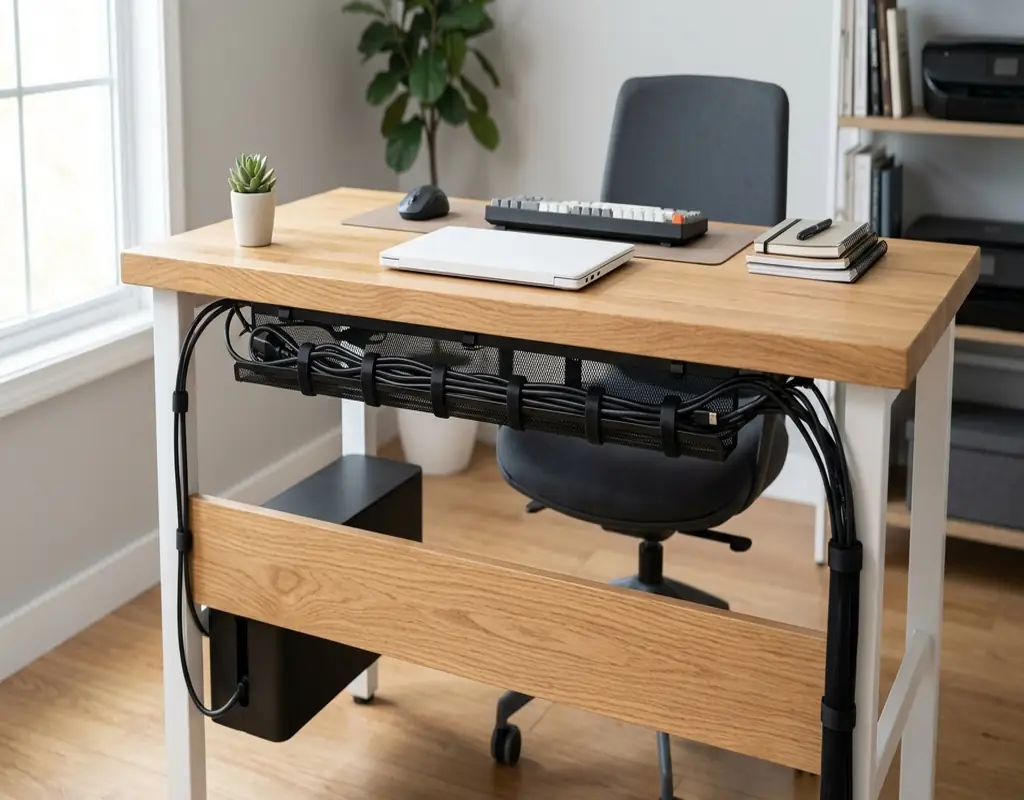
A small desk does not need many things to start looking messy. Add a laptop, monitor, keyboard, mouse, phone charger and a lamp, and suddenly cables seem to be everywhere.
The frustrating part is that the cables themselves are not always the problem. It is usually the way they are arranged.
When wires cross the working area, hang over the edge or disappear behind the desk, even a well-organized workspace can start to feel cramped. The good news is that you do not need an expensive cable-management system to improve it.
A few simple solutions can keep the most-used cables within reach while moving unnecessary wires away from your main working area.
If you are still deciding which desk to use, our guide to 5 Best Small Desks for a Small Home Office can help you choose a desk that gives you enough room without taking over the room.
Best Cable Management Products for Small Desks
There is no reason to buy every cable organizer you can find. The right choice depends on what is actually causing the mess.
Here are five useful options to consider.
1. Under-Desk Cable Management Tray
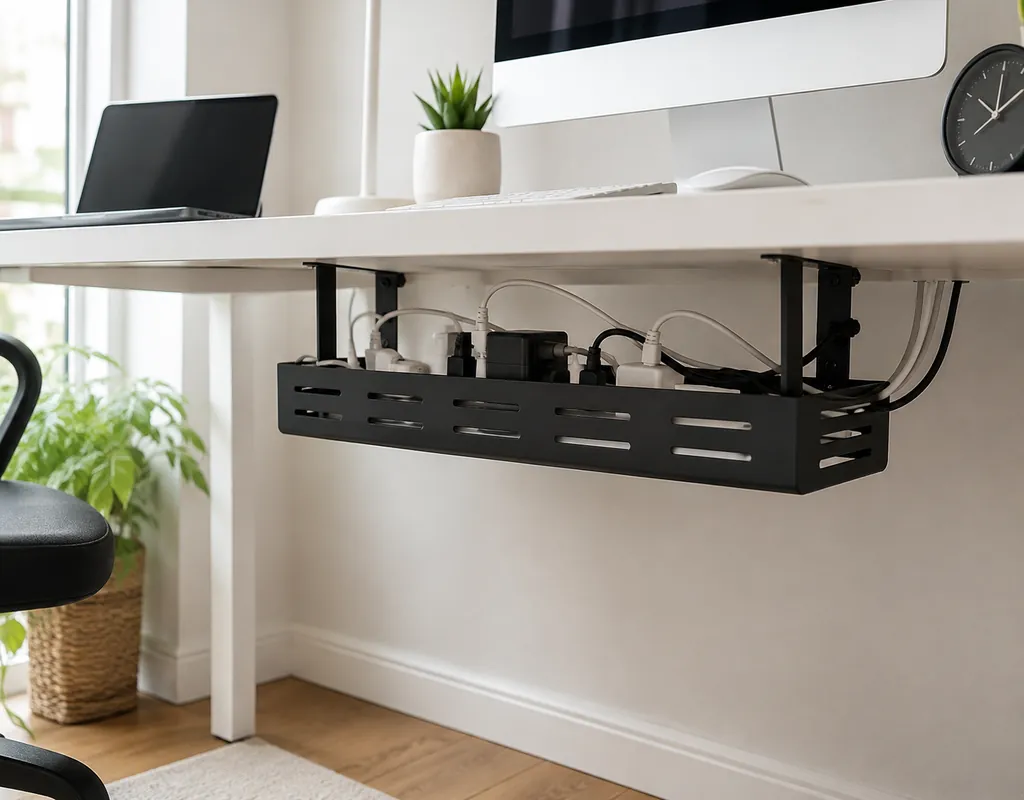
Best for: Several cables and power strips
An under-desk cable tray gives your cables a dedicated place beneath the desk instead of leaving them hanging toward the floor.
It can also provide a convenient spot for a power strip and extra cable length, helping keep the desktop free for the things you use while working.
Before buying one, measure the space underneath your desk. A tray that is too large may interfere with your legs or leave less room than expected.
Why consider it: A practical choice when several cables need to travel underneath a small desk.
2. Adhesive Cable Clips
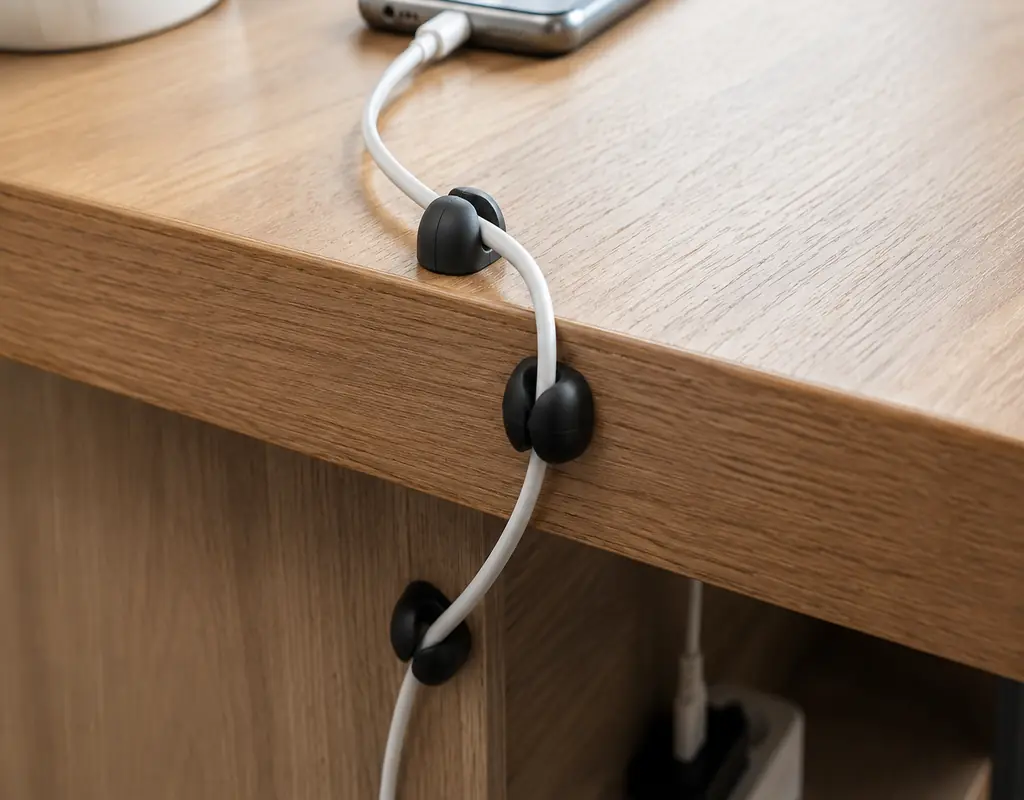
Best for: Charging and USB cables
Cable clips are a simple solution for wires that you use throughout the day.
A small adhesive holder can keep a phone charger or USB cable near the edge of the desk so it does not fall behind when you unplug it.
Look at the clip opening before buying and make sure it is suitable for the thickness of your cables. It is also worth checking whether the adhesive is appropriate for the surface of your desk.
Why consider it: Small, inexpensive and easy to use without taking up valuable desk space.
3. Cable Management Sleeve
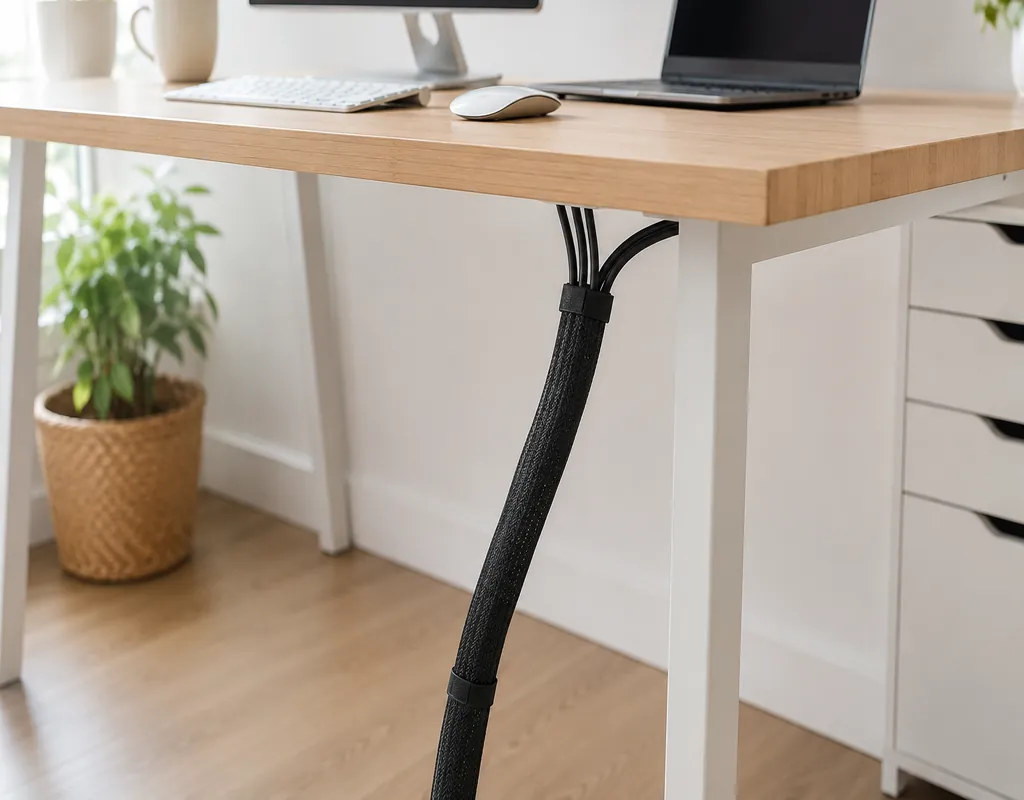
Best for: Grouping several cables
When multiple cables travel in the same direction, a sleeve can make the setup look considerably neater.
For example, monitor, keyboard and other cables can be grouped together as they move toward the back of the desk.
A sleeve is most useful when the cables generally stay together. If you frequently unplug one particular wire, leave that cable accessible rather than bundling everything tightly.
Why consider it: Helpful for turning several loose wires into a cleaner-looking bundle.
4. Reusable Velcro Cable Ties
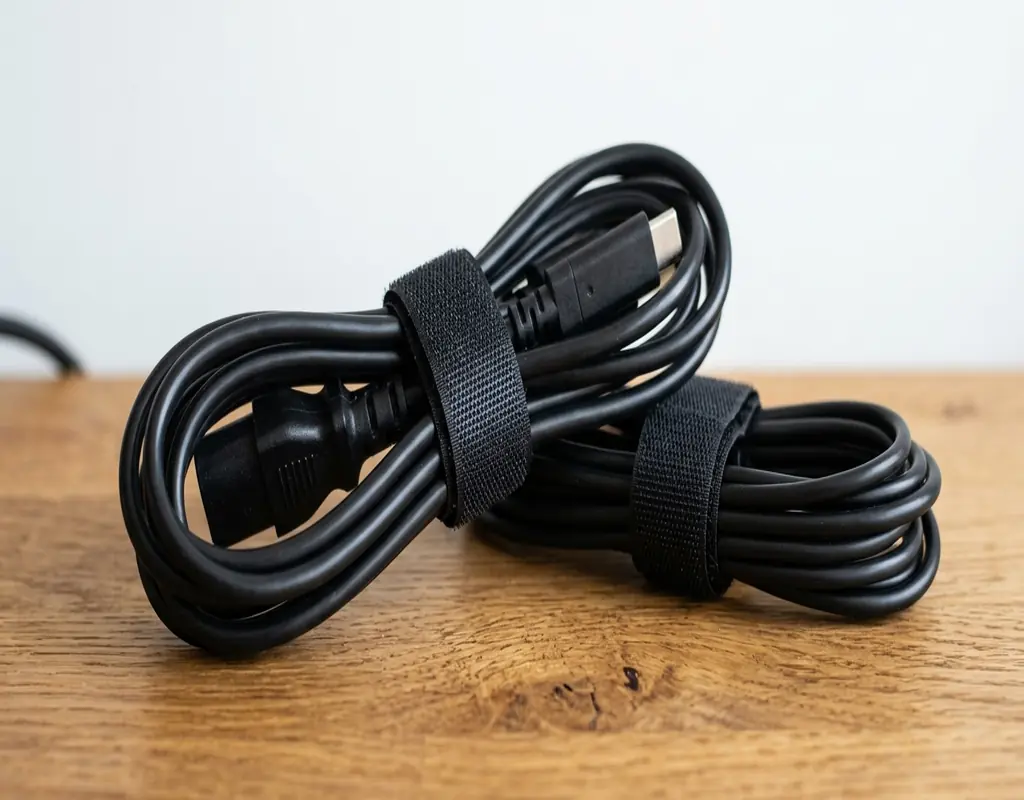
Best for: Extra cable length
Not every cable needs to be perfectly hidden. Sometimes the easiest solution is simply to control the excess length.
Reusable Velcro ties allow you to gather extra cable into a loose loop without permanently securing it. When you move your equipment or replace a cable, the tie can be opened again.
Avoid creating tight bends or pulling the cable too firmly.
Why consider it: An inexpensive and flexible way to deal with excess cable length.
5. Cable Management Box
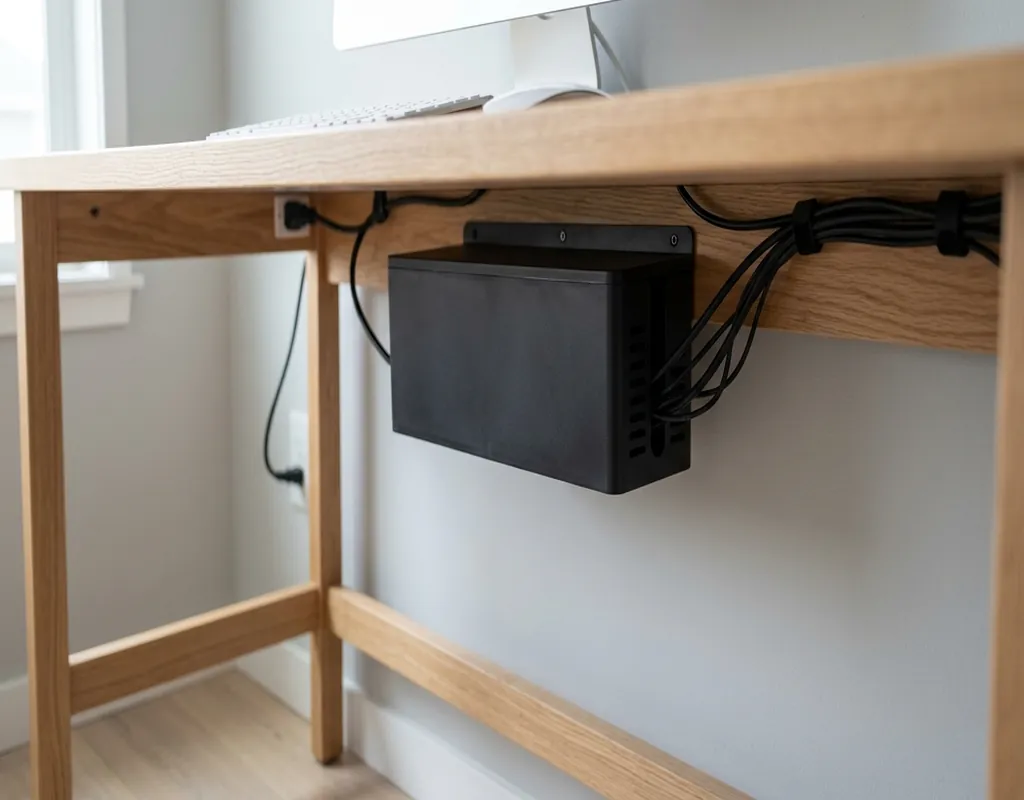
Best for: Power-strip clutter
A power strip can quickly become the messiest part of a small desk setup.
Several chargers and power cables connected in one place can create a collection of wires that is difficult to keep tidy. A cable-management box can help contain the power strip and some suitable excess cable.
Choose a box that gives the equipment enough room and follow the safety instructions for the electrical equipment you are using.
Why consider it: Particularly useful when the power strip is responsible for most of the visible cable clutter.
Simple Ways to Organize Cables on a Small Desk
Buying organizers is only part of the solution. How you arrange the cables matters just as much.
1. Start With the Cables You Use Every Day
Look at the cables you regularly connect and disconnect.
Phone chargers, USB cables and laptop charging cables should remain easy to reach. There is little benefit in hiding a cable if you have to search underneath the desk every time you need it.
A small holder positioned near the side or front of the desk can keep frequently used wires accessible.
2. Send Most Cables Toward the Back
Whenever possible, avoid running cables through the middle of your workspace.
A simple route can make a big difference:
Less practical: Laptop → across the desk → power source
Better: Laptop → back edge → underneath desk → power source
This keeps the area where you type, write and use your mouse relatively clear.
3. Group Cables That Follow the Same Route
If several cables are heading toward the same location, they can usually be managed together.
A sleeve or reusable Velcro tie can keep them from spreading in different directions.
There is no need to bundle unrelated cables simply for appearance. Keeping some wires separate can make future changes much easier.
4. Control Extra Cable Length
Long cables can create unnecessary loops underneath the desk or beside your equipment.
Instead of letting the extra length sit on the floor, gather it into a loose loop and secure it with a reusable tie.
Leave enough length for normal movement. A cable should never be so tight that moving your laptop or monitor puts unnecessary strain on it.
5. Keep the Power Strip Under Control
If your power strip is sitting in the middle of the mess, organizing individual cables may only solve part of the problem.
Consider where the power strip can safely sit and route the connected cables in an orderly direction.
If appropriate for your setup, a cable-management box can make the area look considerably cleaner.
How to Choose the Right Cable Management Solution
The easiest way to choose is to identify the problem first.
Cables keep falling behind the desk: Use adhesive cable clips or holders.
Several cables are hanging underneath: Consider an under-desk cable tray.
Several wires travel together: A cable sleeve may be useful.
You have lots of extra cable length: Reusable Velcro ties can keep it under control.
The power strip is creating most of the mess: Consider a cable-management box.
You do not need all five solutions. Start with the one that fixes the biggest annoyance in your current setup.
Common Cable Management Mistakes
Using Too Many Organizers
More organizers do not automatically mean better cable management.
If every cable has its own clip, tie or sleeve, changing your setup later can become more difficult.
Use only what you actually need.
Pulling Cables Too Tight
A tidy-looking cable should still have enough freedom to move.
Avoid sharp bends and excessive tension, particularly around desk edges and connection points.
Hiding Cables You Use Frequently
A cable that disappears completely may make the desk look neat but can make everyday work more inconvenient.
Keep commonly used charging and USB cables somewhere easy to reach.
Forgetting About the Power Strip
It is easy to concentrate on the cables sitting on the desktop while ignoring the collection underneath.
Look at the entire cable route, from each device all the way to the power source.
Planning Only for Today’s Setup
Your desk setup may change later.
You might add another monitor, replace your keyboard or move your laptop to another position.
Avoid creating a cable arrangement that only works for the equipment you have today.
A Simple Cable Management Setup for a Small Desk
You can create a useful setup without buying a large collection of accessories.
Start by placing your laptop and monitor where you normally work.
Next, identify where each cable needs to go. Try to send most cables toward the back of the desk rather than across the front.
Use a few cable clips for wires that you regularly unplug. Gather longer cables with reusable Velcro ties, and consider an under-desk tray if several cables need to run underneath.
If the power strip remains the main source of clutter, a suitable cable-management box may help.
The aim is not to make every wire invisible. The aim is to make the cables easier to manage and keep them from interfering with your workspace.
How to Keep Your Cables Organized
Cable management is easier when you maintain it occasionally instead of waiting until the desk becomes messy again.
Every few months, take a quick look behind and underneath your desk.
Remove cables that are no longer being used. Check whether any ties have become too tight and move clips if your equipment has changed position.
When adding a new device, route its cable properly from the beginning. Spending a minute on the cable route now can save you from having to reorganize everything later.
If you are also trying to organize the rest of your workspace, see our 8 Small Home Office Storage Ideas to Keep Your Workspace Organized.
Frequently Asked Questions
What Is the Easiest Cable Management Solution for a Small Desk?
Cable clips are usually one of the simplest options. They take up very little space and can stop frequently used cables from falling behind the desk.
Are Cable Sleeves Useful on Small Desks?
Yes. They are particularly useful when several cables need to travel in the same direction and you want to keep them together.
Should I Put My Power Strip Under the Desk?
Moving a power strip away from the desktop can free up useful space, but it should remain safely accessible and be used according to the manufacturer’s instructions.
How Do I Stop Charging Cables From Falling Behind My Desk?
A small cable clip or holder near the edge of the desk can keep a frequently used charging cable within reach.
Should Every Cable Be Tied Together?
No. Group cables that naturally follow the same route, but leave frequently disconnected cables easy to access.
How Often Should I Reorganize My Desk Cables?
There is no fixed schedule. A quick check every few months, or whenever you change your equipment, is usually enough to catch loose, unused or poorly routed cables.
Final Thoughts
A small desk does not require an elaborate cable-management system.
The most useful approach is to look at where the clutter is coming from and solve that specific problem. Cable clips can keep frequently used wires within reach, trays can move several cables underneath the desk, sleeves can group wires travelling in the same direction, and reusable ties can control extra cable length.
If the power strip is responsible for most of the mess, a cable-management box may be a more useful purchase than several individual organizers.
Most importantly, keep the system practical. You should be able to reach, move and replace your cables without having to dismantle your entire desk.
Start with one or two simple changes and see how much difference they make. A cleaner cable setup can free up valuable space and make a small home office feel much easier to work in.
For more workspace ideas, explore our Work-From-Home Tech guides.
Affiliate Disclosure
Some links on Buy Facto may be affiliate links. If you purchase a product through one of these links, we may earn a commission at no additional cost to you.
Product prices, availability, features and specifications can change over time. Always check the current product information before making a purchase.
Pingback: 8 Small Home Office Storage Ideas for Better Organization