Finding a comfortable chair gets trickier once your workspace shrinks. A chair that looks perfectly normal in a big office can suddenly feel oversized the moment it’s parked beside a small desk, tucked into a bedroom corner, or squeezed into a shared room.
The best ergonomic office chairs for small spaces combine a manageable footprint with adjustable seat height, suitable back support, and features that make a compact workspace easier to use.
The upside is that you don’t need a bulky executive-style chair to get real ergonomic support. In a small home office, what actually helps is usually simpler: a manageable footprint, a seat height you can adjust, back support that does its job, and a design you can push out of the way once you’re done for the day.
Still deciding on a desk? Worth measuring that space first — our guide to small desks for compact home offices walks through a few space-saving options and will help you figure out how much room is actually left for a chair.
What Makes the Best Ergonomic Office Chairs for Small Spaces?
A compact chair isn’t automatically a good one. What you’re really after is something that fits your room without giving up the basic adjustments that make desk work comfortable.
Footprint matters more than you’d think. The base and overall depth can make a bigger difference than people expect in a small room. Don’t take a listing’s word for it when it says “compact” or “space-saving” — these terms aren’t standardized, and two chairs marketed the same way can have noticeably different measurements. It also helps to think about the space around the chair, not just the chair itself — you need enough room to pull it out, sit, swivel, and move your feet without bumping into something else.
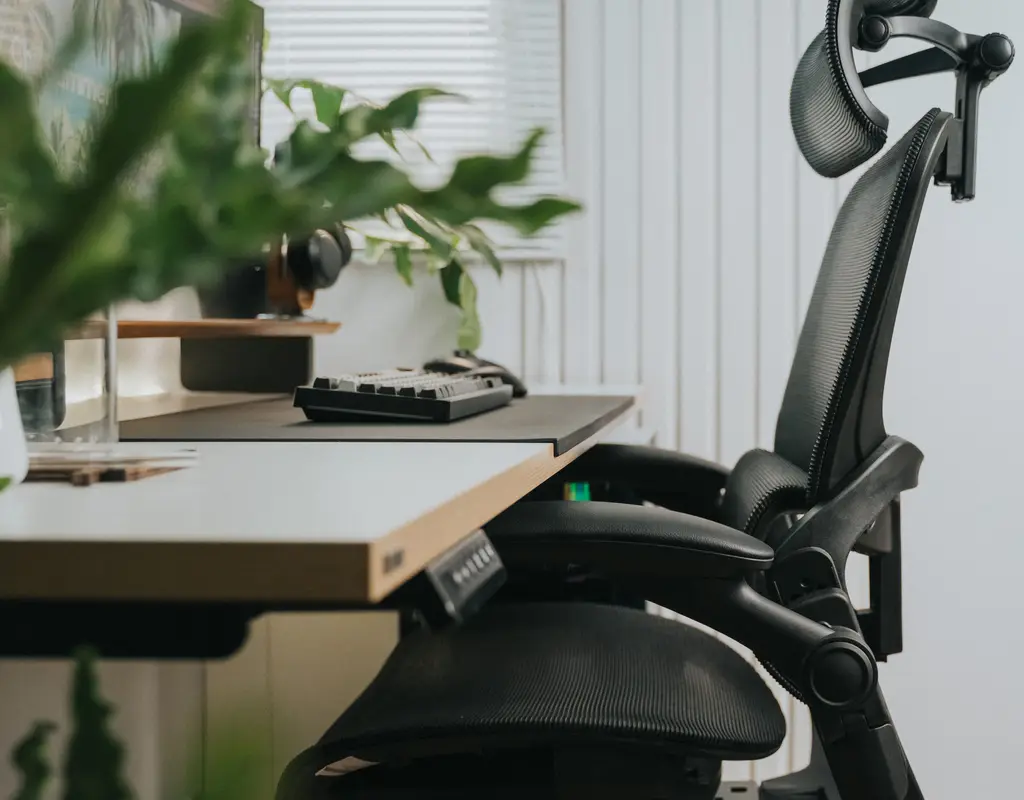
Armrests can work for or against you. They’re useful, sure, but they’re also one of the main reasons chairs don’t fit under small desks. Flip-up arms solve this neatly — they let the chair slide further underneath your desk once you’re finished, which matters a lot if the room doubles as a bedroom or living space. If you barely use armrests anyway, going armless is worth considering too.
Seat height adjustment isn’t optional. This is one you really shouldn’t compromise on. Get the height wrong and you’ll end up working with your shoulders hiked up or your arms at an awkward angle — especially noticeable if you’re pairing the chair with a compact desk or a standing-desk converter.
Back support doesn’t need to be huge to be useful. A large backrest isn’t the goal — a supportive one is. Some chairs build in lumbar shaping directly; others let you adjust it. If you’re at your desk for hours at a stretch, that adjustability starts to matter more than shaving off another inch of chair size.
Think about where the chair goes when you’re not in it. A chair that tucks fully under your desk frees up real floor space — especially useful if your office shares a room with something else. Check the clearance between your desk and the chair’s seat, arms, and backrest specifically, because a chair can have a small footprint on paper and still refuse to slide under your particular desk.
Five Chair Styles Worth Considering
There’s no single “right” chair for every small home office — it really depends on your room and how you work.
For small apartments, office chair alternatives are worth considering when a traditional chair takes up too much room. A slim task chair, an armless chair, or a model with flip-up armrests can make a compact workspace easier to manage. Before choosing one, compare its dimensions, back support, and adjustability with your desk space and daily work needs.
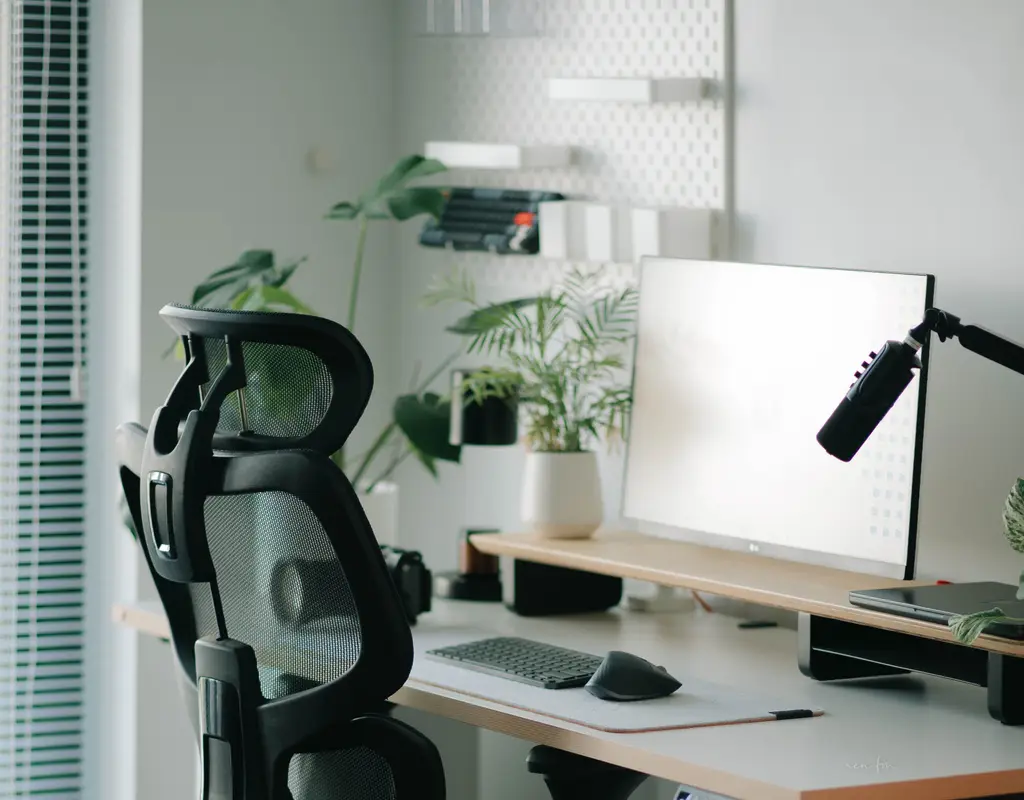
A slim mesh office chair is probably the safest starting point for most people. Mesh backs read as lighter than padded ones, and the material breathes better over long sitting sessions. Look for a narrow base, adjustable height, and ideally arms that move out of the way. The trade-off is that mesh seats can feel a little firm, and cheaper models often skimp on lumbar adjustment — but for everyday use, this style tends to hit the best balance between comfort and a light footprint.
If floor space is your single biggest constraint, an armless chair solves that directly. Cutting the arms reduces visual bulk and makes it much easier to slide the chair under a compact desk or move it around a multi-purpose room. Obviously you lose arm support in the process, and cheaper armless models often skip adjustability altogether — so this style suits shorter sessions or genuinely tight spaces more than all-day use.
A compact task chair sits in the middle ground — built for actual desk work rather than the oversized proportions of an executive chair. It offers a bit more support than a bare-bones armless model while still staying easy to pair with a small desk. Just don’t assume “compact” in the name guarantees compact dimensions; check the actual depth, because some “compact” chairs are still surprisingly deep.
For something more supportive without adding bulk, an ergonomic armless chair uses shaped backrests or mesh panels to provide real support while keeping the armless, space-saving profile. It’s worth remembering that dropping the armrests doesn’t automatically make a chair ergonomic on its own — the adjustability and dimensions still need to hold up on their own merits.
And if you’re at your desk most of the day, a fully adjustable ergonomic chair is where the extra cost starts paying off. Look for adjustable lumbar support, seat height, tilt tension, and armrests — the goal is finding those features in a frame that’s still reasonably compact, rather than defaulting to the biggest chair available. The catch: it costs more, and armrests on these models usually don’t flip up, so tuck-under space is more limited than the other options here.
How to Actually Choose the Right One

Once you’ve got a style in mind, a few measurements go a long way before you order anything.
When choosing an ergonomic office chair for a small space, compare its overall dimensions, seat depth, and adjustment features with the room available around your desk.
Start with the floor space itself — not just the gap between two pieces of furniture, but how much room you actually need to pull the chair out and move around while seated. Then check the clearance under your desk specifically, paying close attention to armrest height, since a chair can fit fine beside the desk and still fail to slide underneath it.
Seat dimensions matter too. A narrow chair isn’t automatically more comfortable — compare the width and depth against what you actually need, because a seat that’s too shallow can turn uncomfortable fast during longer sessions.
One thing people tend to forget: consider what the chair looks like when nobody’s using it, particularly in a room that serves double duty. If it needs to disappear at the end of the day, prioritize something that moves easily and tucks away cleanly. A few extra inches of clearance really can change how a small room feels.
Which Features Are Actually Worth Paying For
Not every extra feature justifies a higher price tag — for a small office, it’s worth focusing on what you’ll genuinely use.
Seat height adjustment is non-negotiable, not a luxury add-on — you need enough range to sit comfortably relative to your desk. Lumbar support matters more the longer you sit; adjustable beats fixed if you can get it. Tilt or recline adjustment makes a chair feel more adaptable over a long session, and armrest adjustability — especially flip-up arms — pulls double duty by supporting your arms while working and getting out of the way when you need to tuck the chair in.
A Few Mistakes Worth Avoiding
Don’t buy based on the word “compact” alone — check actual width, depth, and height, since the label alone means very little.
Don’t assume smaller is automatically better, either. If you’re working several hours a day, comfort and adjustability still matter — saving a couple of inches isn’t much of a win if the chair is uncomfortable to sit in.
Armrests are easy to overlook when you’re measuring a desk setup, so check their height and width, and whether they move out of the way. And don’t ignore how the chair sits when it’s empty — a chair that juts far into a walkway can make a room feel cramped even when its official dimensions look reasonable on paper.
Frequently Asked Questions
Do I need armrests for a small home office? No — useful for a lot of people, but not essential. If space is genuinely tight, an armless chair or one with flip-up arms makes it much easier to keep the chair out of the way.
What type of office chair takes up the least space? Generally an armless chair with a narrow base, though it’s still worth comparing actual dimensions since designs vary a lot even within that category.
Is a mesh chair better for a small room? Not necessarily better, but often lighter-looking and less bulky than heavily padded designs. What matters most in the end is the chair’s actual footprint and whether it fits your specific desk area.
Are ergonomic chairs worth it for occasional use? If you’re only at your desk for short stretches, probably not every feature. A basic chair with a comfortable seat, a workable height range, and decent back support is usually enough.
How do I know if a chair will fit under my desk? Measure the clearance underneath your desk and compare it against the chair’s dimensions — including armrest height if it has arms. Checking the manufacturer’s specs before ordering saves a lot of guesswork.
Final Thoughts
The best ergonomic office chairs for small spaces aren’t necessarily the smallest ones you can find — they’re the chairs that provide suitable support for your daily work while taking up as little unnecessary room as possible.
For occasional use, a simple armless or compact task chair usually covers it. If you’re at your desk for hours each day, lean toward better adjustment options — seat height and real back support especially.
Whatever direction you go, measure your space first, and pay attention to width, depth, armrests, and how easily the chair tucks away. A small home office works best when every piece of furniture earns its spot, and the right chair should support you while staying out of the way once the workday’s over.
If you’re still building out the rest of your setup, our guide on small home office ideas that make a small room feel bigger has more on making a compact room feel functional, and our list of small home office accessories worth adding to your desk covers a few smaller additions worth considering.